
针对Markdown规范的内联评审评论。内置的MCP服务器直接将反馈交给你的AI代理。
概览
针对降价规范、提示和设计文档的内联评审评论。 在渲染的文档中高亮文本,留下评论,你的AI代理可以直接阅读并处理这些评论。注释作为隐形HTML标记存储在.md文件中。没有边车文件,没有数据库,也没有外部服务。标记文件始终是真实的来源。 内置的MCP服务器,审核是双向的。你的客服可以在任务中途请求审核,暂停直到你发送反馈,或者审核你写的文档并留下锚定评论。无论哪种方式:不复制粘贴,不切换上下文。 https://github.com/user-attachments/assets/8b9b3546-a895-42e1-b3cc-5ee5b2c00398 可兼容 Claude Code、Claude Desktop、Codex CLI、Gemini CLI 以及任何支持 stdio 服务器的其他 MCP 客户端。正如 Sean Grove 所说,规范是新代码,规范正成为代理开发的主要工作单元。MDR 让工作流程审查工具更接近代码审查。
概述(AI 翻译)
针对降价规范、提示和设计文档的内联评审评论。
在渲染的文档中高亮文字,留下评论,你的AI代理可以直接阅读并处理。评论以隐形HTML标记存储在.md文件中。没有边车文件,没有数据库,也没有外部服务。标记文件始终是真实的来源。
内置的MCP服务器,审核是双向的。你的客服可以在任务中途请求审核,暂停直到你发送反馈,或者审核你写的文档并留下锚定评论。无论哪种方式:不复制粘贴,不切换上下文。
大约30秒内查看完整审核流程:
https://github.com/user-attachments/assets/8b9b3546-a895-42e1-b3cc-5ee5b2c00398
可支持 Claude Code、Claude Desktop、Codex CLI、Gemini CLI 以及任何支持 stdio 服务器的 MCP 客户端。正如 Sean Grove 所说,规范是新代码,规范正成为代理开发的主要工作单元。mdr 使工作流审查工具更接近代码审查。
快速开始
前提条件:节点20或更新。
如果需要,这样可以启动本地应用,并在浏览器中打开。
或者全局安装:
本页由 AI 翻译,技术细节请以原文为准。
README
以下为原文 README 节选,完整内容请查看原文。
md-redline

Inline review comments for markdown specs, prompts, and design docs.
Highlight text in a rendered document, leave comments, and your AI agent can read and address them directly. Comments are stored as invisible HTML markers in the .md file itself. No sidecar files, no database, no external service. The markdown file stays the source of truth.
With the built-in MCP server, review runs in both directions. Your agent can request your review mid-task and pause until you send your feedback, or review a doc you wrote and leave anchored comments for you. Either way: no copy-paste, no context switching.
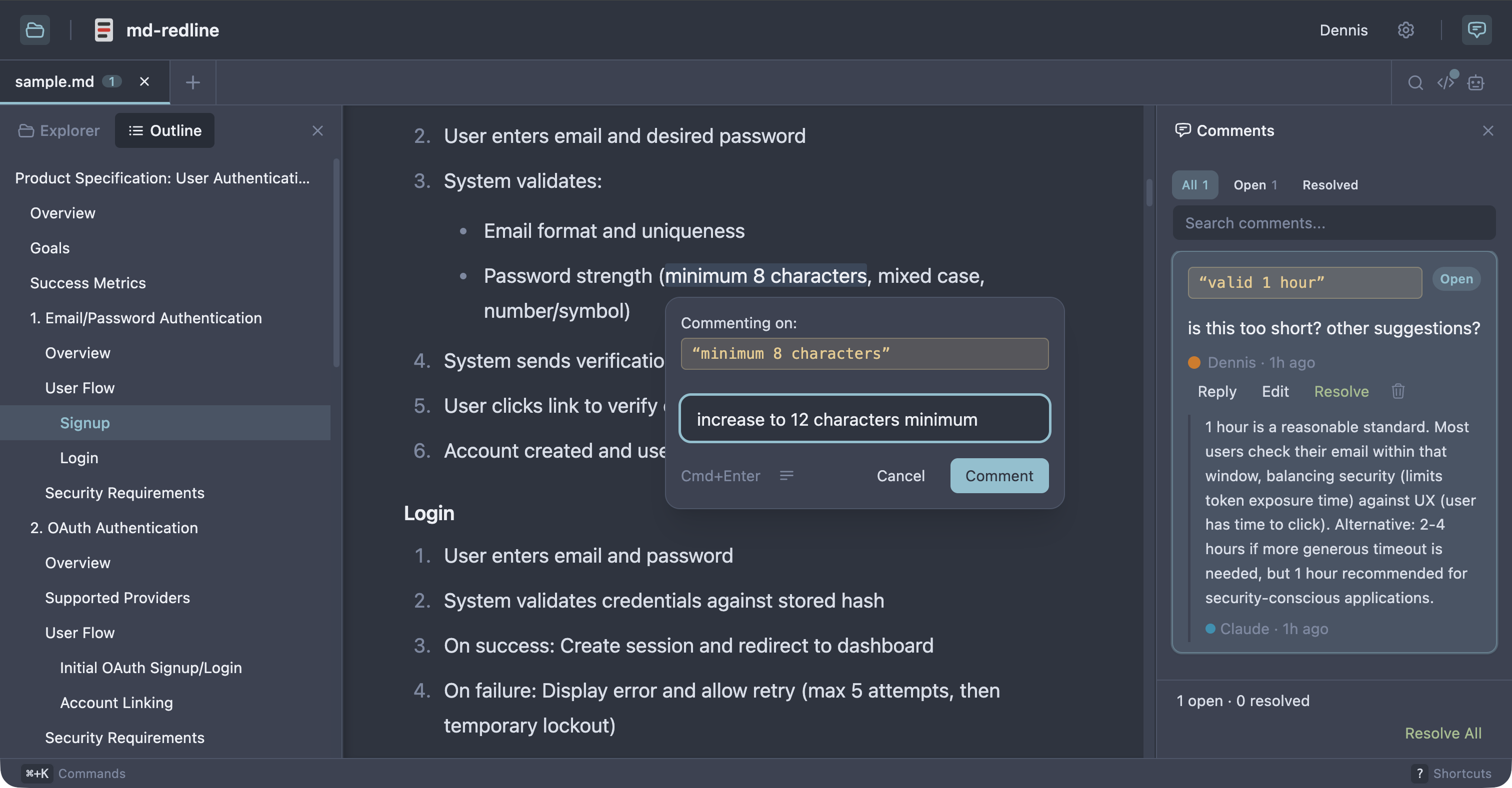
See the full review workflow in about 30 seconds:
https://github.com/user-attachments/assets/cedccbc9-2458-45f0-9e05-3c3a01ce0d5a
Works with Claude Code, Claude Desktop, Codex CLI, Gemini CLI, and any other MCP client that supports stdio servers. As Sean Grove argues in specs are the new code, specs are becoming the primary unit of work in agentic development. md-redline gives that workflow review tooling closer to code review.
Quick start
Prerequisite: Node 20 or newer.
npx md-redline /path/to/spec.md
This starts the local app if needed and opens it in your browser.
Or install globally:
npm install -g md-redline
mdr /path/to/spec.md        # Open a file
mdr /path/to/dir             # Open a directory
mdr --stop                   # Stop the running server
mdr sessions                 # List open review sessions (--kill ID ends one)
md-redline also works as an alias for mdr.
That gives you the viewer and commenting. The agent integration (reviews in both directions, anchored questions) comes from the MCP server, registered in the next section.
Updating
md-redline checks npm once a day (from its local server, never blocking anything) and shows a small notice in the viewer and the terminal when a new version is out. Upgrading is one command:
npm install -g md-redline@latest
The running server restarts itself on the next mdr invocation after an
upgrade. To disable update checks entirely, set NO_UPDATE_NOTIFIER=1 (or
run in CI, which is auto-detected). Note this is a presence check, following
the ecosystem convention: any value, even 0 or empty, disables the checks.
MCP setup
Register the MCP server with your agent so it can request reviews mid-task.
Claude Code or Claude Desktop
mdr mcp install                   # register with both clients (default)
mdr mcp install --claude-code # just Claude Code (via `claude mcp add`)安装
npx md-redline /path/to/spec.md配置
{
  "mcpServers": {
    "md-redline": {
      "command": "mdr",
      "args": ["mcp"]
    }
  }
}