
GitLab MCP:支持从需求创建问题,或修改代码并提交合并请求,同时提供一套原子 GitLab API 工具,用于问题驱动的......
概览
mcp-gitlab-workflow 是一个用于问题驱动的 GitLab 开发的 MCP 服务器。 它可以将需求或现有的 GitLab 问题驱动标准化的交付流程:需求分析、问题创建、分支、编码、合并请求创建和问题更新。它还提供一套原子 GitLab API 工具,用于自定义编排和细粒度控制。 - workflow_*:将共同交付需求流程打包为单一工具调用的高级工具- gitlab_*:用于自定义编排和细粒度控制的原子 GitLab API 工具 问题和代码交付的目标项目配置为WORKFLOW_ISSUE_PROJECT_ID和WORKFLOW_CODE_PROJECT_ID。完整的配置矩阵请参见下方环境变量部分。
概述(AI 翻译)
英文 |简体中文
mcp-gitlab-workflow 是一个用于问题驱动的 GitLab 开发的 MCP 服务器。
它可以将需求或现有的 GitLab 问题驱动标准化的交付流程:需求分析、问题创建、分支、编码、合并请求创建和问题更新。它还提供一套原子 GitLab API 工具,用于自定义编排和细粒度控制。
1.核心能力
workflow_*:将共同需求到交付流程打包为单一工具调用的高级工具gitlab_*:用于自定义编排和细粒度控制的原子 GitLab API 工具
问题和代码交付的目标项目配置为 WORKFLOW_ISSUE_PROJECT_ID 和 WORKFLOW_CODE_PROJECT_ID。完整的配置矩阵请参见下方环境变量部分。
工作流程工具
workflow_requirement_to_issue:分析需求并创建 GitLab 问题workflow_review_mr_post_comment:审核目标合并请求并发表评论workflow_issue_to_delivery:从已有议题开始,完成分支 ->代码更改 -> MR -> issue comment -> issue log
本页由 AI 翻译,技术细节请以原文为准。
README
以下为原文 README 节选,完整内容请查看原文。
mcp-gitlab-workflow
mcp-gitlab-workflow is an MCP server for issue-driven GitLab development.
It can take a requirement or an existing GitLab issue and drive a standardized delivery flow: requirement analysis, issue creation, branching, coding, merge request creation, and issue updates. It also provides a set of atomic GitLab API tools for custom orchestration and fine-grained control.
1. Core Capabilities
workflow_*: higher-level tools that package common requirement-to-delivery flows into a single tool callgitlab_*: atomic GitLab API tools for custom orchestration and fine-grained control
Target projects for issues and code delivery are configured with WORKFLOW_ISSUE_PROJECT_ID and WORKFLOW_CODE_PROJECT_ID. See the environment variable section below for the full configuration matrix.
Workflow Tools
workflow_requirement_to_issue: analyze a requirement and create a GitLab issueworkflow_review_mr_post_comment: review a target merge request and post a review commentworkflow_issue_to_delivery: start from an existing issue and complete branch -> code change -> MR -> issue comment -> issue logworkflow_requirement_to_delivery: run the full end-to-end flow from a requirement
Atomic GitLab Tools
Issue tools fall back to WORKFLOW_ISSUE_PROJECT_ID by default, while code and merge request tools fall back to WORKFLOW_CODE_PROJECT_ID.
- Users and labels:
gitlab_get_current_user,gitlab_list_labels,gitlab_create_label,gitlab_update_label,gitlab_delete_label - Issues:
gitlab_create_issue,gitlab_get_issue,gitlab_get_issue_notes,gitlab_add_issue_comment,gitlab_get_issue_images - Repository:
gitlab_create_branch,gitlab_get_file,gitlab_commit_files,gitlab_upload_project_file - Merge requests:
gitlab_get_merge_request,gitlab_get_mr_notes,gitlab_create_merge_request,gitlab_create_mr_note,gitlab_get_mr_changes,gitlab_approve_mr,gitlab_unapprove_mr
2. Example
Using workflow_requirement_to_delivery as an example, it is best to explicitly name the tool in your prompt or wrap it in a higher-level custom instruction / skill so the LLM can reliably choose the intended workflow.
Input
Use workflow_requirement_to_delivery to add a forum interaction feature
Result
The workflow can automatically complete the flow below:
requirement analysis -> issue creation -> branch -> code change -> MR -> issue update
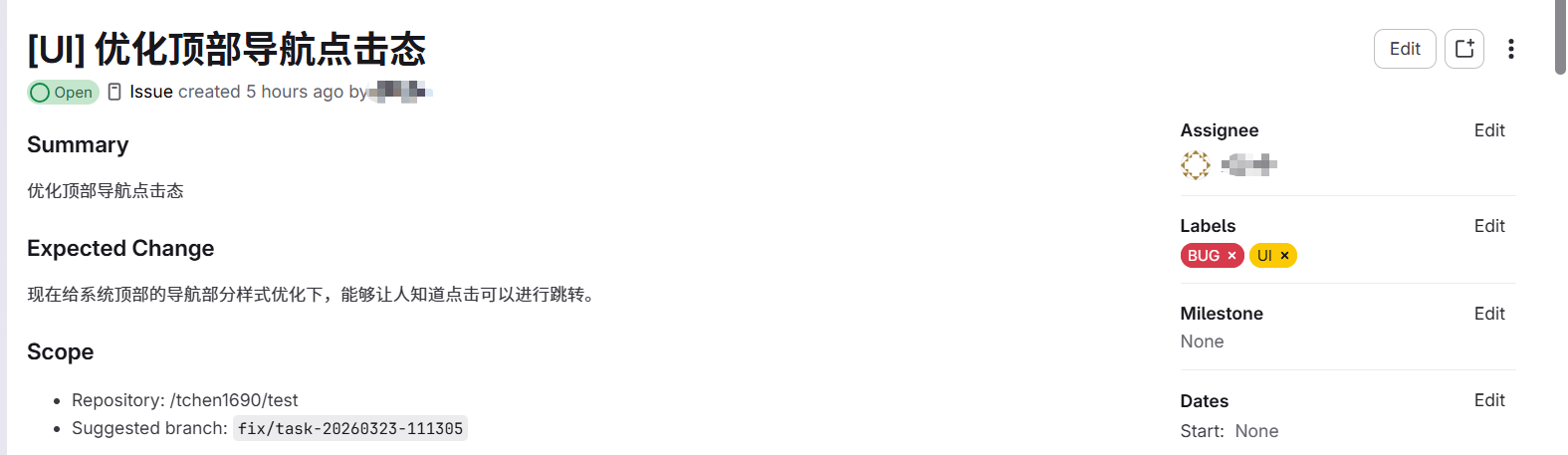
(1) Issue creation
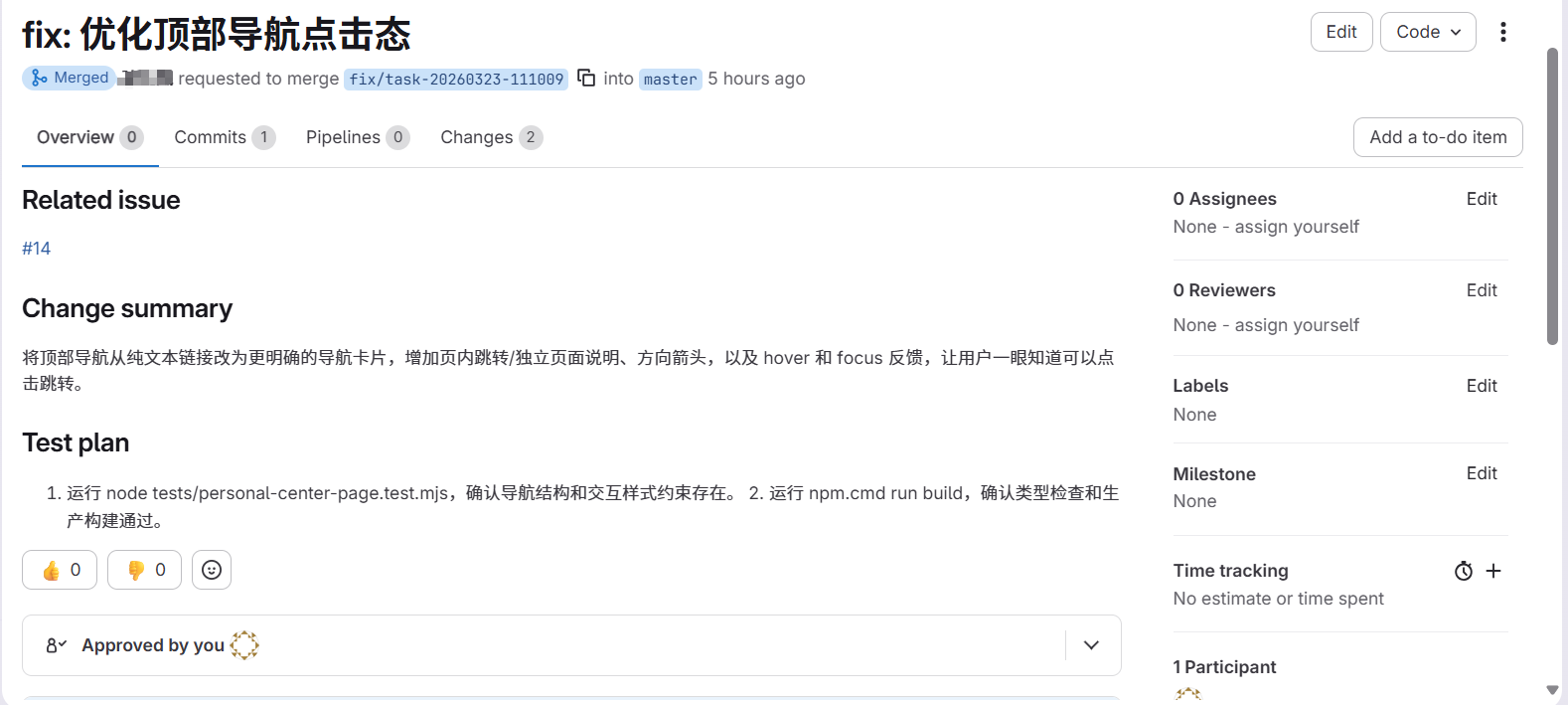
(2) Code changes and MR submission based on the issue
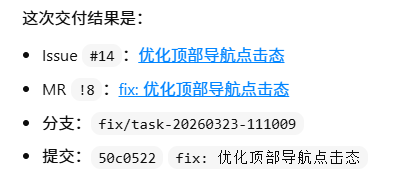
(3) Issue comment
安装
npx -y @chntif/mcp-gitlab-workflow配置
{
  "mcpServers": {
    "gitlab-workflow": {
      "command": "npx",
      "args": ["-y", "@chntif/mcp-gitlab-workflow"],
      "env": {
        "GITLAB_TOKEN": "YOUR_TOKEN",
        "GITLAB_API_BASE_URL": "https://gitlab.com/api/v4",
        "WORKFLOW_ISSUE_PROJECT_ID": "82346102",
        "WORKFLOW_ISSUE_PROJECT_PATH": "tchen1690/test",
        "WORKFLOW_CODE_PROJECT_ID": "82346102",
        "WORKFLOW_CODE_PROJECT_PATH": "tchen1690/test",
        "WORKFLOW_BASE_BRANCH": "develop",
        "WORKFLOW_TARGET_BRANCH": "develop",
        "WORKFLOW_LOCAL_REMOTE_NAME": "origin"
      }
    }
  }
}