
M365 Copilot MCP 服务器——Microsoft 365 Copilot 集成的模型上下文协议服务器
概览
这是一个非官方的MCP服务器,但由Microsoft工程师开发,集成了最新的Microsoft 365 Copilot API。我们欢迎您的反馈和贡献! 通过模型上下文协议(MCP)将您的 AI 助手连接到 Microsoft 365。该服务器使 AI 工具能够访问您的 SharePoint 文档、OneDrive 文件、电子邮件、Teams 对话等内容——同时尊重您组织的访问控制。 m365-copilot-mcp 服务器为 AI 助手提供了三项强大功能: 这些功能基于官方的 Microsoft 365 Copilot API 构建。 - - 运行环境 - - 带有 Microsoft 365 Copilot 许可证 - - 例如 Claude Code、GitHub Copilot 或其他 MCP 客户端 通过这些逐步视频指南,了解如何安装和使用 M365 Copilot MCP 服务器: 关于如何安装和使用 M365 Copilot MCP 服务器并使用 Claude Code。 关于如何在VS Code中安装和使用M365 Copilot MCP服务器,配合GitHub Copilot。
概述(AI 翻译)
注: 这是一个非官方的MCP服务器,但由Microsoft工程师开发,集成了最新的Microsoft 365 Copilot API。我们欢迎您的反馈和贡献!
通过模型上下文协议(MCP)将您的 AI 助手连接到 Microsoft 365。该服务器使 AI 工具能够访问您的 SharePoint 文档、OneDrive 文件、电子邮件、Teams 对话等内容——同时尊重您组织的访问控制。
概述
m365-copilot-mcp 服务器为 AI 助手提供了三项强大功能:
| 能力 | 目的 | 用例 |
|---|---|---|
| ** 📄 检索** | 从您的M365数据中提取相关文本内容 | 利用您的文档、电子邮件和对话中的信息回答问题 |
| ** 🔍 搜索** | 查找特定文档和文件 | 查找文件,发现M365环境中的相关内容 |
| ** 💬 聊天** | 由M365 Copilot驱动的对话式人工智能 | 询问你的日程,获取摘要,处理时间敏感的查询 |
了解更多: 这些功能基于官方的 Microsoft 365 Copilot API 构建。
先修条件
- Node.js 20+ - 运行环境
本页由 AI 翻译,技术细节请以原文为准。
README
以下为原文 README 节选,完整内容请查看原文。
Microsoft 365 Copilot MCP Server




Note: This is an unofficial MCP server, but developed by Microsoft engineers, integrating the latest Microsoft 365 Copilot APIs. We welcome your feedback and contributions!
Connect your AI assistant to Microsoft 365 through the Model Context Protocol (MCP). This server enables AI tools to access your SharePoint documents, OneDrive files, emails, Teams conversations, and more - all while respecting your organization’s access controls.
Overview
The m365-copilot-mcp server provides three powerful capabilities for AI assistants:
| Capability | Purpose | Use Cases |
|---|---|---|
| 📄 Retrieval | Extract relevant text content from your M365 data | Answer questions using information from your documents, emails, and conversations |
| 🔍 Search | Find specific documents and files | Locate files, discover relevant content across your M365 environment |
| 💬 Chat | Conversational AI powered by M365 Copilot | Ask about your schedule, get summaries, interact with time-aware queries |
Learn more: These capabilities are built on the official Microsoft 365 Copilot APIs.
Prerequisites
- Node.js 20+ - Runtime environment
- Microsoft 365 account - With Microsoft 365 Copilot license
- MCP-compatible AI tool - Such as Claude Code, GitHub Copilot, or any other MCP client
Video Tutorials
Learn how to install and use the M365 Copilot MCP Server with these step-by-step video guides:
📺 Claude Code with M365 Copilot MCP Server
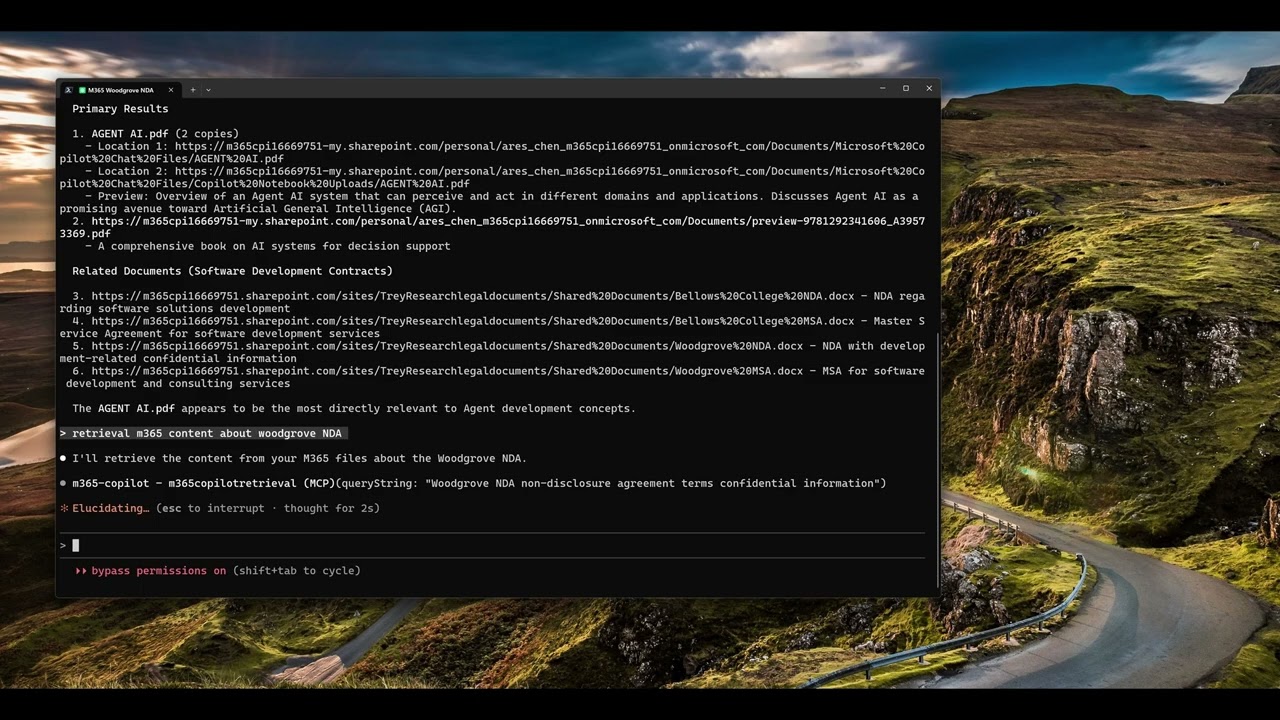
Click the image above to watch the tutorial on how to install and use the M365 Copilot MCP Server with Claude Code.
📺 GitHub Copilot with M365 Copilot MCP Server
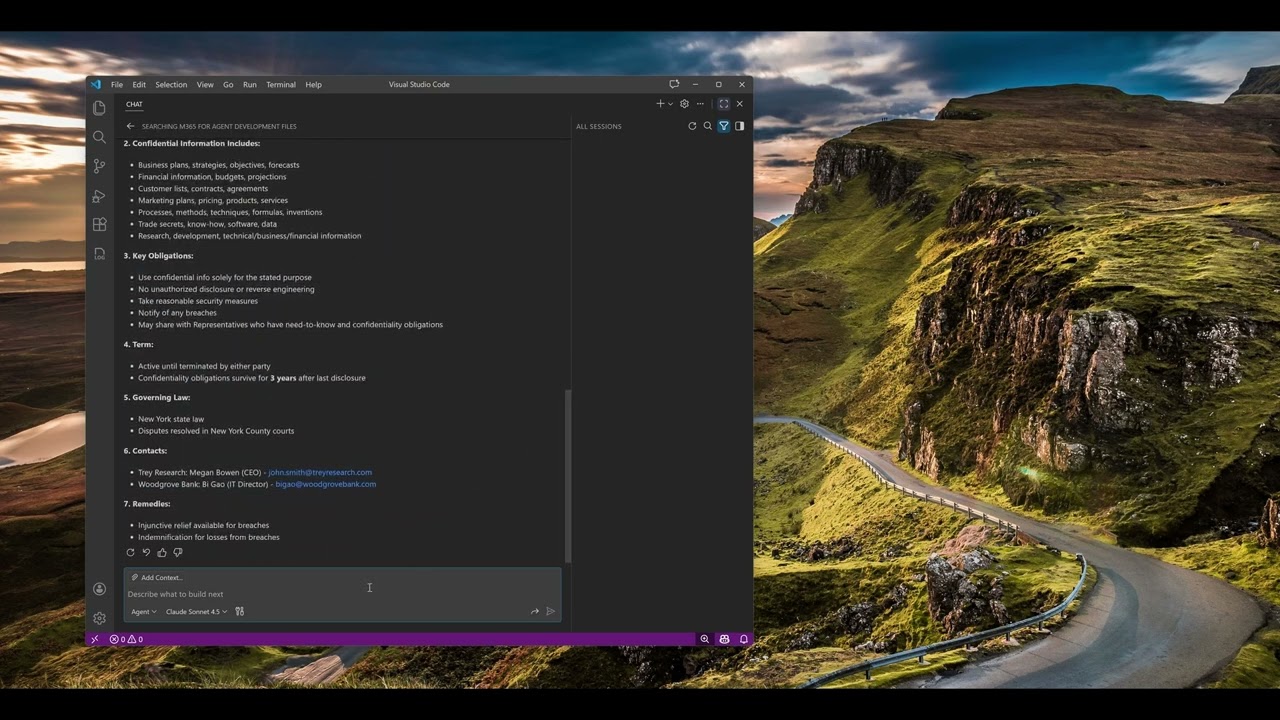
Click the image above to watch the tutorial on how to install and use the M365 Copilot MCP Server with GitHub Copilot in VS Code.
Configuration
Configure the MCP server in your AI tool’s settings. The server uses npx to run directly from npm without requiring global installation.
Claude Code
Add the server using the Claude Code CLI:
macOS/Linux:
安装
npx -y m365-copilot-mcp