
bitdive/mcp-server 是从 https://github.com/bitdive/mcp-server. 导入的 MCP 服务器候选
概览
bitdive/mcp-server 是从 https://github.com/bitdive/mcp-server. 导入的 MCP 服务器候选
概述(AI 翻译)
Python MCP 服务器用于 BitDive 跟踪分析、请求重现和回归管理。
该仓库将BitDive的监控和QA操作暴露给MCP客户端,如Cursor、Claude Desktop及其他代理运行时。该实现存在于server.py中,并连接到BitDive Monitoring API,同时在顶部添加了自己的格式化、规范化和比较逻辑。
使用该仓库,位于
python-mcp-server分支。
演示
在YouTube上观看BitDive产品演示:
概述
这个服务器不仅仅是一个瘦API代理。
它封装了 BitDive API 端点,使其可用于代理工作流程:
- 简洁热图摘要,用于发现
- 可读的跟踪摘要,而非仅仅是原始 JSON
- 从捕获的请求中重现 Bash 和 PowerShell 命令
- 与有效载荷和合同漂移报告的前后跟踪比较
- SQL归一化和易失域过滤以减少噪声差分
- 跟踪路径上的自动秘密编辑和子调用的时间顺序
- 测试组检查与回归管理流程
它的用途
本页由 AI 翻译,技术细节请以原文为准。
README
以下为原文 README 节选,完整内容请查看原文。
BitDive MCP Server




Python MCP server for BitDive trace analysis, request reproduction, and regression management.
This repository exposes BitDive monitoring and QA operations to MCP clients such as Cursor, Claude Desktop, and other agent runtimes. The implementation lives in server.py and connects to the BitDive Monitoring API while adding its own formatting, normalization, and comparison logic on top.
Use this repository from the
python-mcp-serverbranch.
Demo
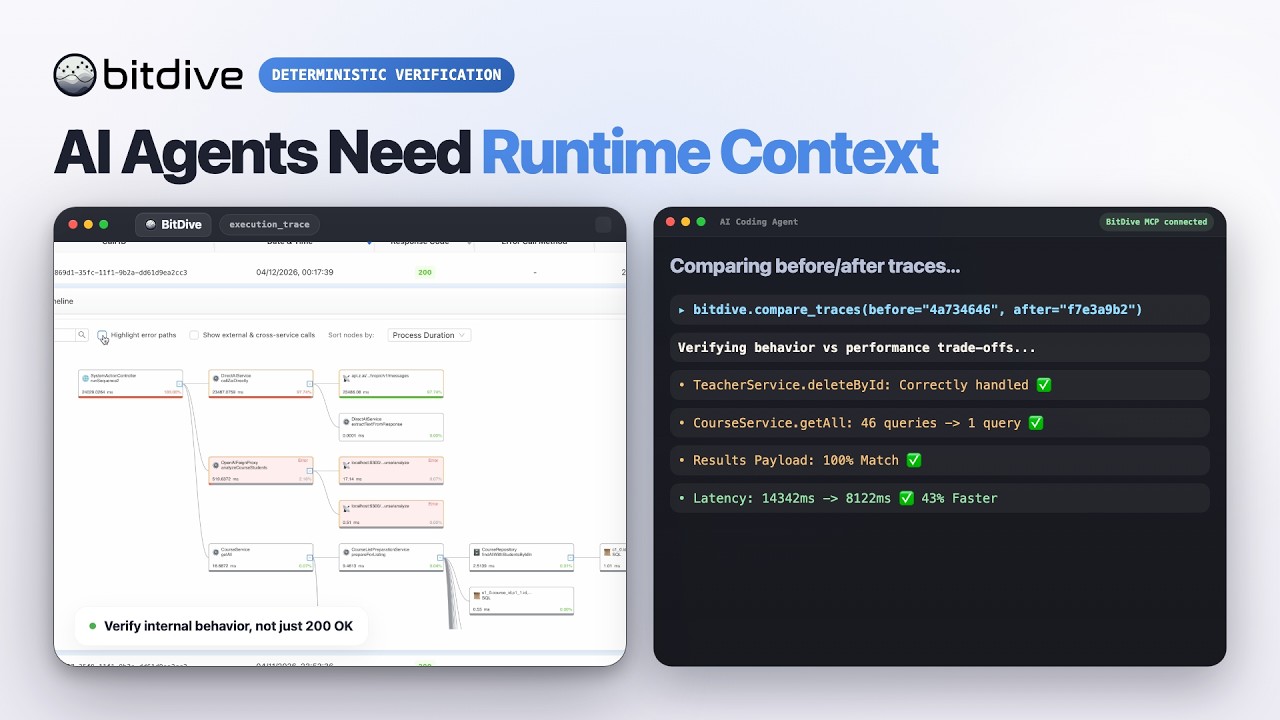
Watch the BitDive product demo on YouTube:
Overview
This server is not just a thin API proxy.
It wraps BitDive API endpoints and makes them usable for agent workflows:
- compact heatmap summaries for discovery
- readable trace summaries instead of raw JSON only
- Bash and PowerShell reproduction commands from captured requests
- before/after trace comparison with payload and contract drift reporting
- SQL normalization and volatile-field filtering to reduce noisy diffs
- automatic secret redaction and chronological child-call ordering on trace paths
- test-group inspection and regression-management flows
What It Is For
Use this server when an AI agent or developer needs to:
- discover which module, service, class, or entrypoint is active
- fetch recent or historical traces
- inspect a trace without manually parsing BitDive JSON
- reproduce a captured web request locally
- compare two traces after a code change
- track how behavior evolved across multiple runs
- inspect and update BitDive test groups
Tool Inventory
The current server exposes 24 MCP tools.
Tool names follow their intent: discovery tools (you do not have an id yet) start with get_*_heatmap / list_* / find_* / search_*; inspect tools (you already have a call_id) start with get_trace*; compare tools diff traces.
| Group | Tools | When to use |
|---|---|---|
| Discovery (heatmaps) | get_system_heatmap, get_module_heatmap, get_service_heatmap |
Don’t know where to look yet; find a class/method and its metrics |
| Discovery (calls/methods) | list_recent_calls, find_calls_by_method, search_methods, search_methods_detailed |
Get call_ids or locate a method by keyword |
Inspect one trace (needs call_id) |
get_trace_overview, get_trace, get_trace_raw, get_trace_subtree |
Read a known trace: overview → full de-noised → raw → single subtree |
安装
This server does not publish a one-line install command.
Open the repository installation guide 新手?先看 mcpskill.org 教程 →配置
{
  "mcpServers": {
    "bitdive": {
      "command": "python",
      "args": [
        "/absolute/path/to/server.py"
      ],
      "env": {
        "BITDIVE_MCP_TOKEN": "your-token"
      }
    }
  }
}