
Text-to-SQL access control: schema selection that gives the LLM only the tables the caller is allowed to read. Row-level-security-aware table pruning for LangChain, MCP and any SQL agent.
概览
Your text-to-SQL agent picks which tables to show the model before anyone checks what the caller is allowed to read. schemagate does the check first: it filters the schema by the caller's grants, so restricted tables are absent from the prompt rather than ranked low. Works with LangChain, MCP, or any SQL agent, on Postgres, Oracle, MySQL, SQL Server and SQLite. If it keeps a table out of a prompt it should never have reached, a ⭐ helps other people building SQL agents find it. With row-level security alone the failure is quiet: the model writes valid SQL against a table the caller cannot read, RLS strips every row, and the user is told "no records found" — indistinguishable from "this data does not exist." Demo · Install · Benchmarks · Local models · What it costs · Coming from Vanna Same question, two callers, no database and no key: Absent, not ranked low.
README
以下为原文 README 节选,完整内容请查看原文。
schemagate — text-to-SQL access control at schema selection









Your text-to-SQL agent picks which tables to show the model before anyone checks what the caller is allowed to read. schemagate does the check first: it filters the schema by the caller’s grants, so restricted tables are absent from the prompt rather than ranked low. Works with LangChain, MCP, or any SQL agent, on Postgres, Oracle, MySQL, SQL Server and SQLite.
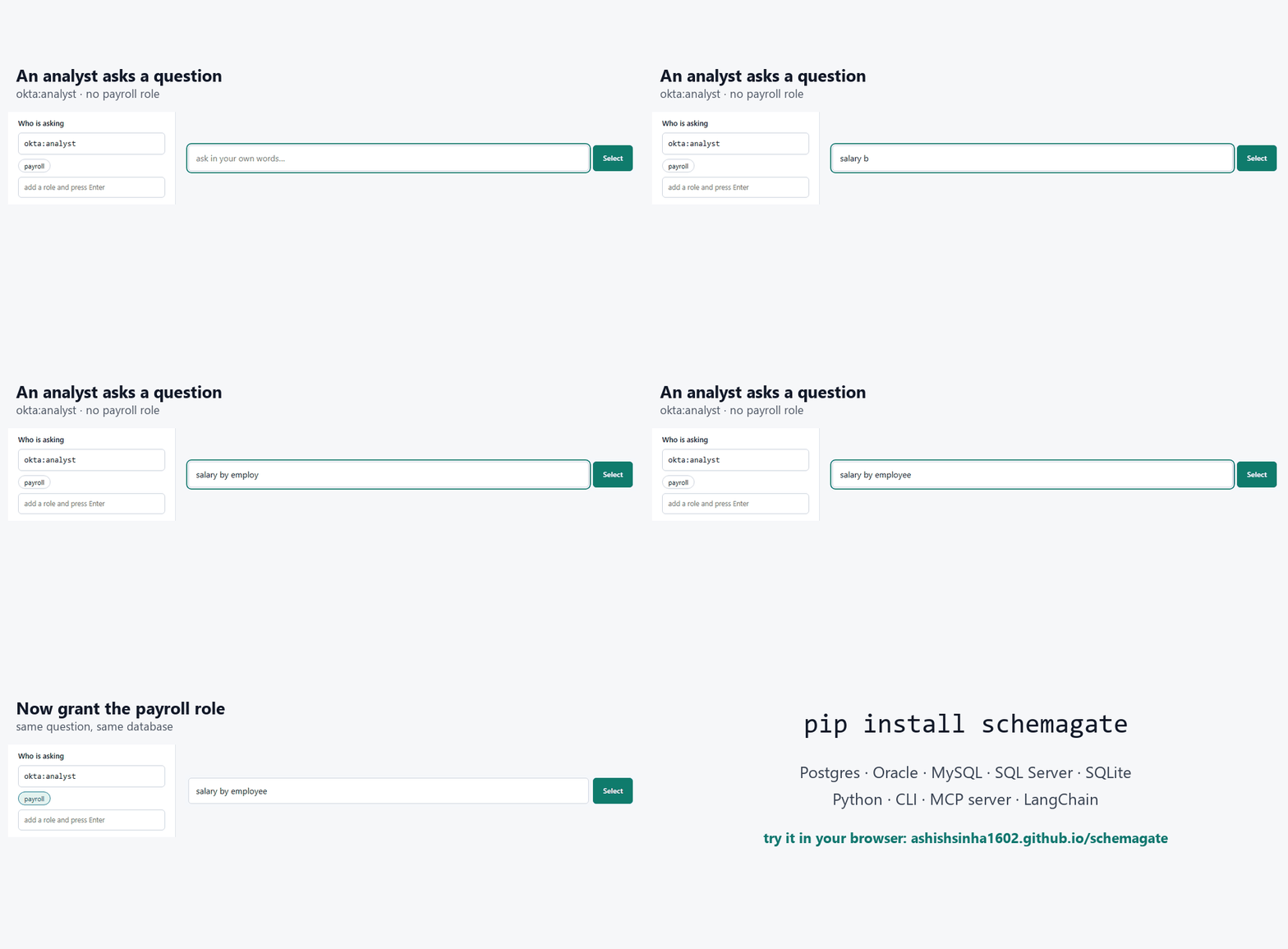
If it keeps a table out of a prompt it should never have reached, a ⭐ helps other people building SQL agents find it.
With row-level security alone the failure is quiet: the model writes valid SQL against a table the caller cannot read, RLS strips every row, and the user is told “no records found” — indistinguishable from “this data does not exist.”
安装
uvx --from schemagate[mcp postgres配置
{"mcpServers": {"schemagate": {
  "command": "uvx", "args": ["--from", "schemagate[mcp,postgres]", "schemagate-mcp"],
  "env": {"SCHEMAGATE_DATABASE_URL": "postgresql+psycopg://user:password@localhost/app"}}}}