
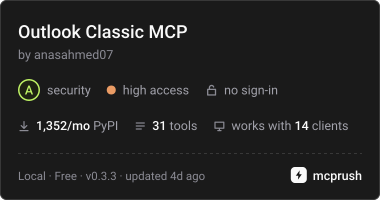
本地MCP服务器通过COM向Claude和其他MCP客户端开放经典的Outlook桌面(邮件、日历、联系人、任务、规则)。没有Azure应用,没有Graph API,也没有OAuth。
概览
这是一个本地窗口,向任何支持 MCP 的代理开放邮件、文件夹、日历、联系人、任务、颜色类别、邮件规则和外出状态:Claude Code、Claude Desktop、Cowork、GitHub Copilot / VS Code 代理模式、Cursor、Cline、Continue、Windsurf 以及任何支持 MCP 的代理。 它通过pywin32与Windows上的Outlook的COM接口通信,这也是宏和Office插件使用的路径。认证搭载在Outlook已登录的账户上—— - Windows 10 或 11 - —— 随 Microsoft 365 / Office 一起发布的OUTLOOK.EXE。支持“新 Outlook”(olk.exe)(无 COM Surface)。- Python 3.10+(安装程序通过 uv 获取 Python 3.11,如果你还没有安装 Boss)。 你需要在启动服务器前打开Outlook——服务器在第一次COM调用时会自动启动Outlook。 该仓库同时也是 .
概述(AI 翻译)
一个本地的MCP(模型上下文协议)服务器,它暴露了经典 Outlook 桌面客户端 — 邮件、文件夹、日历、联系人、任务、颜色 类别、邮件规则和“离办公室状态”——对于任何关注MCP的人士 agent: Claude Code, Claude Desktop, Cowork, GitHub Copilot / VS Code 代理模式、光标、Cline、继续、风帆冲浪,以及其他任何 MCP说道。
它通过 pywin32 与 Windows 上的 Outlook COM API 通信,路径相同
宏和Office插件的使用。认证搭载在任何东西上
account Outlook 已登录 — no Azure / Entra 应用
注册,无Microsoft Graph API,无OAuth令牌。
要求
- Windows 10 或 11
- Outlook 桌面(经典版) —
OUTLOOK.EXE随附 Microsoft 365 / Office。“新Outlook”(olk.exe)不是 支持(无COM表面)。 - Python 3.10+(安装程序通过
uv获取Python 3.11,如果你 我还没有)。
你不需要在启动服务器前打开Outlook—— 服务器在第一次COM调用时自动启动Outlook。
安装
三条路,最简单的。
选项1 — 代理插件(推荐)
仓库同时也是插件市场。
本页由 AI 翻译,技术细节请以原文为准。
README
以下为原文 README 节选,完整内容请查看原文。
outlook-classic-mcp
 |
A local MCP (Model Context Protocol) server that exposes the classic Outlook desktop client — mail, folders, calendar, contacts, tasks, color categories, mail rules, and Out-of-Office status — to any MCP-aware agent: Claude Code, Claude Desktop, Cowork, GitHub Copilot / VS Code agent mode, Cursor, Cline, Continue, Windsurf, and anything else that speaks MCP. |
It talks to Outlook’s COM API on Windows via pywin32, the same path
macros and Office add-ins use. Authentication piggybacks on whatever
account Outlook is already signed into — no Azure / Entra app
registration, no Microsoft Graph API, no OAuth tokens.
Requirements
- Windows 10 or 11
- Outlook desktop (Classic) — the
OUTLOOK.EXEshipped with Microsoft 365 / Office. The “new Outlook” (olk.exe) is not supported (no COM surface). - Python 3.10+ (the installer fetches Python 3.11 via
uvif you don’t already have one).
You do not need to open Outlook before starting the server — the server auto-launches Outlook on its first COM call.
Install
Three paths, simplest first.
Option 1 — Agent plugin (recommended)
The repo doubles as a plugin marketplace. Installing the plugin registers the MCP server and loads the bundled outlook skill (an operational reference that teaches the agent how to drive these tools) in one step. The MCP server itself is fetched on demand by uvx directly from PyPI — no git clone, no pip install, no .venv to maintain.
The plugin format started in Claude Code and is now supported by other agents too (Cowork, Copilot, Cursor, and others that adopted the plugin/skill format) — point your agent’s plugin install flow at this repo. The commands below are for Claude Code:
Install uv once if you don’t have it:
powershell -ExecutionPolicy ByPass -c "irm https://astral.sh/uv/install.ps1 | iex"
Open a fresh terminal so PATH refreshes, then in any Claude Code session:
/plugin marketplace add anasahmed07/Outlook-Classic-MCP
/plugin install outlook@outlook-classic-mcp
Restart Claude Code (/quit, reopen). First call has a one-time 5–15 s pause while uvx resolves the package; subsequent calls are instant. Confirm with outlook_whoami.
To update later: /plugin marketplace update outlook-classic-mcp then /plugin update outlook@outlook-classic-mcp. To pull a fresh PyPI release of the server itself: uv cache clean outlook-classic-mcp.
Option 2 — From PyPI with uv (any MCP client)
安装
uvx --from outlook-classic-mcp outlook-mcp配置
{
  "mcpServers": {
    "outlook": {
      "command": "uvx",
      "args": ["--from", "outlook-classic-mcp", "outlook-mcp"]
    }
  }
}