AV 
acomagu/vscode-as-mcp-server 是从 https://github.com/acomagu/vscode-as-mcp-server. 导入的 MCP 服务器候选
概览
acomagu/vscode-as-mcp-server 是从 https://github.com/acomagu/vscode-as-mcp-server. 导入的 MCP 服务器候选
概述(AI 翻译)
市场
一个 VSCode 扩展,将你的 VSCode 变成 MCP 服务器,从而支持像 Claude Desktop 这样的 MCP 客户端进行高级编码协助。
主要特色
代码编辑支持
- 通过差异审查LLM提出的代码变更,允许您接受、拒绝或提供反馈。
- 实时诊断消息(例如类型错误),即时发送给LLM以便立即更正。
终端运营
- 在VSCode集成终端内执行命令(支持后台/前景执行及超时设置)。
预览工具
- 直接在VSCode内置浏览器中预览URL(例如,启动Vite服务器后自动打开浏览器预览)。
多实例交换
- 轻松地在多个打开的VSCode窗口间切换MCP服务器。(只需点击状态栏项项)
继电器功能(实验阶段)
- 将 VSCode 1.99 引入的内置 MCP 服务器外部中继并暴露。
- 允许外部访问其他MCP扩展提供的工具,如GitHub Copilot。
可用内置工具
- execute_command:在VSCode集成终端中执行命令
本页由 AI 翻译,技术细节请以原文为准。
README
以下为原文 README 节选,完整内容请查看原文。
VSCode as MCP Server
A VSCode extension that turns your VSCode into an MCP server, enabling advanced coding assistance from MCP clients like Claude Desktop.
Key Features
Code Editing Support
- Review proposed code changes from an LLM through diffs, allowing you to accept, reject, or provide feedback.
- Real-time diagnostic messages (e.g., type errors) sent instantly to the LLM for immediate corrections.
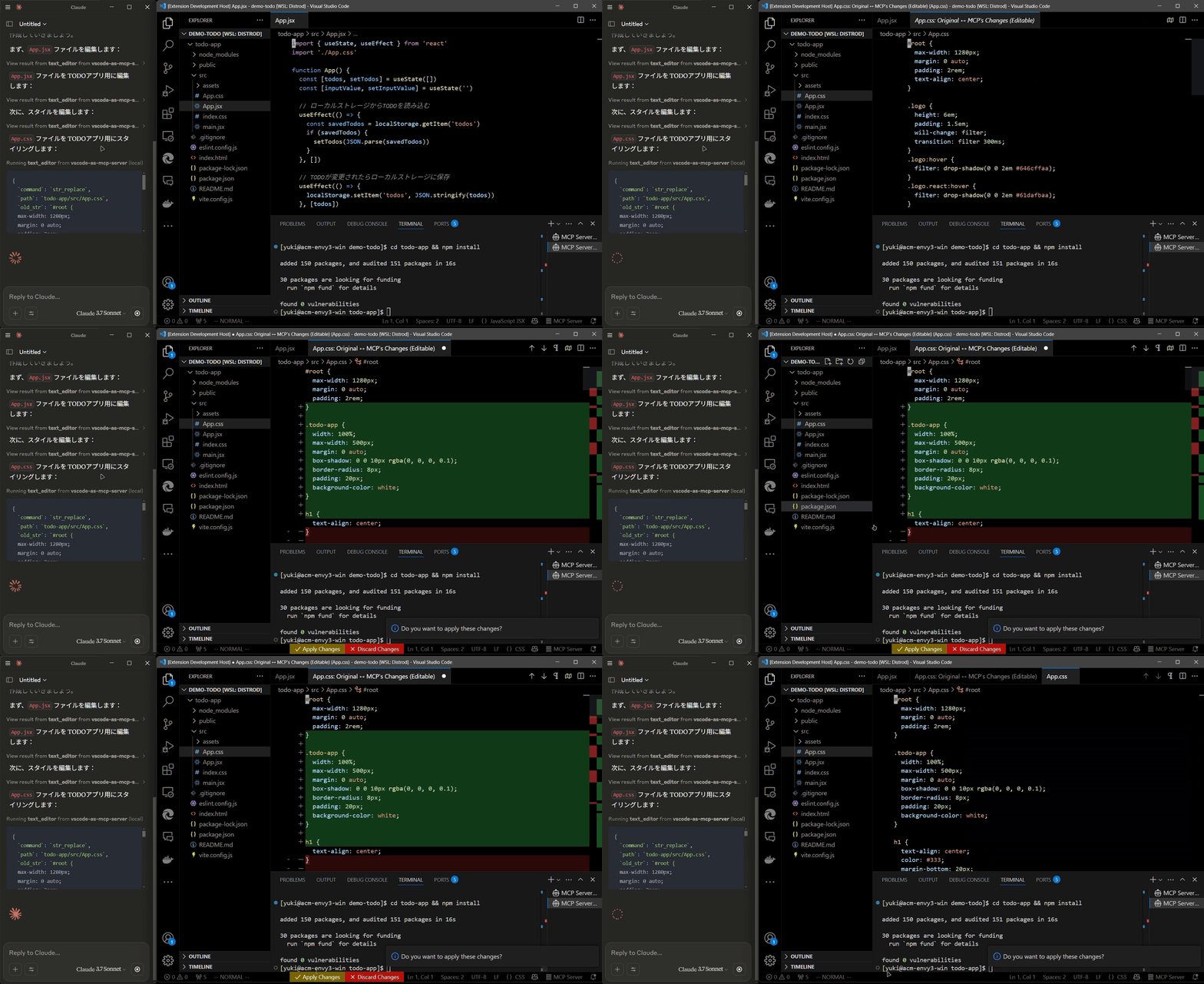
Terminal Operations
- Execute commands within VSCode’s integrated terminal (supports background/foreground execution, and timeout settings).
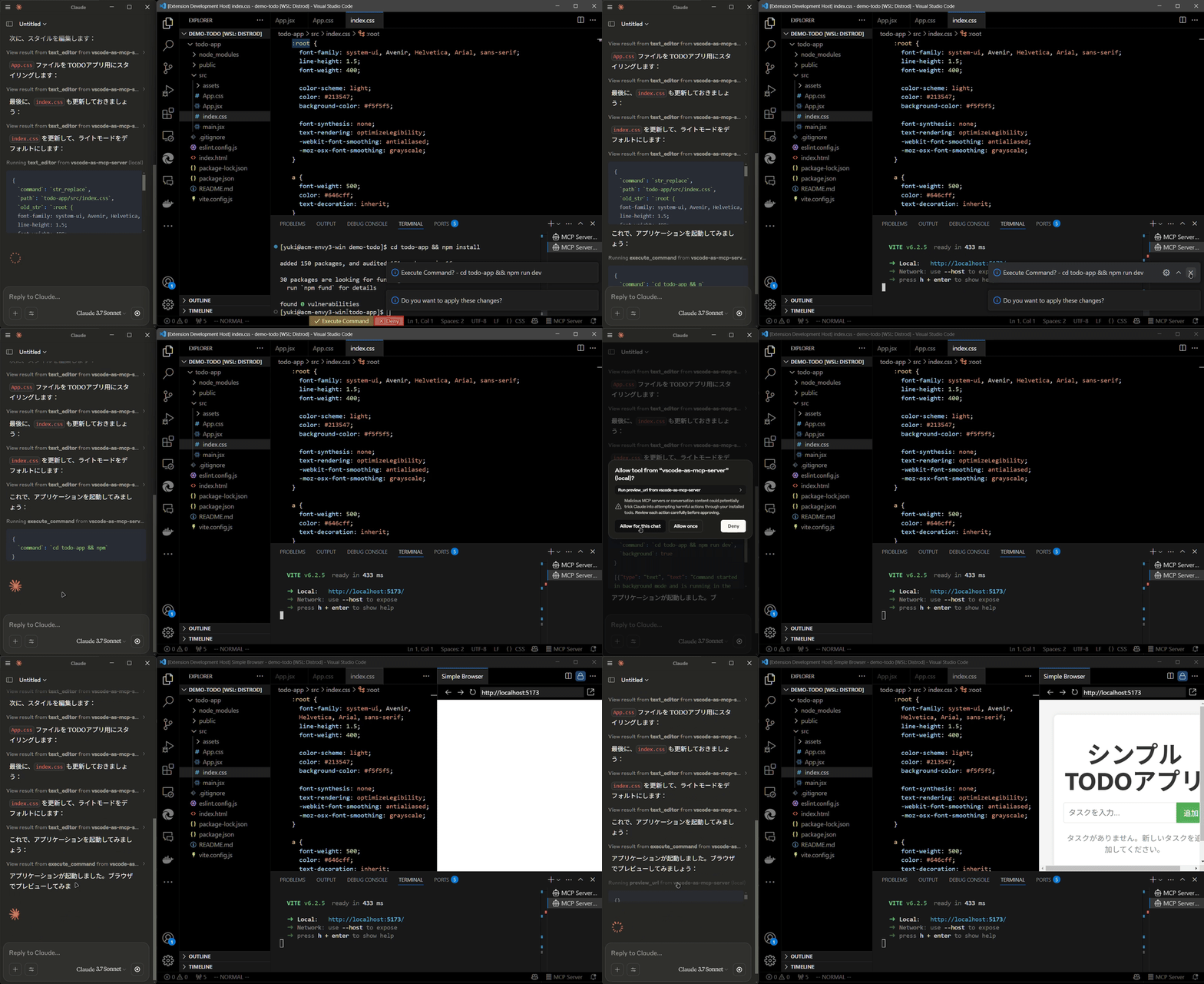
Preview Tools
- Preview URLs directly within VSCode’s built-in browser (e.g., automatically opens browser preview after starting a Vite server).
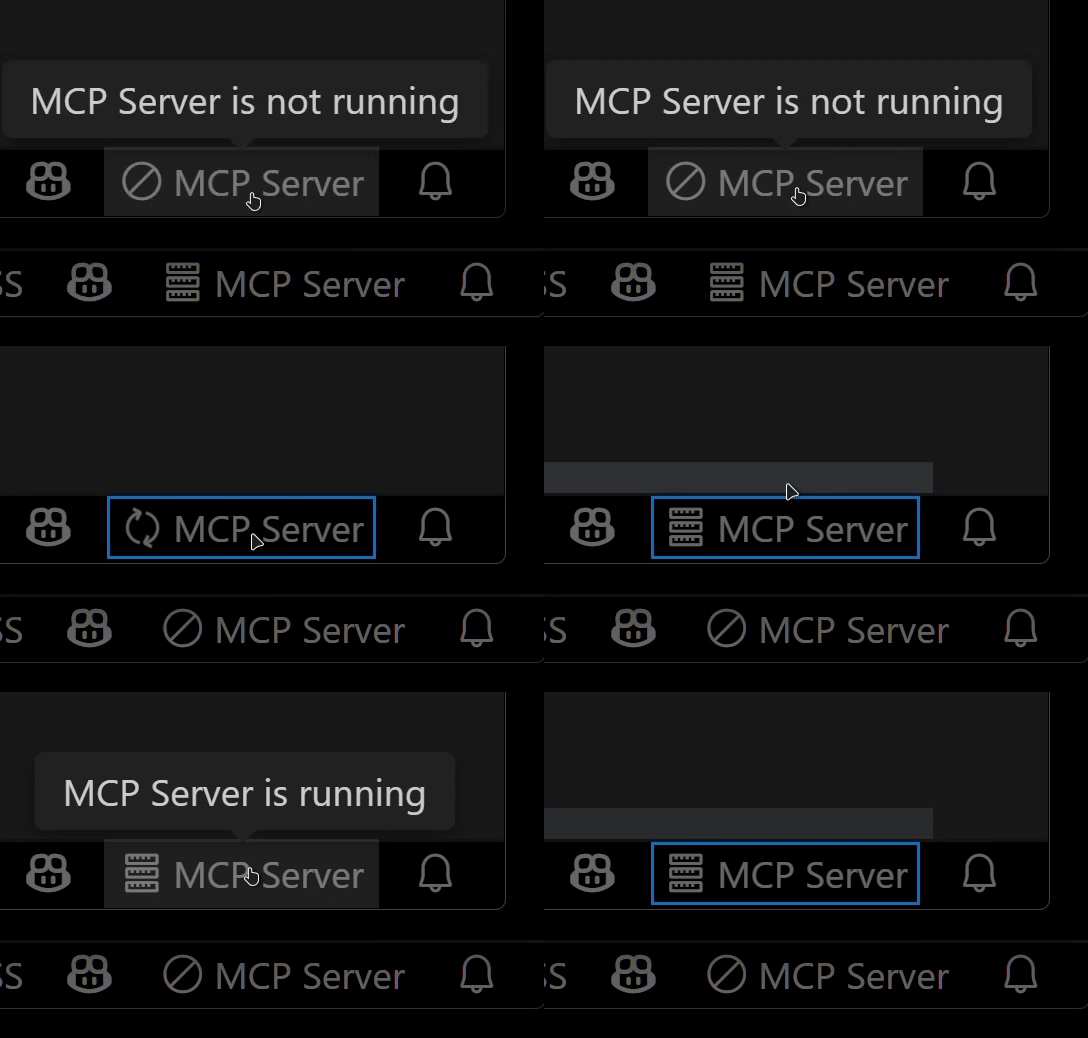
Multi-instance Switching
- Easily switch the MCP server between multiple open VSCode windows.(Just by clicking the status bar item)
Relay Functionality (Experimental)
- Relay and expose built-in MCP servers introduced in VSCode 1.99 externally.
- Allows external access to tools provided by other MCP extensions, such as GitHub Copilot.
Available Built-in Tools
- execute_command: Execute commands in VSCode’s integrated terminal
- code_checker: Retrieve current diagnostics for your code
- focus_editor: Focus specific locations within files
- list_debug_sessions / start_debug_session / restart_debug_session / stop_debug_session: Manage debug sessions
- text_editor: File operations (view, replace, create, insert, undo)
- list_directory: List directory contents in a tree format
- get_terminal_output: Fetch output from a specified terminal
- list_vscode_commands / execute_vscode_command: List and execute arbitrary VSCode commands
- preview_url: Open URLs within VSCode’s integrated browser
Installation & Setup
-
Install the extension from the VSCode Marketplace.
-
Configure your MCP client:
- Using mcp-installer: You can simply instruct it to “install the vscode-as-mcp-server MCP server”.
- Other clients like Claude Desktop: Add the following to your configuration file (
claude_desktop_config.json):
{ "mcpServers": { "vscode": { "command": "npx", "args": ["vscode-as-mcp-server"] } } } -
Check the MCP server status in the bottom-right VSCode status bar:
- (Server icon): Server is running
- ∅: Click to start the server
安装
npx vscode-as-mcp-server配置
{
      "mcpServers": {
        "vscode": {
          "command": "npx",
          "args": ["vscode-as-mcp-server"]
        }
      }
    }