
usefulsoftwareco/executor
Developer toolsЭта страница переведена автоматически. Технические детали смотрите в оригинале. Открыть оригинал
Недостающий уровень интеграции для AI-агентов. Пусть они вызывают любые функции OpenAPI / MCP / GraphQL / пользовательского js в безопасной среде.
Обзор
Executor — это интеграционный слой с открытым исходным кодом для AI-агентов. Настраивайте каждую интеграцию один раз (MCP-серверы, спецификации OpenAPI, GraphQL API) с помощью аутентификационных и индивидуальных для каждого инструмента, а затем используйте этот каталог любого совместимого с MCP агентом. https://github.com/user-attachments/assets/11225f83-e848-42ba-99b2-a993bcc88dad Каждому агенту (Claude Code, Cursor, ChatGPT и другим) нужна своя копия каждой интеграции: одни и те же API-ключи вставлены в три места, те же MCP-серверы снова подключены, без общего представления о том, что может делать каждый инструмент. Executor — это слой между ними. Добавьте инструмент один раз, дайте ему учетные данные один раз, установите политику один раз, и каждый агент делится ими через MCP. Ваши интеграции, аутентификация и политики находятся в одном месте, а не разбросаны по клиентам. - Поддержка MCP-серверов от первых сторон, OpenAPI, GraphQL и Google Discovery. Если описать это схемой JSON, это может быть интеграция. Система плагинов открыта для любого типа исходного кода.
Обзор (машинный перевод)
Соединяйте любого агента со всем.
Executor — это интеграционный слой с открытым исходным кодом для агентов ИИ. Настройте все интеграция один раз (MCP-серверы, спецификации OpenAPI, GraphQL API) с аутентификацией и политики для каждого инструмента, затем используйте этот каталог любого совместимого с MCP агентом.
Веб-сайт · Документация · Discord
Почему, Executor
Каждому агенту (Claude Code, Cursor, ChatGPT и другим) нужен свой собственный копия каждой интеграции: одни и те же ключи API, вставленные в три места, одно и то же MCP-серверы снова подключены, без общего представления о том, что может делать каждый инструмент.
Executor — это слой между ними. Добавьте инструмент один раз, дайте ему учетные данные один раз, установите политику один раз, и каждый агент делится ею через MCP. Ваши интеграции, Авторизация и полисы находятся в одном месте, а не разбросаны по каждому клиент.
- Любая интеграция. Поддержка MCP-серверов от первых сторон, OpenAPI, GraphQL и Google Discovery. Если можно описать это схемой JSON, это может быть Интеграция. Система плагинов открыта для любого типа интеграции.
- Один каталог, каждый агент. Всё, что совместимо с MCP, подключается к одному и тому же набор инструментов.
- Регулируется политикой. Каждый инструмент разрешён, ограничен за одобрением, или
Эта страница переведена автоматически. Технические детали смотрите в оригинале.
README
Показан фрагмент оригинального README. Открыть оригинал.
Executor
Connect any agent to everything.
Executor is an open-source integration layer for AI agents. Configure every integration once (MCP servers, OpenAPI specs, GraphQL APIs) with authentication and per-tool policies, then use that one catalog from any MCP-compatible agent.
Website · Documentation · Discord
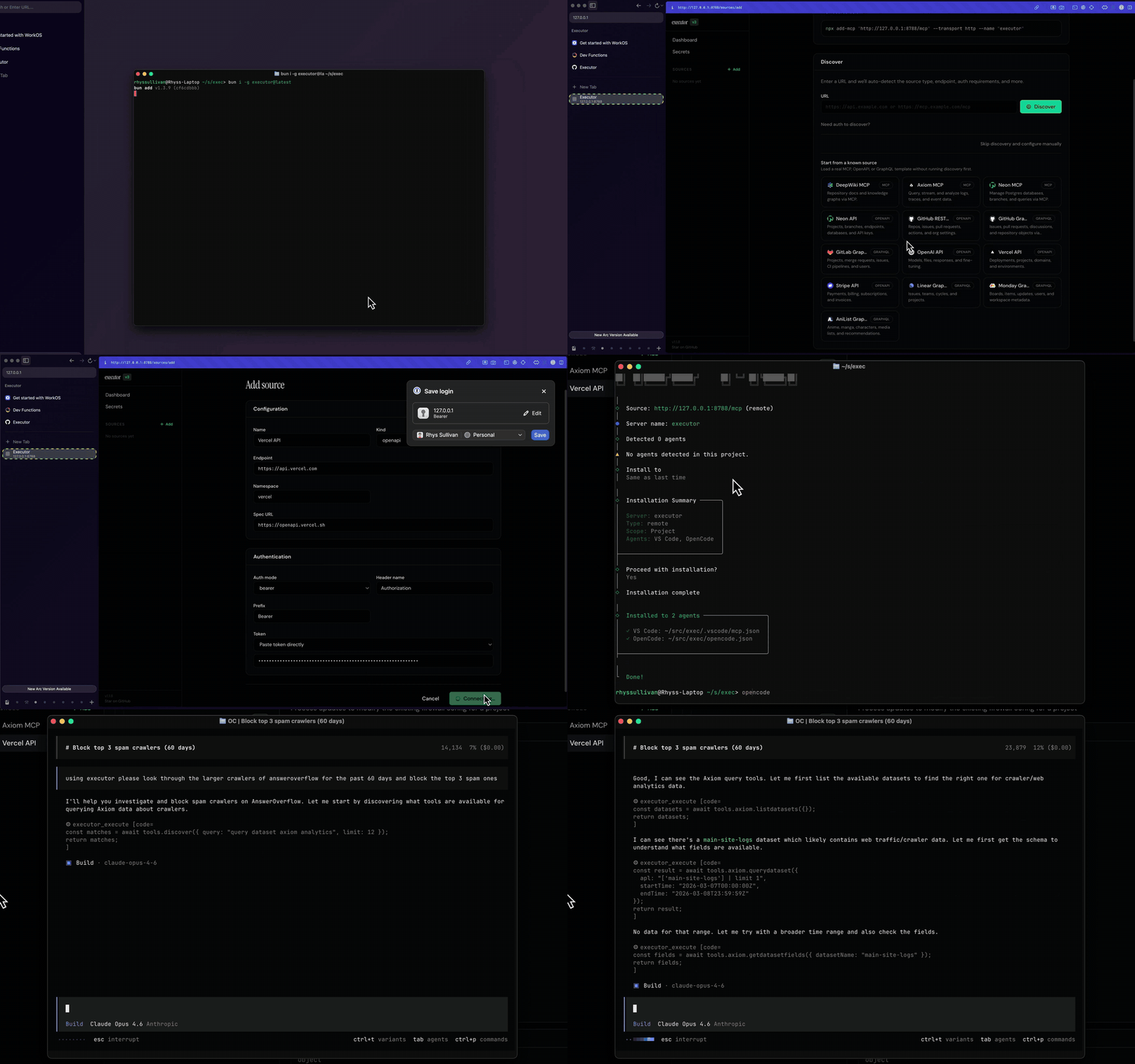
Why Executor
Every agent you use (Claude Code, Cursor, ChatGPT, and the rest) needs its own copy of every integration: the same API keys pasted in three places, the same MCP servers wired up again, no shared idea of what each tool is allowed to do.
Executor is the layer in between. Add a tool once, give it credentials once, set its policy once, and every agent shares it over MCP. Your integrations, auth, and policies live in one place instead of being scattered across each client.
- Any integration. First-party support for MCP servers, OpenAPI, GraphQL, and Google Discovery. If you can describe it with a JSON schema, it can be an integration. The plugin system is open to any integration type.
- One catalog, every agent. Anything MCP-compatible connects to the same set of tools.
- Governed by policy. Each tool is allowed, gated behind approval, or blocked, with sensible defaults derived from the spec.
- Run it your way. Local CLI, a desktop app, hosted Executor Cloud, or self-hosted on Docker or Cloudflare. Same functionality, different packaging.
How it works
- Add an integration: an MCP server, an OpenAPI spec, or a GraphQL API.
- Create a connection: one configured (optionally authenticated) instance of that integration. An integration can have many connections.
- Set policies: decide whether each tool is always allowed, needs approval, or is blocked.
- Point your agents at Executor over MCP. They all share the same catalog.
See Concepts for the full model.
Quick start
The fastest path is Executor Cloud: sign in, add an integration, and point your agents at the hosted MCP endpoint. Nothing to install.
To run it locally instead (Node.js 20+):
npm install -g executor   # or: pnpm add -g / bun add -g / yarn global add
executor install          # install the durable background service
executor web              # open the web UI in your browser
executor install keeps the service running across restarts. For a throwaway
foreground runtime, use executor web --foreground. From the web UI, add your
first integration and connect an agent.
Set up with your agent
Prefer to let your coding agent do the setup? Copy the setup prompt from the docs and paste it into Claude, Cursor, or any MCP-capable agent. It will help you pick how to run Executor,
Установка
npx add-mcp http://127.0.0.1:4788/mcp --transport http --name executor