
maproll-io/mcp
Developer toolsЭта страница переведена автоматически. Технические детали смотрите в оригинале. Открыть оригинал
Let an AI assistant make real maps. Every map comes back as a maproll URL — permanent, embeddable, and the handle for the next change.
Обзор
Let an AI assistant make real maps. Every map comes back as a maproll URL — permanent, embeddable, and the handle for the next change. That image is not a file in this repository. It is a maproll URL rendering live, which is the whole idea: Any other client takes the same command as config — Claude Desktop, Cursor (.cursor/mcp.json), VS Code (.vscode/mcp.json under "servers"): Needs Node 20 or newer. No API key, no signup, no account — the server runs from npm on demand and talks to the public render API. Ask your assistant, in these words or your own: Map coffee consumption per capita for the ten biggest drinkers. Highlight the EU member states on a light map. Draw the sea route from Shanghai to Rotterdam, with the ports marked.
README
Показан фрагмент оригинального README. Открыть оригинал.
@maproll/mcp
Let an AI assistant make real maps. Every map comes back as a maproll URL — permanent, embeddable, and the handle for the next change.
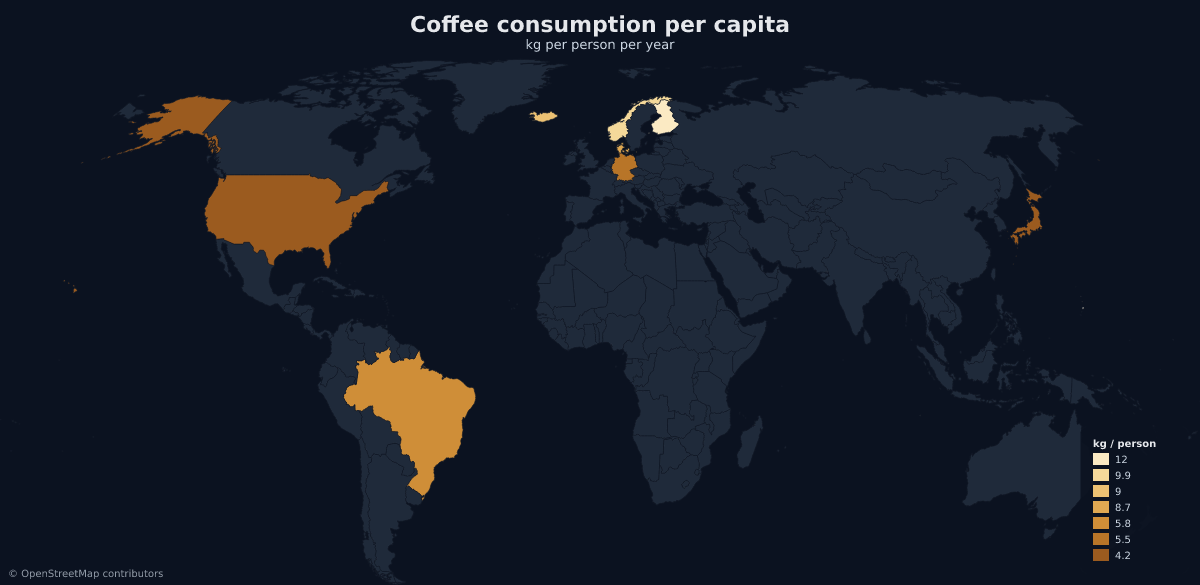
That image is not a file in this repository. It is a maproll URL rendering live, which is the whole idea: the URL is the map.
Install
claude mcp add maproll -- npx -y @maproll/mcp
Any other client takes the same command as config — Claude Desktop, Cursor
(.cursor/mcp.json), VS Code (.vscode/mcp.json under "servers"):
{
  "mcpServers": {
    "maproll": {
      "command": "npx",
      "args": ["-y", "@maproll/mcp"]
    }
  }
}
Needs Node 20 or newer. No API key, no signup, no account — the server runs from npm on demand and talks to the public render API.
Try it
Ask your assistant, in these words or your own:
Map coffee consumption per capita for the ten biggest drinkers.
Highlight the EU member states on a light map.
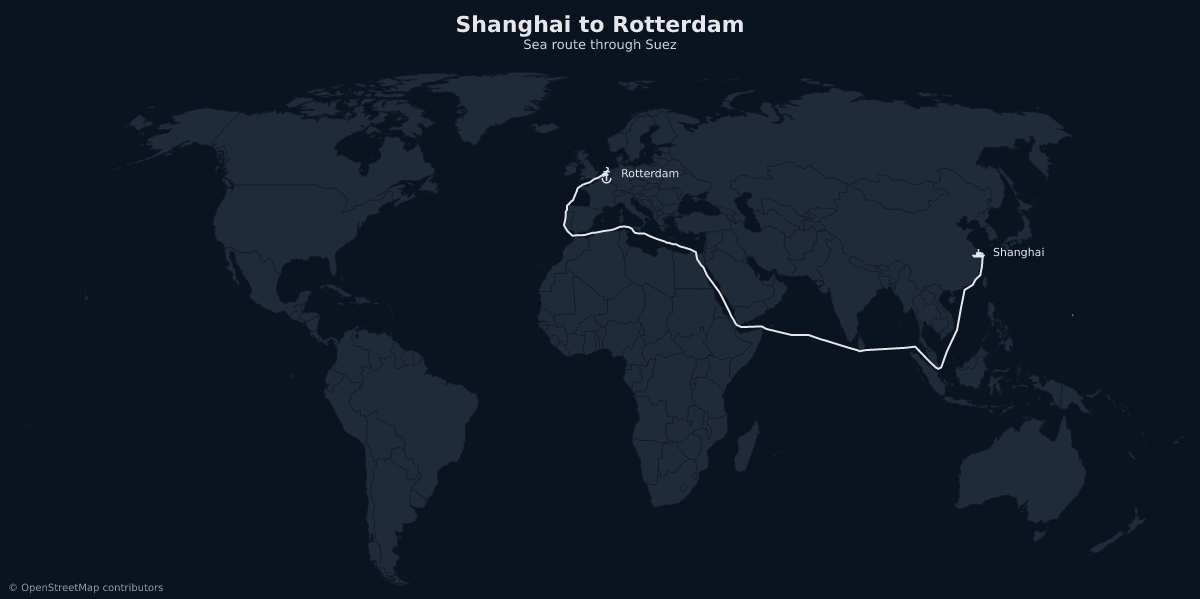
Draw the sea route from Shanghai to Rotterdam, with the ports marked.
Compare NATO and BRICS members on a dark map, and give me a URL I can embed.
The third one is the one to try if you only try one. Sea routes thread Suez, Panama and Malacca instead of drawing a straight line across Asia:
Tools
create_map
A map from your data. Numeric values give a choropleth, colours paint regions
flat, text values give qualitative buckets, and highlight covers the case
where the point is which regions rather than how much.
Region ids are ISO 3166-1 alpha-2 at the world scope (US, DE, BR) and ISO
3166-2 inside a country scope (RO-B, RO-CJ). Data arrives structured — the
server owns the URL grammar, so the model never hand-assembles US:200:#ff0000.
add_layers
Markers, routes, proportional circles, pattern fills, annotations and labels, added to a map you already made. It takes that map’s URL and appends — so it is also how a map gets built up over several turns instead of rebuilt from scratch each time.
find_places
A place name resolved to real coordinates and the id maproll uses. Countries, regions, cities and airports, each with its ISO 3166-1 / 3166-2 / IATA code.
Worth using before every marker. Coordinates recalled from memory are routinely wrong by degrees, and a map draws a wrong marker exactly as confidently as a right one.
Установка
npx -y @maproll/mcpКонфигурация
{
  "mcpServers": {
    "maproll": {
      "command": "npx",
      "args": ["-y", "@maproll/mcp"]
    }
  }
}