
ladislavsopko/mcp-ai-server-visual-studio
Developer toolsЭта страница переведена автоматически. Технические детали смотрите в оригинале. Открыть оригинал
ladislavsopko/mcp-ai-server-visual-studio - кандидат на сервер MCP, импортированный из https://github.com/ladislavsopko/mcp-ai-server-visual-studio.
Обзор
ladislavsopko/mcp-ai-server-visual-studio - кандидат на сервер MCP, импортированный из https://github.com/ladislavsopko/mcp-ai-server-visual-studio.
Обзор (машинный перевод)
** Другие инструменты читают ваши файлы. MCP AI Server понимает ваш код.
Первое и единственное расширение Visual Studio, предоставляющее помощникам ИИ доступ к компилятору C# (Roslyn) и отладчику Visual Studio через протокол Model Context Protocol. 41 tools. 13 powered by Roslyn. 19 debugging tools (Preview). Семантическое понимание, а не соответствие текста.
##Установка
Установка в Visual Studio Marketplace
Или найдите “MCP AI Server” в Visual Studio Extensions Manager.
###Посмотреть в действии
Нажмите, чтобы посмотреть на YouTube
Почему MCP AI Server?
Инструменты кодирования ИИ (Claude Code, Codex CLI, Gemini CLI, OpenCode, Cursor, Copilot, Windsurf…) работают на уровне файловой системы — они читают текст, запускают grep, выполняют сборки. Они не понимают ваш код так, как это делает Visual Studio.
MCP AI Server устраняет этот пробел, раскрывая интеллект уровня IntelliSense и Visual Studio Debugger как инструменты MCP. Ваш ИИ-помощник получает то же семантическое понимание, что и F12 (Go to Definition), Shift + F12 (Find All References), безопасная рефакторинг — и теперь отладка времени выполнения.
###Что можно сделать:
Без MCP AI Server / Без MCP AI Server
Эта страница переведена автоматически. Технические детали смотрите в оригинале.
README
Показан фрагмент оригинального README. Открыть оригинал.
MCP AI Server for Visual Studio
Other tools read your files. MCP AI Server understands your code.


The first and only Visual Studio extension that gives AI assistants access to the C# compiler (Roslyn) and the Visual Studio Debugger through the Model Context Protocol. 41 tools. 13 powered by Roslyn. 19 debugging tools (Preview). Semantic understanding, not text matching.
Install
Install from Visual Studio Marketplace
Or search for “MCP AI Server” in Visual Studio Extensions Manager.
See it in Action
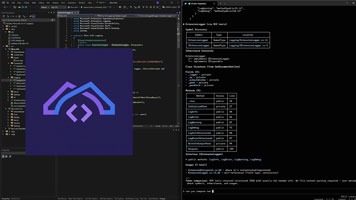
Click to watch on YouTube
Why MCP AI Server?
AI coding tools (Claude Code, Codex CLI, Gemini CLI, OpenCode, Cursor, Copilot, Windsurf…) operate at the filesystem level — they read text, run grep, execute builds. They don’t understand your code the way Visual Studio does.
MCP AI Server bridges this gap by exposing IntelliSense-level intelligence and the Visual Studio Debugger as MCP tools. Your AI assistant gets the same semantic understanding that powers F12 (Go to Definition), Shift+F12 (Find All References), safe refactoring — and now runtime debugging.
What becomes possible:
| You ask | Without MCP AI Server | With MCP AI Server |
|---|---|---|
| “Find WhisperFactory” | grep returns 47 matches | Class, Whisper.net, line 16 — one exact answer |
| “Rename ProcessDocument” | sed breaks ProcessDocumentAsync | Roslyn renames 23 call sites safely |
| “What implements IDocumentService?” | Impossible via grep | Full inheritance tree with interfaces |
| “What calls AuthenticateUser?” | Text matches, can’t tell direction | Precise call graph: callers + callees |
| “Why is ProcessOrder returning null?” | Reads code, guesses | Sets breakpoint, inspects actual runtime values |
22 Stable Tools
Semantic Navigation (Roslyn-powered)
| Tool | Description |
|---|---|
FindSymbols |
Find classes, methods, properties by name — semantic, not text |
FindSymbolDefinition |
Go to definition (F12 equivalent) |
FindSymbolUsages |
Find all references, compiler-verified (Shift+F12 equivalent) |
Установка
npx -y mcp-remote http://localhost:3010/sdk/Конфигурация
{
  "mcpServers": {
    "vs-mcp": {
      "type": "http",
      "url": "http://localhost:3010/sdk/"
    },
    "vs-mcp-whisper": {
      "type": "http",
      "url": "http://localhost:3011/sdk/"
    }
  }
}