
kiliczsh/mcp-mongo-server
Productivity workflowЭта страница переведена автоматически. Технические детали смотрите в оригинале. Открыть оригинал
kiliczsh/mcp-mongo-server — это кандидат на MCP-сервер, импортированный из https://github.com/kiliczsh/mcp-mongo-server.
Обзор
kiliczsh/mcp-mongo-server — это кандидат на MCP-сервер, импортированный из https://github.com/kiliczsh/mcp-mongo-server.
Обзор (машинный перевод)
Сервер Model Context Protocol (MCP), который позволяет AI-ассистентам работать с вашими базами данных MongoDB. Он открывает ваши коллекции, выводит их схемы, запускает запросы, агрегации и записывает через стандартный интерфейс — чтобы такие инструменты, как Claude Desktop и Cursor, могли читать и анализировать ваши данные.
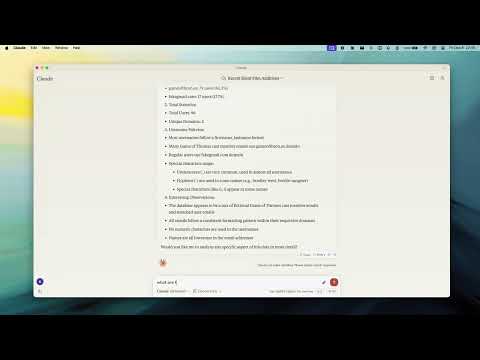
Демо
Зачем использовать это
- Общайтесь с вашей базой данных простым языком — ассистент автоматически обнаруживает ваши коллекции и их форму.
- Безопасно по умолчанию — включить режим только для чтения, чтобы ассистент мог исследовать без риска изменения данных.
- Работает везде — подключается к автономным, набору реплик, шардингу и развертываниям Atlas через обычные или TLS-соединения.
Ключевые особенности
- Режим только для чтения — блокирует каждый путь записи (этапы вставки, обновления, создания индекса и агрегации, такие как
$out/$merge, которые могут изменять данные). - Smart ObjectId Handling — настраиваемое
auto/none/forceпреобразование 24-символьных шестнадцатеричных строк в ObjectId. - Schema Inference — автоматическое обнаружение схем коллекции из образцов документов.
- Запрос и агрегация — полная поддержка конвейера запросов и агрегации, с опциональными планами
explain.
Эта страница переведена автоматически. Технические детали смотрите в оригинале.
README
Показан фрагмент оригинального README. Открыть оригинал.
MCP MongoDB Server



A Model Context Protocol (MCP) server that lets AI assistants work with your MongoDB databases. It exposes your collections, infers their schemas, and runs queries, aggregations, and writes through a standard interface — so tools like Claude Desktop and Cursor can read and reason about your data.
Demo
Why use it
- Talk to your database in plain language — the assistant discovers your collections and their shape automatically.
- Safe by default — turn on read-only mode to let an assistant explore without any risk of changing data.
- Works everywhere — connects to standalone, replica set, sharded, and Atlas deployments, over plain or TLS connections.
Key Features
- Read-Only Mode — blocks every write path (insert, update, index creation, and aggregation stages like
$out/$mergethat could modify data). - Smart ObjectId Handling — configurable
auto/none/forceconversion of 24-character hex strings to ObjectIds. - Schema Inference — automatic collection schema detection from document samples.
- Query & Aggregation — full query and aggregation pipeline support, with optional
explainplans. - Write Operations — insert, update, and index creation (when read-only mode is off).
- Time Conversion — a
convertTimehelper turns Unix timestamps and date strings into UTC/GMT/ISO, so date queries stay unambiguous across timezones. - Progress & Cancellation — long operations report progress and can be cancelled mid-flight.
- Two Transports — run locally over stdio, or expose an HTTP endpoint for remote access.
Requirements
- Node.js 20 or newer
Quick Start
Point the server at your database — no install step needed:
npx -y mcp-mongo-server mongodb://localhost:27017/mydatabase
Explore safely, without any chance of changing data:
npx -y mcp-mongo-server mongodb://localhost:27017/mydatabase --read-only
Usage
Local (stdio)
This is the default, used by Claude Desktop, Cursor, and other local clients:
npx -y mcp-mongo-server "mongodb://user:pass@localhost:27017/mydatabase"
Remote (HTTP)
Expose an HTTP endpoint at /mcp for remote or multi-client access:
npx -y mcp-mongo-server "mongodb://user:pass@localhost:27017/mydatabase" --transport http --port 3001
By default, only requests without a browser Origin (CLIs, IDEs) and requests
from localhost are accepted; everything else is rejected with 403 to guard
against DNS-rebinding attacks. Allow specific browser origins with
--allowed-origins:
Установка
npx -y mcp-mongo-server mongodb://localhost:27017/mydatabase