
halilural/electron-mcp-server
Browser automationЭта страница переведена автоматически. Технические детали смотрите в оригинале. Открыть оригинал
halilural/electron-mcp-server - кандидат на сервер MCP, импортированный из https://github.com/halilural/electron-mcp-server.
Обзор
halilural/electron-mcp-server - кандидат на сервер MCP, импортированный из https://github.com/halilural/electron-mcp-server.
Обзор (машинный перевод)
**Управляйте любым приложением Electron с помощью естественного языка. Сервер MCP, который позволяет помощникам ИИ (Claude, Cursor, VS Code, …) управлять вашим приложением Electron: нажимать кнопки, заполнять формы, делать скриншоты, читать журналы консоли и запускать JavaScript внутри него — по всему протоколу Chrome DevTools без изменений в вашем приложении.
Затем спросите свой ИИ: «Нажмите кнопку «Настройки» в моем приложении Electron и скриншот результата».
** Почему вы можете этого хотеть**
- AI-управляемая автоматизация пользовательского интерфейса - опишите взаимодействие («нажмите «Отправить», «заполнить поле электронной почты»); без селекторных споров
** Отладка без DevTools** — журналы консоли и структура страницы тянутся прямо в чат
Скриншоты по требованию — возвращенные в виде данных изображения, на которые ИИ действительно может смотреть
Ноль изменений в приложении ** — прикрепляется к любому приложению Electron, начатому с
--remote-debugging-port=9222• Уровни безопасности — строгое → развитие, поэтому вы выбираете, сколько ИИ может сделать Автоматизированные потоки E2E** превращают ручные этапы тестирования в повторяемые сценарии, управляемые ИИ
4 инструмента: get_electron_window_info, take_screenshot, send_command_to_electron (взаимодействие пользовательского интерфейса + eval), read_electron_logs.
Демо
Эта страница переведена автоматически. Технические детали смотрите в оригинале.
README
Показан фрагмент оригинального README. Открыть оригинал.
Electron MCP Server






Control any Electron app with natural language. An MCP server that lets AI assistants (Claude, Cursor, VS Code, …) drive your Electron app: click buttons, fill forms, take screenshots, read console logs, and run JavaScript inside it — all over the Chrome DevTools Protocol, with no changes to your app.
npx -y electron-mcp-server
Then ask your AI: “Click the Settings button in my Electron app and screenshot the result.”
Why you might want it
- 🤖 AI-driven UI automation — describe the interaction (“click Submit”, “fill the email field”); no selector wrangling
- 🐛 Debugging without DevTools — console logs and page structure pulled straight into the chat
- 📸 Screenshots on demand — returned as image data the AI can actually look at
- ⚡ Zero app changes — attaches over CDP to any Electron app started with
--remote-debugging-port=9222 - 🔒 Security levels — strict → development, so you choose how much the AI may do
- 🧪 Automated E2E flows — turn manual test steps into repeatable AI-run scenarios
The 4 tools it exposes: get_electron_window_info, take_screenshot, send_command_to_electron (UI interaction + eval), read_electron_logs.
Demo
See the Electron MCP Server in action:
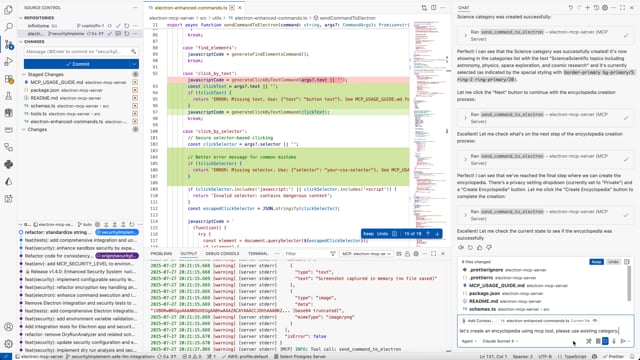
Watch how easy it is to automate Electron applications with AI-powered MCP commands.
🔒 Security & Configuration
Configurable security levels to balance safety with functionality:
Security Levels
- 🔒 STRICT: Maximum security for production environments
- ⚖️ BALANCED: Default security with safe UI interactions (recommended)
- 🔓 PERMISSIVE: More functionality for trusted environments
- 🛠️ DEVELOPMENT: Minimal restrictions for development/testing
Environment Configuration
Установка
npx -y electron-mcp-serverКонфигурация
{
  "mcpServers": {
    "electron": {
      "command": "npx",
      "args": ["-y", "electron-mcp-server"],
      "env": {
        "SECURITY_LEVEL": "balanced",
        "SCREENSHOT_ENCRYPTION_KEY":"your-32-byte-hex-string"
      }
    }
  }
}