
Эта страница переведена автоматически. Технические детали смотрите в оригинале. Открыть оригинал
Turn natural language into n8n workflows. This isn't just another n8n context provider, it's a complete workflow generation engine with built-in validation, auto-fixing, and architectural...
Обзор
Turn natural language into n8n workflows. This isn't just another n8n context provider, it's a complete workflow generation engine with built-in validation, auto-fixing, and architectural intelligence. - - Catches errors before you import - — Automatically repairs common issues - — Suggests optimal workflow patterns - — Detects credential leaks and vulnerabilities - — Identifies bottlenecks and optimization opportunities - — Loaded directly from n8n packages for accuracy - — Only real nodes, no hallucinations Workflows that actually import and run on first try. That points at the hosted server, so there is nothing to install and no daily cap. Claude Desktop, Cursor and the local install are under Setup by platform. Every workflow passes through 13 validation checks before output: 1. — Verifies every node type exists in n8n 2. — Ensures all connections reference existing nodes 3. — Validates parameter types match node schemas 4. — Checks all required parameters are present 5.
README
Показан фрагмент оригинального README. Открыть оригинал.


n8n Workflow Builder MCP Server
Build n8n workflows from text using AI - Built by FlowEngine
Turn natural language into production-ready, validated n8n workflows. This isn’t just another n8n context provider, it’s a complete workflow generation engine with built-in validation, auto-fixing, and architectural intelligence.
this MCP is built to provide validated n8n workflows — not just context.
- 13-Point Validation Engine - Catches errors before you import
- Auto-Fix Malformed Workflows — Automatically repairs common issues
- Architecture Recommendations — Suggests optimal workflow patterns
- Security Scanning — Detects credential leaks and vulnerabilities
- Performance Analysis — Identifies bottlenecks and optimization opportunities
- Real Parameter Schemas — Loaded directly from n8n packages for accuracy
- 600+ Registered Node Types — Only real nodes, no hallucinations
Result: Workflows that actually import and run on first try.
Quick start
claude mcp add --transport http flowengine-n8n https://mcp-flowengine-n8n-workflow-builder.onrender.com/mcp
That points at the hosted server, so there is nothing to install and no daily cap. Claude Desktop, Cursor and the local install are under Setup by platform.
Video Demo
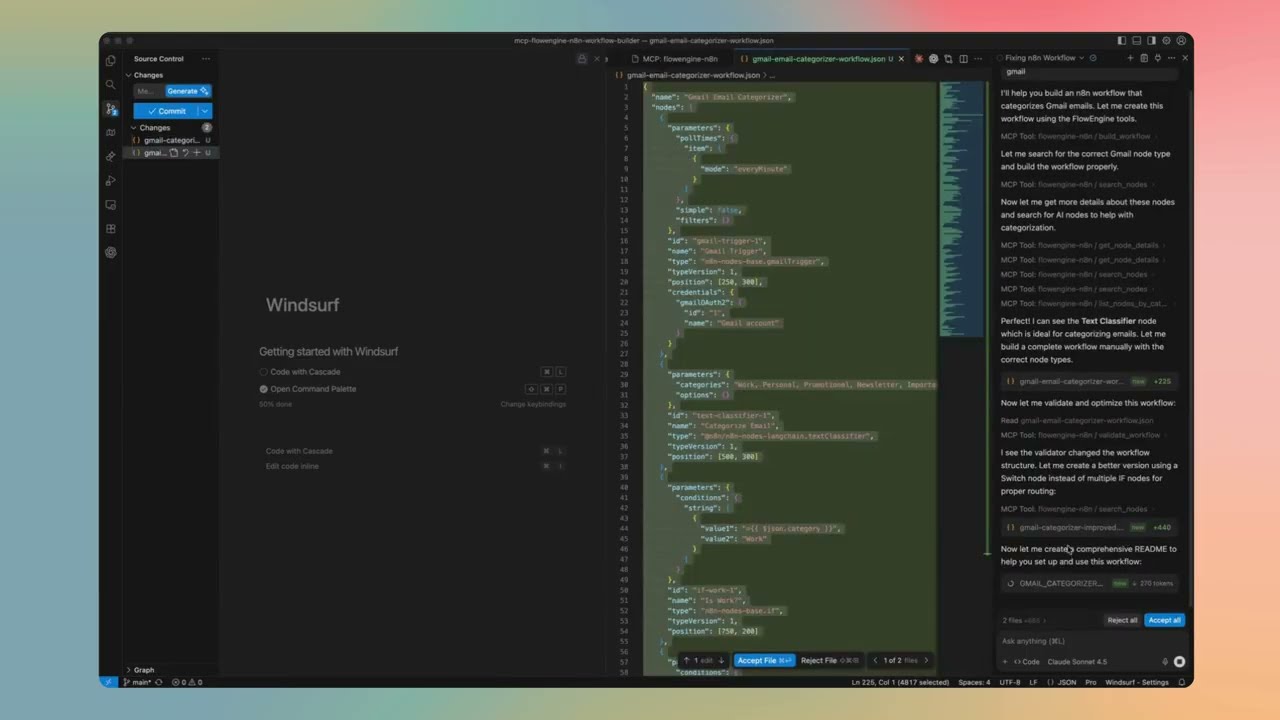
Feature Details
13-Point Validation Engine
Every workflow passes through 13 validation checks before output:
- Node Type Validation — Verifies every node type exists in n8n
- Connection Integrity — Ensures all connections reference existing nodes
- Parameter Type Checking — Validates parameter types match node schemas
- Required Fields — Checks all required parameters are present
- Credential References — Validates credential configurations
- Expression Syntax — Checks n8n expression syntax (
={{ }}) - Position Validation — Ensures nodes have valid canvas positions
- Duplicate Detection — Catches duplicate node names
- Orphan Node Detection — Finds disconnected nodes
- Trigger Validation — Ensures workflows have proper entry points
- Loop Detection — Identifies potential infinite loops
- Output Mapping — Validates data flow between nodes
- Version Compatibility — Checks node version compatibility
Auto-Fix Malformed Workflows
When validation finds issues, the engine automatically repairs them:
- Missing positions → Auto-calculates layout on canvas
- Invalid node names → Generates unique, valid names
Установка
npx @smithery/cli install @Ami3466/mcp-flowengine-n8n-workflow-builder --client claudeКонфигурация
{
  "mcpServers": {
    "flowengine-n8n": {
      "url": "https://mcp-flowengine-n8n-workflow-builder.onrender.com/mcp",
      "transport": "http"
    }
  }
}