
bitdive/mcp-server
Developer toolsЭта страница переведена автоматически. Технические детали смотрите в оригинале. Открыть оригинал
bitdive/mcp-сервер - это кандидат на сервер MCP, импортированный из https://github.com/bitdive/mcp-server.
Обзор
bitdive/mcp-сервер - это кандидат на сервер MCP, импортированный из https://github.com/bitdive/mcp-server.
Обзор (машинный перевод)
Python MCP-сервер для анализа следов BitDive, воспроизведения запросов и управления регрессией.
Этот репозиторий предоставляет мониторинг BitDive и QA-операции клиентам MCP, таким как Cursor, Claude Desktop и другим агентам. Реализация живет в T0 и подключается к API BitDive Monitoring, добавляя собственную логику форматирования, нормализации и сравнения.
Используйте этот репозиторий из python-mcp-server филиала.
Демо
Смотрите демо-версию продукта BitDive на YouTube:
- [[Т2]]
Обзор
Этот сервер не просто тонкий API-прокси.
Он завершает конечные точки API BitDive и делает их пригодными для рабочих процессов агентов:
Компактные резюме тепловой карты для открытия
- считываемые резюме следов вместо сырых JSON
- Команды воспроизведения Bash и PowerShell из захваченных запросов
- до/после сопоставления следов с полезной нагрузкой и отчетности о дрейфе контрактов
- нормализация SQL и фильтрация волатильных полей для уменьшения шумных диффов
- автоматическое секретное редактирование и хронологический заказ детских звонков на трассах
- проверочные группы и потоки регрессионного управления
##Что это такое
Эта страница переведена автоматически. Технические детали смотрите в оригинале.
README
Показан фрагмент оригинального README. Открыть оригинал.
BitDive MCP Server




Python MCP server for BitDive trace analysis, request reproduction, and regression management.
This repository exposes BitDive monitoring and QA operations to MCP clients such as Cursor, Claude Desktop, and other agent runtimes. The implementation lives in server.py and connects to the BitDive Monitoring API while adding its own formatting, normalization, and comparison logic on top.
Use this repository from the
python-mcp-serverbranch.
Demo
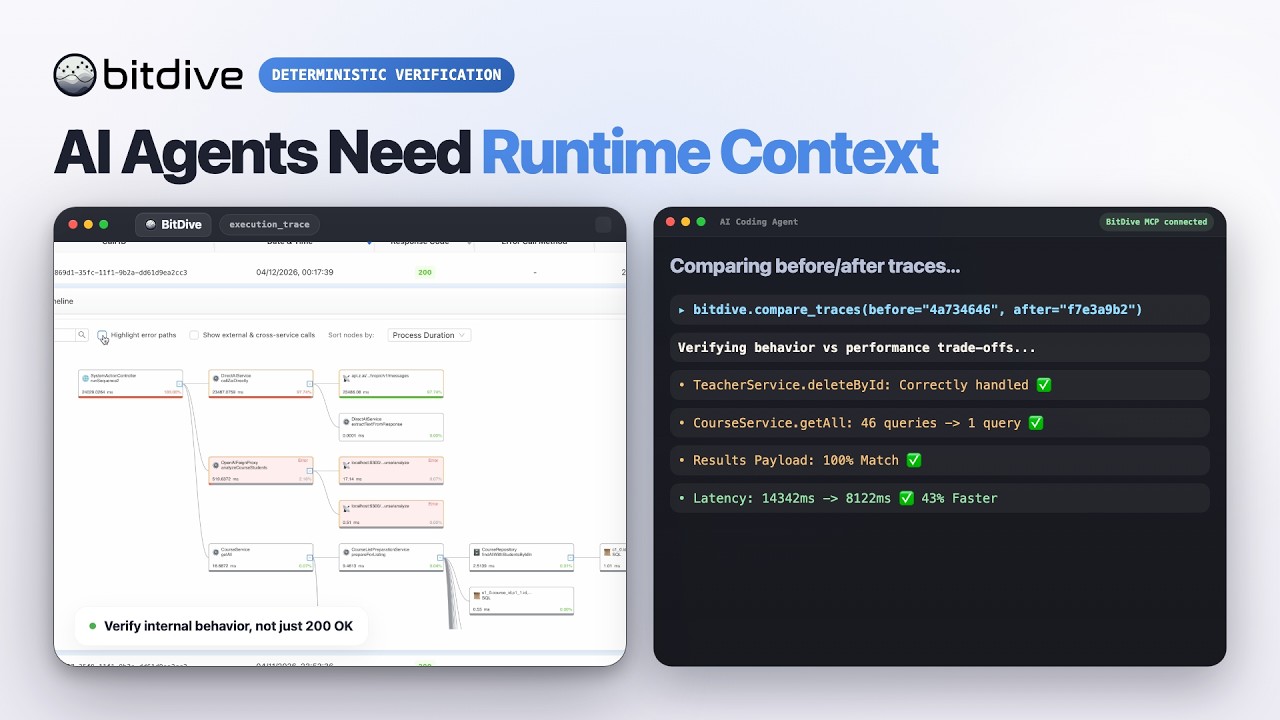
Watch the BitDive product demo on YouTube:
Overview
This server is not just a thin API proxy.
It wraps BitDive API endpoints and makes them usable for agent workflows:
- compact heatmap summaries for discovery
- readable trace summaries instead of raw JSON only
- Bash and PowerShell reproduction commands from captured requests
- before/after trace comparison with payload and contract drift reporting
- SQL normalization and volatile-field filtering to reduce noisy diffs
- automatic secret redaction and chronological child-call ordering on trace paths
- test-group inspection and regression-management flows
What It Is For
Use this server when an AI agent or developer needs to:
- discover which module, service, class, or entrypoint is active
- fetch recent or historical traces
- inspect a trace without manually parsing BitDive JSON
- reproduce a captured web request locally
- compare two traces after a code change
- track how behavior evolved across multiple runs
- inspect and update BitDive test groups
Tool Inventory
The current server exposes 24 MCP tools.
Tool names follow their intent: discovery tools (you do not have an id yet) start with get_*_heatmap / list_* / find_* / search_*; inspect tools (you already have a call_id) start with get_trace*; compare tools diff traces.
| Group | Tools | When to use |
|---|---|---|
| Discovery (heatmaps) | get_system_heatmap, get_module_heatmap, get_service_heatmap |
Don’t know where to look yet; find a class/method and its metrics |
| Discovery (calls/methods) | list_recent_calls, find_calls_by_method, search_methods, search_methods_detailed |
Get call_ids or locate a method by keyword |
Inspect one trace (needs call_id) |
get_trace_overview, get_trace, get_trace_raw, get_trace_subtree |
Read a known trace: overview → full de-noised → raw → single subtree |
Установка
This server does not publish a one-line install command.
Open the repository installation guide Новичок в MCP? Начните с руководства на mcpskill.org →Конфигурация
{
  "mcpServers": {
    "bitdive": {
      "command": "python",
      "args": [
        "/absolute/path/to/server.py"
      ],
      "env": {
        "BITDIVE_MCP_TOKEN": "your-token"
      }
    }
  }
}