
abrinsmead/mindpilot-mcp
Developer toolsЭта страница переведена автоматически. Технические детали смотрите в оригинале. Открыть оригинал
abrinsmead/mindpilot-mcp - кандидат на сервер MCP, импортированный из https://github.com/abrinsmead/mindpilot-mcp.
Обзор
abrinsmead/mindpilot-mcp - кандидат на сервер MCP, импортированный из https://github.com/abrinsmead/mindpilot-mcp.
Обзор (машинный перевод)
Посмотри в глаза своему агенту. Визуализируйте унаследованный код, проверяйте сложные потоки, разбирайтесь во всем.
[!TIP] Mindpilot теперь доступен в качестве легкого агента — локальный MCP-сервер не нужен. Попросите вашего агента нарисовать что-то, и он создаст автономный интерактивный просмотрщик русалки, который вы можете открыть в своем браузере или опубликовать в качестве артефакта Клода.
Установить с:
npx skills add abrinsmead/skills/mermaid-viewer
Почему именно Mindpilot?
** Визуализируйте что угодно**: используйте свой агент кодирования для создания архитектуры по требованию, кода и схем процесса для просмотра вашего кода с разных точек зрения. Проверка вибе: генерируемый ИИ код может накапливать неиспользуемые и избыточные конструкции. Используйте визуализацию, чтобы определить области, которые нуждаются в очистке. Локальная обработка: диаграммы никогда не отправляются в облако. Все остается между вами, вашим агентом и поставщиком (-ами) LLM вашего агента. Экспорт и Доля: Экспорт любой диаграммы в виде векторного изображения.
Предпосылки
Node.js v20.0.0 или выше.
##Быстрый старт
###Клауд Код [[Т1]]
Курсор
Эта страница переведена автоматически. Технические детали смотрите в оригинале.
README
Показан фрагмент оригинального README. Открыть оригинал.
Mindpilot MCP


See through your agent’s eyes. Visualize legacy code, inspect complex flows, understand everything.
[!TIP] Mindpilot is now available as a lightweight agent skill—no local MCP server needed. Ask your agent to diagram something and it builds a self-contained, interactive Mermaid viewer you can open in your browser or publish as a Claude artifact.
Install with:
npx skills add abrinsmead/skills/mermaid-viewer
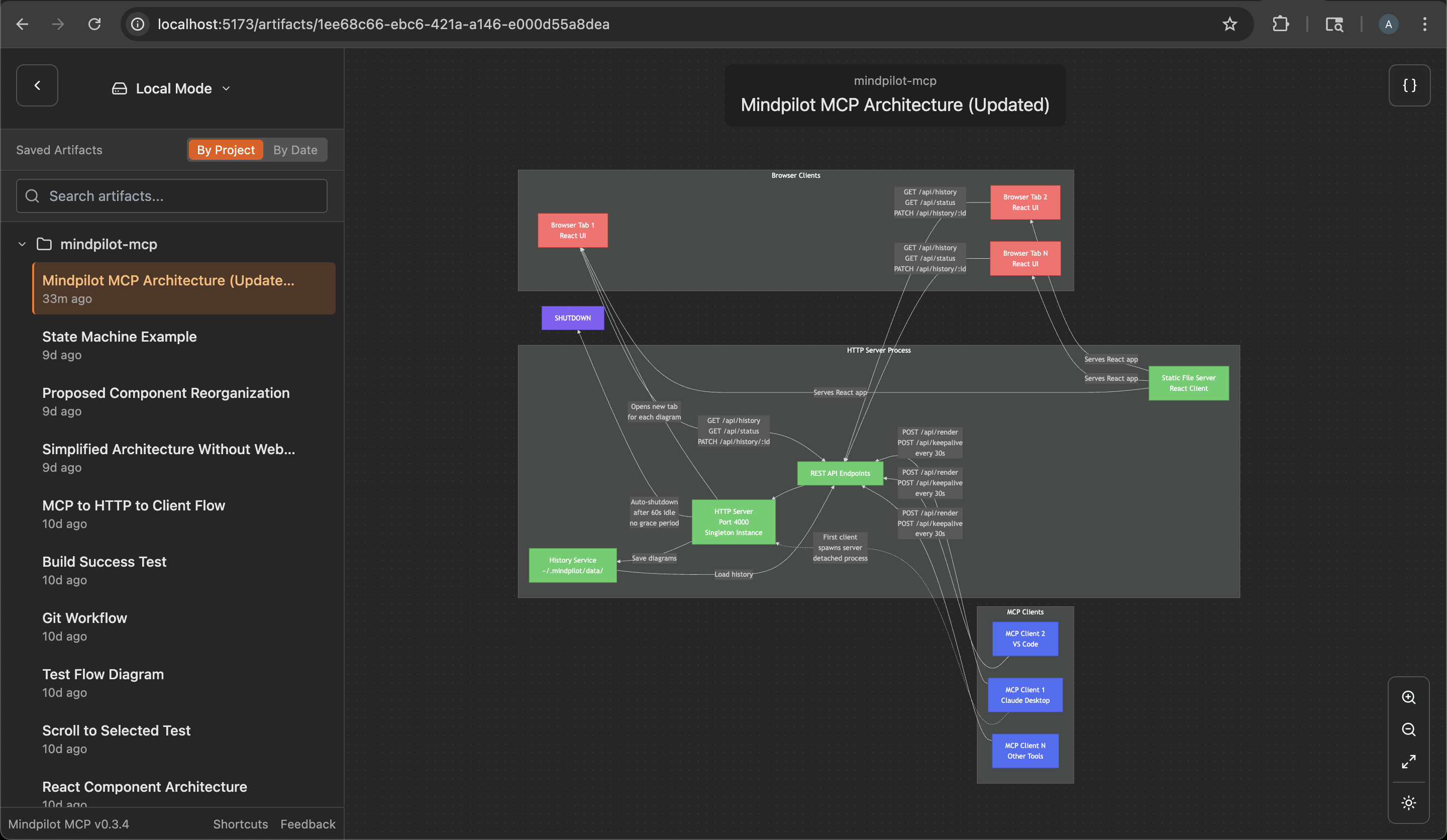
Why Mindpilot?
- Visualize Anything: Use your coding agent to generate on-demand architecture, code, and process diagrams to view your code from different perspectives.
- Vibe Checks: AI-generated code can accumulate unused and redundant constructs. Use visualizations to spot areas that need cleanup.
- Local Processing: Diagrams are never sent to the cloud. Everything stays between you, your agent, and your agent’s LLM provider(s).
- Export & Share: Export any diagram as a vector image.
Prerequisites
Node.js v20.0.0 or higher.
Quickstart
Claude Code
claude mcp add mindpilot -- npx @mindpilot/mcp@latest
Cursor
Under Settings > Cursor Settings > MCP > Click Add new global MCP server and configure mindpilot in the mcpServers object.
{
  "mcpServers": {
    "mindpilot": {
      "command": "npx",
      "args": ["@mindpilot/mcp@latest"]
    }
  }
}
VS Code
Follow the instructions here for enabling MCPs in VS Code: https://code.visualstudio.com/docs/copilot/chat/mcp-servers
Go to Settings > Features > MCP, then click Edit in settings json
Then add mindpilot to your MCP configuration:
{
  "mcp": {
    "servers": {
      "mindpilot": {
        "type": "stdio",
        "command": "npx",
        "args": ["@mindpilot/mcp@latest"]
      }
    }
  }
}
Windsurf
Under Settings > Windsurf Settings > Manage Plugins, click view raw config and configure mindpilot in the mcpServers object:
{
  "mcpServers": {
    "mindpilot": {
      "command": "npx",
      "args": ["@mindpilot/mcp@latest"]
    }
  }
}
Zed
In the AI Thread panel click on the three dots ..., then click Add Custom Server...
In the Command to run MCPserver field enter npx @mindpilot/mcp@latest and click Add Server.
Configuration Options
- Port: The server defaults to port 4000 but can be configured using the
--portcommand line switch.
Установка
npx @mindpilot/mcp@latest