
15538420886/mcp
Developer toolsЭта страница переведена автоматически. Технические детали смотрите в оригинале. Открыть оригинал
An MCP service for deploying HTML content, folders, or full-stack projects to EdgeOne Pages and obtaining publicly accessible URLs.
Обзор
An MCP service for deploying HTML content, folders, or full-stack projects to EdgeOne Pages and obtaining publicly accessible URLs. This MCP service supports multiple deployment options. Choose the one that best fits your needs. This is the simplest and fastest deployment method, suitable for scenarios requiring HTTP access. 1. Visit the self-hosted repository 2. Click the "One-Click Deploy" button to deploy the service to EdgeOne Pages 3. Complete the deployment configuration as prompted After deployment, configure KV storage for storing website files: 1. Go to EdgeOne Pages console 2. Find KV Storage configuration 3. Follow the KV Storage Setup Guide 1. Add a custom domain in project settings 2. Configure DNS CNAME record 3. Wait for domain verification 4. Refer to Custom Domain Binding Guide After deployment, add to your MCP configuration file:
README
Показан фрагмент оригинального README. Открыть оригинал.
EdgeOne Pages MCP
An MCP service for deploying HTML content, folders, or full-stack projects to EdgeOne Pages and obtaining publicly accessible URLs.
Demo
Deploy HTML
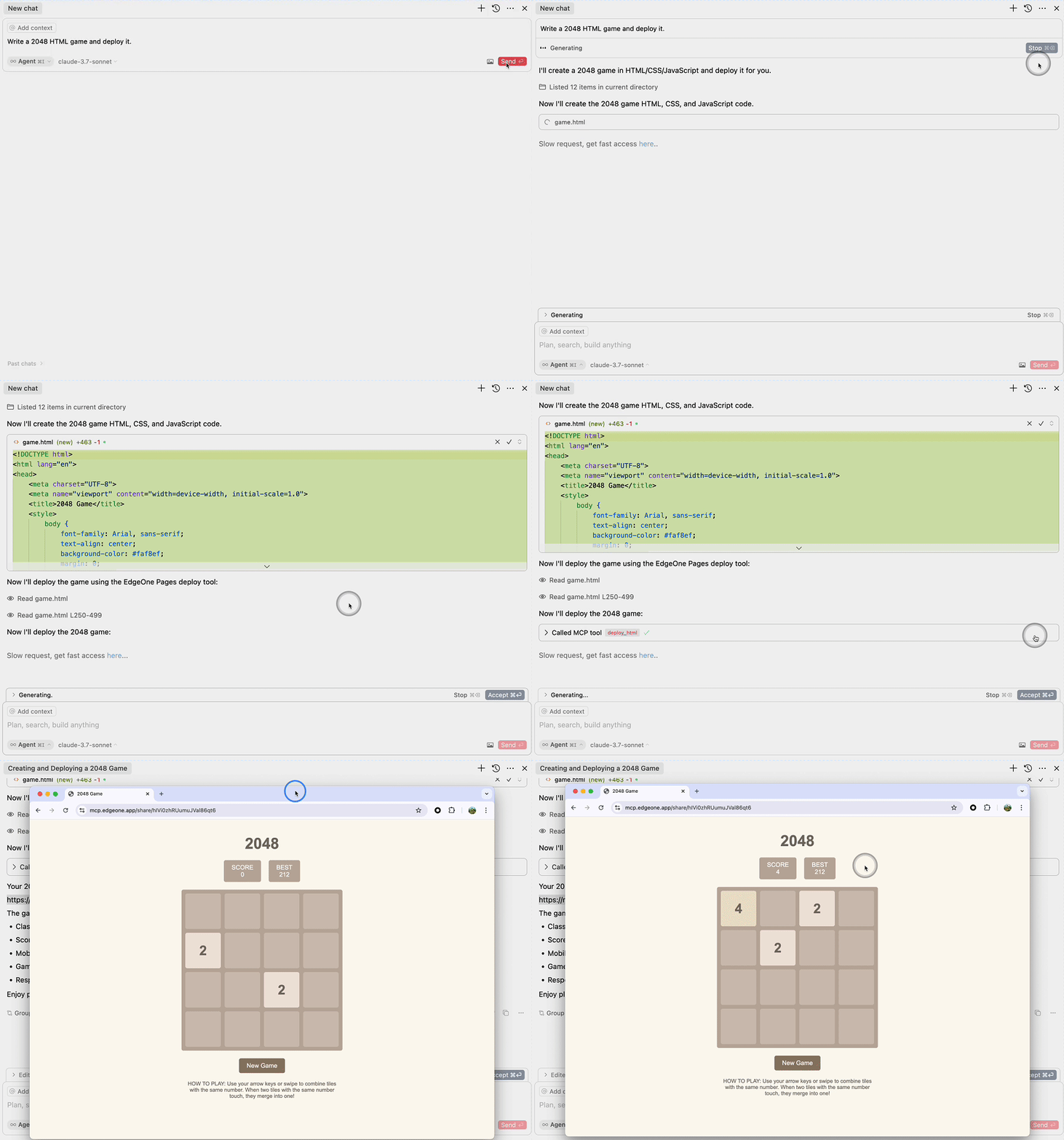
Deploy Folder
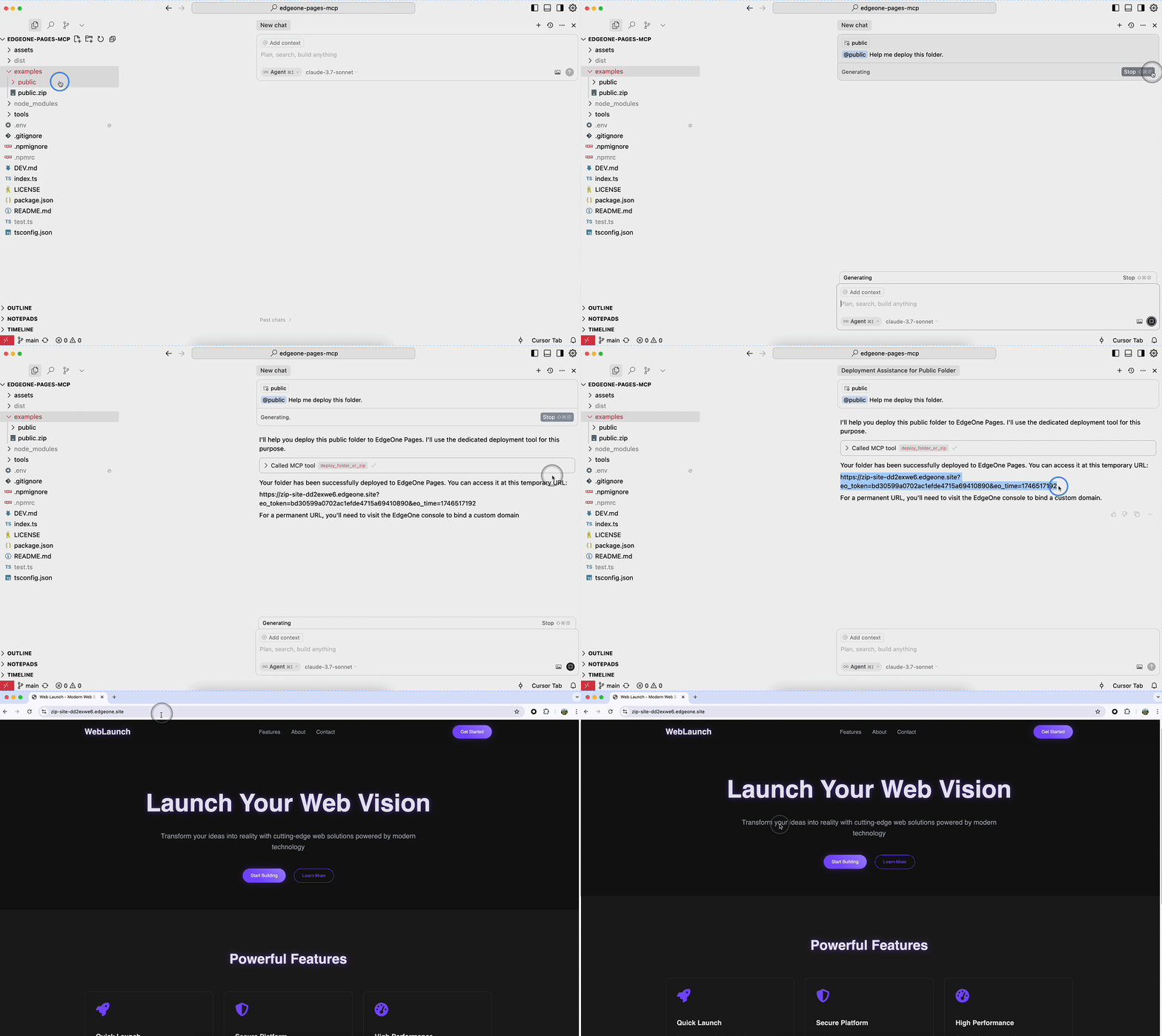
Requirements
- Node.js 18 or higher
Deployment on Tencent Cloud
This MCP service supports multiple deployment options. Choose the one that best fits your needs.
Option 1: Deploy Self-Hosted Version to EdgeOne Pages (Recommended)
This is the simplest and fastest deployment method, suitable for scenarios requiring HTTP access.
Step 1: One-Click Deploy to EdgeOne Pages
- Visit the self-hosted repository
- Click the “One-Click Deploy” button to deploy the service to EdgeOne Pages
- Complete the deployment configuration as prompted
Step 2: Configure KV Storage
After deployment, configure KV storage for storing website files:
- Go to EdgeOne Pages console
- Find KV Storage configuration
- Follow the KV Storage Setup Guide
Step 3: Bind Custom Domain (Optional)
- Add a custom domain in project settings
- Configure DNS CNAME record
- Wait for domain verification
- Refer to Custom Domain Binding Guide
Step 4: Configure MCP Client
After deployment, add to your MCP configuration file:
{
  "mcpServers": {
    "edgeone-pages": {
      "url": "https://your-custom-domain.com/mcp-server"
    }
  }
}
Advantages:
- ✅ Zero server maintenance cost
- ✅ Auto-scaling and high availability
- ✅ Global edge acceleration
- ✅ Custom domain and HTTPS support
Option 2: Deploy on Tencent Cloud CVM
Suitable for scenarios requiring full server control or stdio transport.
Step 1: Prepare CVM Instance
- Log in to Tencent Cloud Console
- Create or select a CVM instance
- Recommended configuration:
- OS: Ubuntu 20.04 LTS or CentOS 7+
- CPU: 2 cores or more
- Memory: 4GB or more
- Network: Configure public IP or elastic IP
Step 2: Install Node.js Environment
Ubuntu/Debian:
# Update system packages
sudo apt update

# Install Node.js 18.x
curl -fsSL https://deb.nodesource.com/setup_18.x | sudo -E bash -
sudo apt-get install -y nodejs

# Verify installation
node --version
npm --version
CentOS/RHEL:
# Install Node.js 18.x
curl -fsSL https://rpm.nodesource.com/setup_18.x | sudo bash -
sudo yum install -y nodejs

# Verify installation
node --version
npm --version
Установка
npx edgeone-pages-mcp-fullstack@latestКонфигурация
{
  "mcpServers": {
    "edgeone-pages": {
      "url": "https://your-custom-domain.com/mcp-server"
    }
  }
}