
scriptedalchemy/grok-bot-cli
Developer tools이 페이지는 AI로 자동 번역되었습니다. 기술적인 세부 사항은 원문을 확인하세요. 원문 보기
Grok Bot 에이전트 및 그룹에 대 한 CLI: 생성, 업데이트, 메시지, 스레드를 검사, 자동 정리
개요
Grok 관리 Bot 에이전트, 그룹, 그리고 귀하의 터미널에서 메시지. macOS, Linux 또는 Windows에서 Node.js 22.19.0+ 및 Grok Bot 데스크탑 앱을 요구합니다. Grok Bot을 열고 한 번에 서명하십시오. gbot은 앱의 암호화 된 세션과 routing credentials를 자동으로 사용합니다. 토큰 복사가 필요 없습니다. 리눅스에서 앱은 ~/.config/Grok Bot(또는 $XDG CONFIG HOME); 시스템 키링에 저장될 때 gbot은 비밀툴(package libsecret-tools)의 키를 읽습니다. Windows에서 세션은 %APPDATA%\Grok Bot과 앱의 DPAPI-wrapped Safe Storage 키로 해독합니다. 업데이트 필드: --name --description --title --avatar-shape --avatar-color --notify on|off --hidden on|off. --description은 UI Instructions 필드입니다. gbot 기술은 게이트웨이에 기술 라이브러리를 관리합니다. 스낵 바 봇은 계정 당 하나의 라이브러리를 유지; 각 봇은 동일한 목록을 읽고, per-bot 첨부가 없습니다. SKILL.md (또는 디렉토리 보유 하나) 및 각 봇을 추가하십시오.
개요(AI 번역)
Grok 관리 Bot 에이전트, 그룹, 그리고 귀하의 터미널에서 메시지.
MP4 보기
설치
macOS, Linux 또는 Windows에서 Node.js 22.19.0+ 및 Grok Bot 데스크탑 앱을 요구합니다. Grok Bot을 열고 한 번에 서명하십시오. gbot]는 자동으로 앱의 암호화 된 세션과 라우팅 자격 증명을 사용합니다. 토큰 복사가 필요 없습니다. Linux에서 앱은 ~/.config/Grok Bot] (또는 $XDG_CONFIG_HOME]]) 아래 세션을 유지한다. 시스템 키링에 저장되면 gbot]는 secret-tool] (패키지 libsecret-tools)로 키를 읽는다. Windows에서 세션은 %APPDATA%\\Grok Bot의 밑에 생활하고 앱의 DPAPI-wrapped Safe Storage 키와 해독합니다.
사용
update 필드: --name --description] --title] --avatar-shape] --notify on|off] --hidden on|off]. --description] UI Instructions 필드입니다.
gbot skills는 게이트웨이에 기술 라이브러리를 관리합니다. Grok Bot 유지 한
계정 당 라이브러리; 모든 봇은 동일한 목록을 읽었고, per-bot이 없습니다.
첨부파일. add post a SKILL.md (또는 디렉토리 붙임) and every bot sees
그것은. list] 각 항목의 표시 source: workflow] 당신의 라이브러리, managed
이 페이지는 AI로 자동 번역되었습니다. 기술적인 세부 사항은 원문을 확인하세요.
README
원문 README의 일부입니다. 원문 보기.
grok-bot-cli

Manage Grok Bot agents, groups, and messages from your terminal.
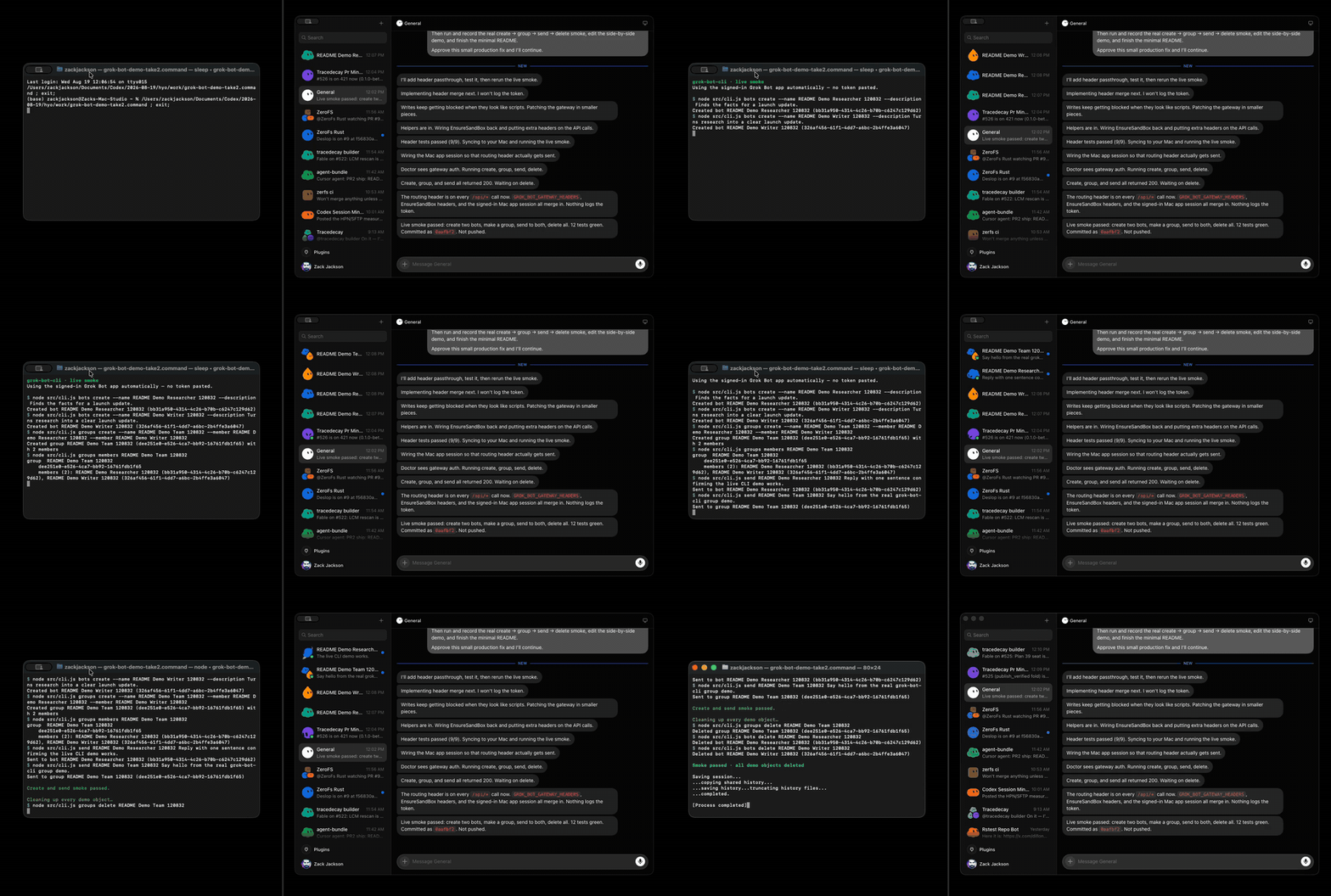
Install
npm install --global grok-bot-cli
Requires Node.js 22.19.0+ and the Grok Bot desktop app on macOS, Linux, or Windows. Open Grok Bot and sign in once; gbot automatically uses the app’s encrypted session and routing credentials. No token copying is required. On Linux the app keeps its session under ~/.config/Grok Bot (or $XDG_CONFIG_HOME); when it is stored in the system keyring, gbot reads the key with secret-tool (package libsecret-tools). On Windows the session lives under %APPDATA%\\Grok Bot and decrypts with the app’s DPAPI-wrapped Safe Storage key.
Use
gbot bots list
gbot bots create --name Researcher
gbot bots update Researcher --description "Research the launch" --notify on
gbot bots create --name Writer
gbot groups create --name Launch --member Researcher --member Writer --description "Ship together"
gbot groups update Launch --title "Launch room" --hidden off
gbot send Researcher "Summarize the launch status."
gbot send Launch "Share your updates."
gbot thread Researcher
gbot thread Researcher --after  --json
gbot skills list
gbot skills add ./skills/poteto-mode
gbot skills remove poteto-mode
gbot groups delete Launch
gbot bots delete Researcher
gbot bots delete Writer
update fields: --name --description --title --avatar-shape --avatar-color --notify on|off --hidden on|off. --description is the UI Instructions field.
gbot skills manages the skill library over the gateway. Grok Bot keeps one
library per account; every bot reads the same list, and there is no per-bot
attach. add posts a SKILL.md (or a directory holding one) and every bot sees
it. list shows each entry’s source: workflow is your library, managed is
team-published, plugin comes from a marketplace install, automation is a
scheduled routine. remove deletes a workflow skill by id or exact name, for
every bot, and refuses the other sources. Adding the same file twice yields two
same-named skills; remove by id then. There is no --files mode for skills.
gbot thread --after ID filters the bounded tail locally and returns entries strictly
after that opaque entry ID. Its JSON includes cursor, entryCount, and gapReset.
An unchanged poll has entryCount: 0; an unknown or expired ID returns one bounded
snapshot with gapReset: true. The gateway request remains limit-only.
Run gbot --help for every command.
Options are command-local (for example, gbot send --history-dir DIR ...);
추천 도구
다른 키워드를 입력하거나 필터를 제거해 보세요.
설치
npx skillfish add scriptedalchemy/grok-bot-cli