
OpenCode, Pi, Codex, and Cursor can discover the same Agent Skill; their full Phase 0→5 pipeline remains unverified.
개요
OpenCode, Pi, Codex, and Cursor can discover the same Agent Skill; their full Phase 0→5 pipeline remains unverified.
README
hve-video-director
AI-powered video production pipeline verified on Claude Code and GitHub Copilot CLI. OpenCode, Pi, Codex, and Cursor can discover the same Agent Skill; their full Phase 0→5 pipeline remains unverified.
/hve-video-director
Renamed in v0.1.0 — this skill was previously
hve-spielberg.npx skills updatedoes not complete the rename: it installs the new skill alongside the old one and leaves the stalehve-spielbergbehind. Remove the old install explicitly. SeeMIGRATION.md.
Reference build
example/ is the committed reference build — regenerated in v0.2.0 against the
HyperFrames-first pipeline. It is a 60-second promo the skill made about itself, which makes it
the honest test: with product_surface: none there was no product UI to lean on, so the reasoning
layer had to decide how to show an idea.
| Frames | 8, in the official storyboard shape, each carrying its director keys |
| Identity | design-system: stripe, dark theme, 1920×1080 |
| Seams | 4 z-axis rows in ledger.json, stamped and numerically verified |
| Hero budget | visual_ceiling: derived imposed no ceiling, and derivation still spent Three.js on exactly one frame of eight |
The source artifacts are committed (context.md, storyboard.md, DESIGN.md, scenes/*.html,
ledger.json, index.html). Media is not committed — it is regenerable from what is here, and
a rendered MP4 is attached to a Release when one is produced. No render of this build is
published yet; the films below are separate projects.
It is a record, not a fixture, and it is only worth anything while every byte is what the
pipeline actually emitted. Producing one is a human-in-the-loop run: every phase ends at a
user-approval checkpoint that no agent may grant on your behalf (ADR-001), and it needs real
text-to-speech, a licensed music track, and a headless-Chromium render. That is a production run
someone sits through, not a build step. example/.hve/brief-state.json is the consent record that
makes the claim checkable — validate_brief.py --project-dir example status reports it complete,
confirmed and unstale.
Watch it work
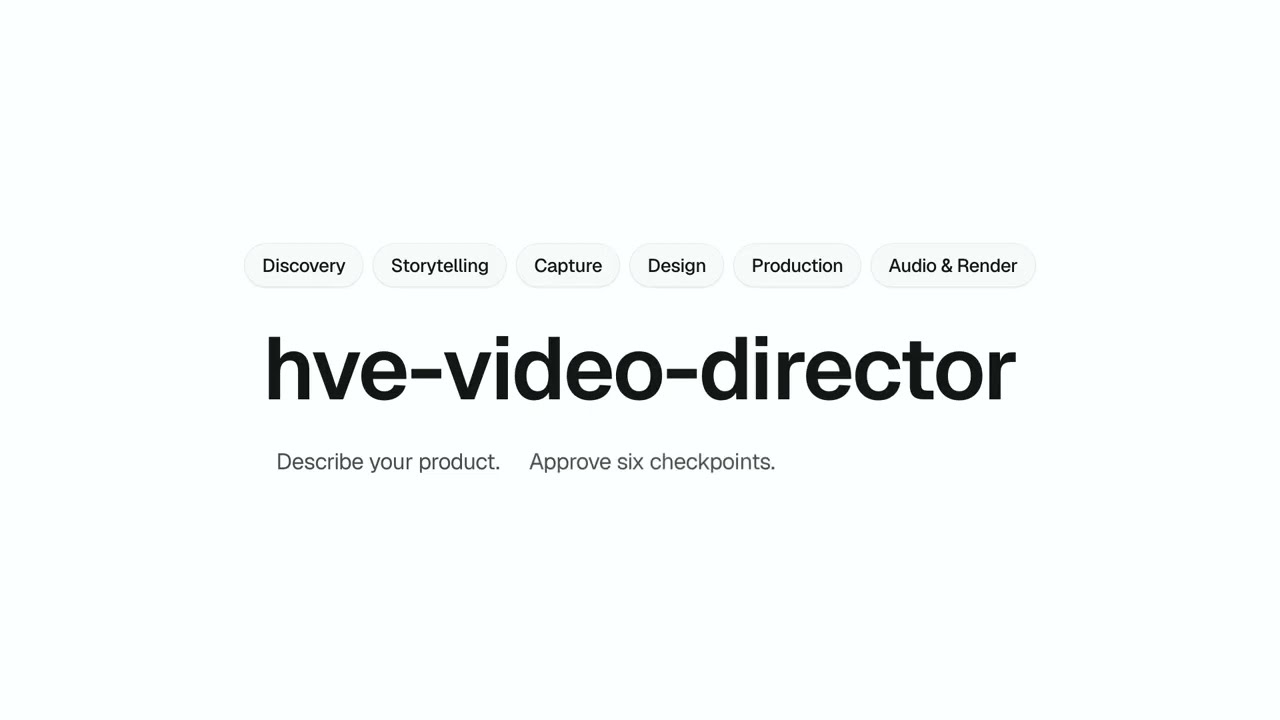
▶ Watch the 90-second v0.2.0 promo — or download the MP4 (1920×1080, H.264 + AAC, 6.2 MB) from the v0.2.0 release.
Produced end-to-end by hve-video-director v0.2.0 itself, with a human granting all six phase
approvals. A separate project from example/, not a render of it: 8 scenes on the vendored
Vercel preset in light theme, velocity-matched cuts verified by the seam gate, ElevenLabs
narration over a CC BY 4.0 bed, and reviewed captions bound to the final mix. Its terminal shot is
a real asciinema recording of this repository’s own test suite — 233 tests, exit 0 — not a
mock-up.
Earlier renders
One hosted film from the v0.1.0 era. It is not example/ — a different project, kept because
it is real output, and it predates the HyperFrames rebase.
▶ Download the 53-second v0.1.0 reference render
(1920×1080, H.264 + AAC, 18 MB) — a promo for blog.nebrass.fr using four
real Chrome DevTools captures as the product spine, built on the vendored Vercel design system
(design-systems/vercel/DESIGN.md) and attached to the
v0.1.0 release.
What It Does
hve-video-director is an Agent Skill that orchestrates end-to-end video production:
- Understands your product through design thinking (empathize, define, ideate)
- Builds a narrative with scene storyboarding and emotional arc
- Captures your app automatically via Chrome DevTools, including an explicitly selected already-authenticated Chrome tab
- Builds one HTML scene per storyboard frame, matching your brand DNA — pick from 10 curated design systems (Stripe, Linear, Apple, Notion, Vercel, Airbnb, GitHub, Cal, Arc, Bento), 8 HyperFrames named styles, or derive from screenshots. Shipped HyperFrames registry blocks are installed before anything is hand-authored, and each scene is built from that one frame’s brief rather than from the whole film
- Produces the video in HyperFrames (HTML + GSAP, headless-Chromium rendered)
- Adds voiceover, music, SFX, and reviewed closed captions through the
media-useaudio engine — the explicitly chosen voice (ElevenLabs or local Kokoro-82M), a music bed whose exact track you confirm before any mix, caption timing fromnpx hyperframes transcribeover the assembled voiceover, and audio-fingerprinted SRT/VTT delivery
Three Modes
| Mode | Structure | Best For |
|---|---|---|
| Promo | Hook → Pain → Solution → Features → CTA | Marketing, launches, ads |
| Showcase | Intro → Walkthrough → Highlights → Closer | Portfolio, demos, case studies |
| Tutorial | Cold Open → Step-by-Step Chapters → Recap | Walkthroughs, how-tos, onboarding |
Pipeline
Phase 0: DISCOVERY         Phase 1: STORYTELLING       Phase 2: CAPTURE
├ Design thinking          ├ Narrative structure        ├ Web / terminal / supplied
├ Codebase/feature scan    ├ Scene storyboard           ├ Auto-navigate app
├ Product context Q&A      ├ Emotional arc              ├ Screenshots + clips
└ Goal/audience analysis   └ Script outline             └ Bound capture artifacts

Phase 3: DESIGN            Phase 4: PRODUCTION         Phase 5: AUDIO & RENDER
├ DESIGN.md (brand+motion) ├ HyperFrames root index     ├ media-use audio engine
├ Registry blocks first    ├ Sub-composition wiring     ├ Reviewed captions
├ One brief per frame      ├ GSAP transitions           ├ Confirmed track + mix
└ Scene HTML built         └ lint + check gates         └ npx hyperframes render
Each phase has a user-approval checkpoint before proceeding to the next. Preview and the mechanical gates run in Phase 4, once the scenes are assembled into one composition.
Prerequisites
Quick check: run
./scripts/check_requirements.sh. The default report,--json, and--plannever install or download anything.--planprints exact actions; use--fix=only after choosing safe user-scoped fixes. Bare--fixretains the all-safe behavior. System/sudo commands and environment-variable exports are always printed, never run.
| Checker flag | Purpose |
|---|---|
| (none) | Human readiness report with required exit status |
--json |
JSON-only report with stable check IDs, tiers, states, affected phases, and fixes |
--plan |
Side-effect-free human plan for every non-ready check |
--fix= |
Run only selected safe fixes (chrome-shell, hyperframes-skill, whisper) |
--fix |
Run all currently missing safe fixes; never system/sudo/environment actions |
No local checkout? The doctor is self-contained — run it straight from GitHub:
# report only
curl -fsSL https://raw.githubusercontent.com/nebrass/hve-video-director/main/scripts/check_requirements.sh | bash

# inspect the exact plan without making changes
curl -fsSL https://raw.githubusercontent.com/nebrass/hve-video-director/main/scripts/check_requirements.sh | bash -s -- --plan

# apply only explicitly selected safe fixes
curl -fsSL https://raw.githubusercontent.com/nebrass/hve-video-director/main/scripts/check_requirements.sh | bash -s -- --fix=chrome-shell,hyperframes-skill
Prefer to read the script before running it (recommended for any curl … | bash)? Download, inspect, then execute:
curl -fsSL https://raw.githubusercontent.com/nebrass/hve-video-director/main/scripts/check_requirements.sh -o check_requirements.sh
less check_requirements.sh && bash check_requirements.sh --plan
| Tool | Required | Installation |
|---|---|---|
| Node.js 22.12+ | Yes | nodejs.org |
| Python 3.10+ | Yes | python.org |
| ffmpeg | Yes | brew install ffmpeg / apt install ffmpeg |
| HyperFrames CLI | Yes | npm install --global hyperframes (the checker never fetches it during report modes) |
| HyperFrames companion skills | Phases 3–5 | npx skills add heygen-com/hyperframes — installs the hyperframes router and the domain family it dispatches to |
chrome-headless-shell |
Yes | Used by npx hyperframes render for frame capture. System Chrome causes 120s render hangs. Install once: npx puppeteer browsers install chrome-headless-shell (one-time, ~170MB, cached). Verify with npx hyperframes doctor. |
| Chrome DevTools MCP | For web capture | Required only when the storyboard requests web screenshots/screencasts. Configure it in the active agent; capability names are resolved per runtime. For an already-authenticated tab, use Chrome 144+ remote debugging plus MCP --autoConnect (preferred), or the documented dedicated-profile --browser-url fallback. |
| HeyGen credential | Recommended | heygen auth login --oauth (or HEYGEN_API_KEY) — lets the media-use engine retrieve catalog sound effects and a catalog music bed instead of generating them or falling back to its bundled library; either route is recorded in the brief as music_strategy: delegated with a provenance URI (see Music Strategy). It does not change the voice: the brief’s voice vocabulary is elevenlabs:… or kokoro:… only (enforced by scripts/validate_brief.py), so the engine’s HeyGen voice route is not selectable through this skill’s vocabulary. The checker reports it as heygen-credential and degrades gracefully without it; Phase 5 never prompts for sign-in and never substitutes a confirmed provider. |
ELEVENLABS_API_KEY |
For an ElevenLabs voice | elevenlabs.io — required when the confirmed voice uses ElevenLabs. It is consumed by the media-use engine’s ElevenLabs route, the only path that reads it. Choose Kokoro explicitly for no-key local TTS; providers are never substituted automatically. |
| Whisper | Recommended | pip install openai-whisper — voiceover timing verification when npx hyperframes transcribe is unavailable. The engine’s per-line word timings never substitute for it: they are relative to each line’s own audio, while captions need composition-absolute times over the assembled voiceover. |
espeak-ng |
Optional | brew install espeak-ng / apt install espeak-ng — only needed for non-English voiceover via a confirmed Kokoro voice |
--experimentalScreencast (chrome-devtools MCP) |
No | Enables screencast web-clip capture; without it, web scenes fall back to screenshots. |
asciinema + agg |
No | Optional true terminal-clip recording for CLI scenes; without them, CLI scenes use the authored-terminal path. Install: brew install asciinema agg (macOS) · apt install asciinema && cargo install --git https://github.com/asciinema/agg (Debian/Ubuntu). See patterns/cli-terminal-capture.md for the full recording workflow. |
wf-recorder |
Wayland native capture only | Feature-detected by scripts/capture_screen.py. Without it, use the desktop recorder and normalize the result with scripts/stitch_clip.py; generic FFmpeg PipeWire capture is not assumed. |
Already-authenticated browser capture
Phase 2 can capture an SSO/MFA app from an already-open Chrome tab without navigating away. The
preferred setup is Chrome 144+ with remote debugging enabled at
chrome://inspect/#remote-debugging and --autoConnect added to the Chrome DevTools MCP server
arguments. Phase 2 then lists the connected profile’s tabs, asks the user to select the exact tab,
and leaves its URL/history unchanged.
The MCP can inspect and control every open window in the connected profile. Close unrelated
sensitive tabs first, never expose a remote-debugging port to the network, and use a dedicated
profile when appropriate. See
patterns/authenticated-browser-capture.md for the
manual --browser-url fallback, privacy contract, viewport restoration, and failure handling.
Native screen capture and clip normalization
The pure-stdlib helpers record no audio and publish the Phase-2 clip contract: fixed requested
duration, CFR30 H.264 High, yuv420p, even dimensions, and +faststart.
# Fixed-duration native desktop capture (macOS, Windows, X11, or detected Wayland)
python3 scripts/capture_screen.py --duration 6 \
  -o public/clips/scene-02-dashboard.mp4

# Native region capture; source dimensions may be odd
python3 scripts/capture_screen.py --duration 4 --region 100,80,1281,721 \
  -o public/clips/scene-03-flow.mp4

# Verify clip + completion sidecar against the storyboard duration/region
python3 scripts/capture_screen.py --check --duration 4 --region 100,80,1281,721 \
  -o public/clips/scene-03-flow.mp4

# Normalize, trim, or stitch existing recordings
python3 scripts/stitch_clip.py raw.mov::1.5::6 second.mkv \
  --width 1920 --height 1080 -o public/clips/scene-04-result.mp4
capture_screen.py uses built-in screencapture on macOS, ffmpeg gdigrab on Windows,
ffmpeg x11grab on X11, and wf-recorder only when detected on Wayland. WSL exits with a
Windows-host recording handoff. Before each attempt it writes .capture.pending; success
atomically publishes .capture.json with requested parameters, validated media properties,
and a SHA-256 fingerprint before clearing pending. Existing clip/metadata are preserved on every
failure, while retained pending prevents a failed retake from counting as complete. Raw capture is
kept on failure (or with --keep-raw) and stitch_clip.py remains the canonical normalizer.
Reviewed closed-caption delivery
After the final soundtrack is mixed, Phase 5 creates ASR drafts plus a review manifest. The user corrects speech, reviews speaker identity and meaningful music/SFX, then explicitly approves the cue list. Finalization writes same-basename sidecars beside the video and fingerprints the audio, manifest, and outputs:
python3 scripts/caption_gen.py draft --audio voiceover-with-music.mp3
# Review captions-review.json; set speech_review/speaker_review/sound_review.
python3 scripts/caption_gen.py approve  # only after the user approves these exact cues
python3 scripts/caption_gen.py finalize
python3 scripts/caption_gen.py validate
Final delivery is out/final.mp4 + out/final.srt + out/final.vtt. Any soundtrack, manifest,
state, or sidecar edit makes validation fail and routes back to Phase 5. Editing a cue after
approval also invalidates its content-bound approval fingerprint.
Required Skills
hve-video-director depends on the HyperFrames companion agent skills plus the hyperframes npm package (these are separate — the skills provide authoring prompts; the npm package provides the hyperframes CLI). A single npx skills add heygen-com/hyperframes offers the whole family — select all of them, or pass --all (see Installation). The command auto-detects your agent and resolves the correct skills home for you:
| Dependency | Type | Purpose | Install |
|---|---|---|---|
hyperframes skill |
Agent skill | The intent router: it dispatches to whichever domain skill owns the topic. Load it first; it is no longer a monolith that carries the authoring rules itself. | npx skills add heygen-com/hyperframes |
hyperframes-core, hyperframes-animation, hyperframes-creative, hyperframes-cli, hyperframes-registry |
Agent skills | The domain family the router points at — composition contract and data-* timing (core), GSAP choreography such as eases, timelines, stagger and the transition catalog (animation), visual style/typography/data-in-motion (creative), gates and render commands (cli), catalog blocks (registry). Loaded on demand across Phases 3–5, never wholesale. |
Installed by the same npx skills add heygen-com/hyperframes |
media-use, motion-doctrine |
Agent skills | media-use owns Phase-5 audio generation today — one engine producing voiceover, music bed and SFX from a single request, plus transcription and caption data. This skill keeps only the governance around it: the exact-track confirmation, caption review, the verified mix, and render approval. motion-doctrine owns the seam/transition law that supersedes local transition guidance where the two disagree (Phase 4). |
Installed by the same npx skills add heygen-com/hyperframes |
hyperframes npm package |
CLI | init, add (pull catalog blocks — scenes in Phase 3, seams and furniture in Phase 4), lint (fast iteration), preview, check (the required final gate — inspect, validate and layout are deprecated aliases it subsumes), render, doctor (render diagnostics), transcribe (Phase 5’s preferred timing verifier, with standalone Whisper as fallback), tts (confirmed local Kokoro voices) |
npx hyperframes (auto-fetches; package: hyperframes, repo: github.com/heygen-com/hyperframes) |
Skill names are the ecosystem’s stable API; the file paths inside them churn, so every path this
skill relies on is registered once in compat/ecosystem.md and cited
everywhere else by capability symbol.
Installation
The recommended install is the skills CLI. For a
portable project install shared by multiple agents, use an .agents/skills/ destination; global
skill homes differ by agent.
Recommended: Skills CLI
# Project install — run from your project; writes to the agent's project skills home
npx skills add nebrass/hve-video-director

# Global install (Claude Code is the default agent)
npx skills add nebrass/hve-video-director --global

# Global install for GitHub Copilot CLI (~/.copilot/skills/)
npx skills add nebrass/hve-video-director --agent github-copilot --global
In Copilot CLI, run /skills to confirm the skill is loaded.
Fallback: manual git clone
If you can’t run the CLI, clone the repo into your agent’s skills home directly:
git clone https://github.com/nebrass/hve-video-director.git ~/.claude/skills/hve-video-director
# GitHub Copilot CLI: clone into ~/.copilot/skills/hve-video-director instead
OpenCode, Pi, Codex & Cursor (native discovery)
No plugin or manifest needed — these agents discover skills by directory convention and read the same Agent Skills SKILL.md format. The skills-CLI install above writes a /SKILL.md subdir into a home each one scans, so they pick up hve-video-director natively:
npx skills add nebrass/hve-video-director            # project (.agents/skills/)
npx skills add nebrass/hve-video-director --global   # global
- OpenCode —
.claude/skills/,~/.claude/skills/,.agents/skills/,~/.agents/skills/,.opencode/skills/,~/.config/opencode/skills/. Docs: . - Pi —
~/.pi/agent/skills/,~/.agents/skills/(global),.pi/skills/,.agents/skills/(project, after the project is trusted). Docs: . - Codex —
$CWD/.agents/skills/,$REPO_ROOT/.agents/skills/,$HOME/.agents/skills/,/etc/codex/skills/. Docs: . - Cursor —
.agents/skills/,.cursor/skills/,~/.agents/skills/,~/.cursor/skills/, plus.claude/skills/and.codex/skills/. Docs: .
Then ask for a video (for example, “use hve-video-director to make a showcase video of this app”). Skill loading follows each agent’s documented convention. Loading is not proof that Chrome MCP, question prompts, companion skills, or the complete render pipeline work on that host.
Compatibility status
| Agent | Discovery / invocation | Pipeline status |
|---|---|---|
| Claude Code | Automatic or /hve-video-director |
Phase 0→5 verified |
| GitHub Copilot CLI | Automatic or /hve-video-director; inspect with /skills info hve-video-director |
Phase 0→5 verified |
| OpenCode | Automatic through the native skill loader | Discovery-compatible; Phase 0→5 unverified |
| Pi | Automatic or /skill:hve-video-director |
Discovery-compatible; requires suitable MCP extensions for web capture; Phase 0→5 unverified |
| Codex | Automatic, /skills, or $hve-video-director |
Discovery-compatible; Phase 0→5 unverified |
| Cursor | Automatic or /hve-video-director |
Discovery-compatible; Phase 0→5 unverified |
The workflows resolve question and Chrome DevTools capabilities at runtime; they do not assume Claude Code’s literal MCP identifiers are available elsewhere.
Updating
Already installed an older version? Update to the latest main:
npx skills update hve-video-director # alias: upgrade · -g global · -p project · -y skip the scope prompt
Installed via a manual git clone instead? cd into the skills home you cloned to and run git pull.
Reload according to the active agent. Copilot CLI supports /skills reload; Claude Code watches
existing skill directories for SKILL.md changes; other agents may require a restart. Run
npx skills list to see what’s installed and where.
Quick Start
-
Set API keys as needed:
export ELEVENLABS_API_KEY=your_key_here # required only if you confirm an ElevenLabs voiceThat is the only API key this skill requires. A music bed needs none either — except the optional catalog-retrieval route below.
Optional, and never done for you: sign in to HeyGen (
heygen auth login --oauth, or setHEYGEN_API_KEY). It lets themedia-useengine retrieve a catalog music bed and sound effects; it does not change the confirmed voice (see § Voices)../scripts/check_requirements.shreports it asheygen-credentialand degrades without it. -
Start the skill:
/hve-video-directorThis slash form works on Claude Code, GitHub Copilot CLI, and Cursor. Pi uses
/skill:hve-video-director; Codex uses/skillsor$hve-video-director; OpenCode loads the skill by intent. Append arguments in the same prompt (for example,--mode continue). -
Complete guided setup on the first
newrun. Before creatingproject-plan.md, Phase -1 reads the checker’s JSON report, explains what is ready/degraded/blocked and which phases are affected, asks consent for only available safe fix IDs, re-checks, and blocks only on required gaps. Manual system/sudo/environment actions remain yours to run.continueandjumpskip this onboarding. -
Follow the prompts. Phase 0 → 5 is interactive; each phase has a user-approval checkpoint before advancing. The user-owned choices include:
- Mode: Promo, Showcase, or Tutorial
- Duration + theme + aspect ratio: 30s/60s/90s, light/dark, 16:9/9:16/1:1/4:5
- Visual identity strategy: pick a vendored brand, pick a HyperFrames named style, derive from screenshots, or provide a custom identity
- Voice provider + exact voice: Matilda / Rachel / Daniel / Josh (ElevenLabs), or any of 54 Kokoro voices; the confirmed provider is never replaced automatically
- Transitions + music strategy: explicitly chosen before storyboarding
- Complete story-brief confirmation before
storyboard.mdis created - Exact music-track confirmation (title/path/source/license, or explicit no music) before mixing/render
- Storyboard review before Phase 2 capture
- Design review after Phase 3 scene templates
- Composition preview after Phase 4 root index.html
These creative-brief choices belong to the user. The agent may label a recommendation with a reason, but never infers or preselects an answer from codebase research. Curated-system theme support is enforced before confirmation: Linear is dark-only; Vercel, Airbnb, Cal, and Bento are light-only; Stripe, Apple, Notion, GitHub, and Arc support either.
-
Get your video:
out/final.mp4  — chosen aspect (16:9 / 9:16 / 1:1 / 4:5), voiceover + music, H.264 + AAC
out/final.srt  — reviewed SubRip closed captions
out/final.vtt  — reviewed WebVTT closed captions
Entry Modes
| Mode | Command | When |
|---|---|---|
new (default) |
hve-video-director |
Run guided Phase -1 setup, then start a fresh video |
continue |
hve-video-director --mode continue |
Resume where you left off |
jump |
hve-video-director --mode jump --phase 3 |
Jump to a specific phase (1–5) |
Use the invocation syntax from the compatibility table above.
Voices
| Voice | Style | Voice ID |
|---|---|---|
| Matilda | Warm, confident female | XrExE9yKIg1WjnnlVkGX |
| Rachel | Calm, clear female | 21m00Tcm4TlvDq8ikWAM |
| Daniel | Authoritative male | onwK4e9ZLuTAKqWW03F9 |
| Josh | Friendly, conversational male | TxGEqnHWrfWFTfGW9XjX |
These four ElevenLabs voices remain the user-facing voice contract. Phase 5 synthesizes them
through the media-use audio engine’s ElevenLabs route; without that engine installed, the
key-free local Kokoro route below is the available option, on your explicit confirmation.
Caption timing does not come from the voice route at all, on any provider:
Phase 5 transcribes the assembled voiceover.mp3 with npx hyperframes transcribe, because
that is the only place the times are composition-absolute.
Local option (Kokoro-82M): choose Kokoro during Phase 1 for no-key local TTS with 54 voices across 8 languages (e.g. af_nova, af_heart). List them with npx hyperframes tts --list; the full catalog is the media-use skill’s TTS_LOCAL capability (resolved through compat/ecosystem.md). A missing ElevenLabs key never changes a confirmed provider — and neither does the presence or absence of a HeyGen sign-in.
Music Strategy
No bundled audio files. Four confirmable strategies — music_strategy in the Creative Brief:
freesound— a Creative Commons track you pick yourself on freesound.org: browse by mood or genre, check the license on the track’s page, download it, and give Phase 5 the file — or let Phase 5 search for you withscripts/search_music.py(needs a freeFREESOUND_API_KEY), which prints ranked candidates with duration, licence and track URL. Attribute CC-BY tracks inCREDITS.md. The recordedsourceis the exactfreesound.orgtrack URL carrying its numeric sound ID, which is what keeps the choice checkable later.delegated— a bed themedia-useaudio engine retrieved from a provider catalog. Phase 5 offers retrieval only: local generation is a valid value the validator still accepts, but the workflow stopped offering it after a real run stalled two hours on an unauthenticated model download and produced nothing, and because a generated bed has no author, no stable page and no independently auditable licence. There is no public page to link and a presigned download URL expires, so the recordedsourceis a provenance URI instead::?mode=&query=#sha256=— who produced it, by which route actually taken, from which request, and which bytes came out.prompt=replacesquery=for a full generation prompt; exactly one of the two is required. The digest is the SHA-256 of the file atpath, so the record stays checkable offline years later withshasum -a 256 background-music.mp3.licenseis still required and still yours to state — a generated bed is not automatically unencumbered.user-provided— bring your own MP3 or URL; the recordedsourceis the literaluser-provided.none— voiceover only.
Never record a delegated track as user-provided: that repurposes a Phase-1 answer you gave before
any candidate existed, and erases the only machine-checked provenance the brief carries.
The strategy is confirmed with the story brief. Whatever produced the candidate — catalog retrieval,
local generation, Freesound, or your own file — Phase 5 separately confirms the exact track (title,
project path, source, and license) or explicit none; no track is mixed or rendered before that
confirmation, on every strategy including delegated. A generated or retrieved suggestion is a
candidate, never the answer.
Creative Brief validation
Generated projects keep the stable Creative Brief table in project-plan.md and output-adjacent
confirmation/freshness state in .hve/brief-state.json. The pure-stdlib validator writes state
atomically, never deletes artifacts, and reports the earliest phase made stale by an edited choice.
python3 /path/to/hve-video-director/scripts/validate_brief.py \
  --project-dir ./my-video status --json
# Legacy plans only, after explicit user consent: insert an empty table without inferring values
python3 /path/to/hve-video-director/scripts/validate_brief.py \
  --project-dir ./my-video migrate
python3 /path/to/hve-video-director/scripts/validate_brief.py \
  --project-dir ./my-video confirm-story
python3 /path/to/hve-video-director/scripts/validate_brief.py \
  --project-dir ./my-video confirm-audio
python3 /path/to/hve-video-director/scripts/validate_brief.py \
  --project-dir ./my-video stamp phase-1
python3 /path/to/hve-video-director/scripts/validate_brief.py \
  --project-dir ./my-video require phase-1
Story-field changes stale Phase 1–5. Changing only final_music_track stales Phase 5.
For pre-schema projects, status --json reports migration_required: true; migration preserves
the old plan, inserts placeholders atomically, and returns to the user-owned Phase-1 prompts.
Storyboard format
Phase 1 writes storyboard.md in the official HyperFrames storyboard format: YAML frontmatter,
one ## Frame N — Title section per frame, - key: value metadata bullets, free prose below them.
Frames are numbered 1-based the way the finished video labels them, while scene files stay 0-based
(scenes/00-…). Adopting that shape is what makes the plan reviewable with the ecosystem’s own
tooling — the upstream storyboard parser, the Studio contact-sheet board, and the structured
per-frame comment sidecar .hyperframes/frame-comments.json that a review round writes on submit
and the next round deletes.
Everything the official key set has no home for rides along as ordinary bullets: the director keys
(Phase 1’s recorded per-frame reasoning), the capture bindings, and this skill’s own film-level
fields such as content_mode and emotional_journey. The parser preserves unknown keys verbatim
under a frame’s extra, which is the only reason they survive. That guarantee is load-bearing
enough to be tested rather than trusted: test/unit/test_storyboard_extra_keys.py round-trips every
director key through an upstream parser and fails if one is dropped, altered, or captured by a newly
official key — see the STORYBOARD_EXTRA_KEYS probe in
compat/ecosystem.md.
Older projects keep working. Nothing in the pipeline is gated on the storyboard’s shape, so a project created before this format still resumes untouched. Ask the validator which shape a project is in, and convert only if you want to:
python3 /path/to/hve-video-director/scripts/validate_brief.py \
  --project-dir ./my-video storyboard --json
# Converts a pre-adoption storyboard — only when you ask. The original is preserved
# alongside the converted file, and a legacy line with no official home becomes an
# extra bullet rather than a guessed value.
python3 /path/to/hve-video-director/scripts/validate_brief.py \
  --project-dir ./my-video migrate-storyboard
Why BRIEF.md is deliberately not adopted
The ecosystem also publishes a brief format and, with it, a brief contract: a run-shape
derivation that decides how collaborative or autonomous a run should be, and that explicitly skips
questions the request already answers. This skill does the opposite — it recommends but never
preselects, and never infers an answer you did not give. Adopting the official brief would import a
contract that contradicts that promise, so project-plan.md stays the Creative Brief and the single
record of the levers you own, and the validator is never re-pointed at BRIEF.md.
The storyboard was adopted precisely because it is not that kind of document: it describes the
film, it does not record consent. One visible consequence — the storyboard’s frontmatter never
carries mode, which upstream reserves for that interaction mode; this skill’s promo / showcase /
tutorial choice lives in content_mode. The full reasoning sits on the BRIEF_FORMAT and
BRIEF_CONTRACT rows of compat/ecosystem.md; read it before “finishing the
job”, because completing the adoption would quietly replace the consent model.
Project Structure
When hve-video-director creates a video project, it generates:
my-video-project/
├── project-plan.md           # Stable Creative Brief + phase tracker + decision log
├── .hve/
│   ├── brief-state.json      # Atomic confirmation fingerprints + phase freshness stamps
│   └── captions-state.json   # Final-audio/review/output caption fingerprints
├── context.md                # Product context from Phase 0
├── storyboard.md             # Frame-by-frame plan from Phase 1, in the official
                              # HyperFrames storyboard format (see § Storyboard format)
├── .hyperframes/
│   └── frame-comments.json   # Only while a Studio frame-review round is open
├── DESIGN.md                 # Design contract from Phase 3 (palette, type, motion)
├── public/
│   └── screenshots/          # App captures from Phase 2
├── scenes/                   # Phase 3 HyperFrames scene templates
│   ├── 00-title-card.html
│   ├── 01-pain-point.html
│   └── ...
├── index.html                # Phase 4 root HyperFrames composition
├── voiceover.mp3             # narration, assembled from the per-section takes at their exact times
├── transcript.json           # word timings for captions
                              # (or voiceover.json if you used standalone whisper)
├── background-music.mp3      # the confirmed music bed (engine, Freesound, or user-provided)
├── voiceover-with-music.mp3  # Mixed track wired into index.html
├── captions-review.json      # Human-reviewed speech/speaker/sound cue source
└── out/
    ├── final.mp4             # `npx hyperframes render` output
    ├── final.srt             # Reviewed SubRip closed-caption sidecar
    └── final.vtt             # Reviewed WebVTT closed-caption sidecar
Skill File Structure
hve-video-director/
├── SKILL.md                       # Orchestrator entry point (read first)
├── CLAUDE.md                      # Codebase guide for agent sessions (Claude Code / Copilot CLI) editing this repo
├── workflows/                     # The 6-phase pipeline, one file per phase
│   ├── phase-0-discovery.md
│   ├── phase-1-storytelling.md
│   ├── phase-2-capture.md
│   ├── phase-3-design.md
│   ├── phase-4-production.md
│   └── phase-5-audio.md
├── reasoning/                     # How a scene is analysed and a runtime chosen
│   ├── scene-analysis.md          # Per-scene communication analysis + the cognitive-load budgets
│   └── capability-catalog.md      # The capability-tag vocabulary → runtime selection
├── grammar/                       # Visual grammars the reasoning layer draws on
│   ├── camera.md
│   ├── motion.md
│   ├── metaphors.md
│   └── three-taxonomy.md
├── compat/
│   └── ecosystem.md               # The only file holding upstream file paths (capability registry)
├── templates/                     # Copied into each generated video project
│   ├── project-plan.md
│   ├── context.md
│   ├── storyboard.md
│   └── scene-*.html               # Scene skeletons — a frame packet's starting point
├── patterns/                      # What the ecosystem does not own: craft, budgets, capture
│   ├── INDEX.md                   # The local map; delegation lives in compat/ecosystem.md
│   ├── visual-patterns.md         # Camera on stills, legibility floor, DON'Ts, stagger trap
│   ├── marker-highlight.md        # Mode → promo-arc mapping + the editorial caps
│   ├── transition-catalog.md      # Mood-mapped transition choice + energy budget
│   ├── cli-terminal-capture.md    # asciinema + agg real-terminal clip workflow
│   ├── authenticated-browser-capture.md # safe SSO/MFA live-tab attachment
│   └── anti-slop.md               # Cardinal sins + AI Tool Promo specifics
├── design-systems/                # 10 vendored brand presets (Phase 1 Path A)
│   ├── README.md                  # Catalog + how to use
│   ├── CONTRIBUTING.md            # Quality bar for adding more brands
│   ├── stripe/DESIGN.md
│   ├── linear-app/DESIGN.md
│   ├── apple/DESIGN.md
│   └── …                          # notion, vercel, airbnb, github, cal, arc, bento
├── sub-agents/
│   └── scene-builder-delta.md     # the builder role shipped inside every frame packet
├── scripts/                       # all pure stdlib — no pip install, no network
│   ├── generate_voiceover.py      # voiceover-section assembly (used by both audio paths)
│   ├── caption_gen.py             # ASR drafts → reviewed, audio-bound final caption sidecars
│   ├── capture_screen.py          # native screen/region capture orchestrator (silent)
│   ├── stitch_clip.py             # normalize/stitch captures to the CFR30 clip contract
│   ├── mix_clip_audio.py          # mix one clip's own audio into the soundtrack + duck the VO
│   ├── validate_brief.py          # Creative Brief validation, fingerprint state, storyboard read
│   └── check_requirements.sh      # JSON/plan preflight + consent-scoped safe fixes
├── test/
│   ├── run.sh                     # stdlib unit/integration test entrypoint
│   └── unit/                      # caption, capture, requirements, onboarding, brief and resolver tests, plus:
│       ├── test_compat_pointers.py # pointer validity — compat/ecosystem.md is the only holder of upstream paths
│       ├── test_director_keys.py  # docs-as-contract — director keys + the capability-tag vocabulary
│       └── test_storyboard_extra_keys.py # behavior probe — director keys survive the official storyboard format
└── .github/
    └── copilot-instructions.md    # Guide for Copilot reviewers
FAQ
Q: Can I use this without ElevenLabs?
A: Yes — explicitly choose a Kokoro voice in Phase 1. Phase 5 then uses npx hyperframes tts
locally with no API key, even if an ElevenLabs key exists. For non-English narration, install
espeak-ng. The skill never silently switches providers.
Q: Can I skip the screenshot capture phase?
A: Yes, when the confirmed product surface is none and the storyboard requests no capture.
Phase 2 records and stamps that intentional skip before Phase 3. A jump cannot bypass a stale or
unconfirmed brief merely because files exist.
Q: What video resolution/format does it output?
A: 30fps MP4 (H.264 video + AAC audio) via npx hyperframes render. The canvas size is chosen in Phase 1:
- 16:9 → 1920×1080 (recommended for horizontal promos, web, and embeds)
- 9:16 → 1080×1920 (vertical — TikTok, Reels, Shorts)
- 1:1 → 1080×1080 (square — IG feed, LinkedIn)
- 4:5 → 1080×1350 (portrait IG feed)
Q: Can I edit the video after generation?
A: Yes — the project is plain HTML + CSS + GSAP. Edit index.html or any scenes/*.html file directly. Run npx hyperframes preview for a scrubbable timeline UI, then npx hyperframes render to re-render.
Q: Is Freesound music free to use commercially?
A: It depends on the track. Freesound hosts a mix of CC0 (public domain — no attribution, commercial OK), CC-BY (commercial OK with attribution), and other Creative Commons variants. You pick the track yourself and record its license in the Creative Brief, so check that license on the track’s Freesound page before commercial use — prefer CC0 or CC-BY. For a license that requires attribution, the workflow writes a CREDITS.md.
Credits
Fork of promo-video by buildatscale-tv, extended with design thinking, Chrome DevTools capture, HyperFrames composition (HTML + GSAP), and confirmed-track music sourcing.
Trademarks and attribution
All product names, brands, and trademarks referenced by this skill — including the ten
design-systems/ presets — are the property of their respective owners and
are used nominatively, to identify those products. The design-system presets are original
written descriptions of publicly observable visual conventions; this project ships no
third-party logos, fonts, or brand assets.
See TRADEMARKS.md for full attribution and for the licensing of generated
output (Freesound music, ElevenLabs voiceover, your own captures).
License
MIT
추천 도구
다른 키워드를 입력하거나 필터를 제거해 보세요.
설치
npx skillfish add nebrass/hve-video-director