
kcisoul/remotecode
Developer tools이 페이지는 AI로 자동 번역되었습니다. 기술적인 세부 사항은 원문을 확인하세요. 원문 보기
텔레그램을 통해 Claude Code를 원격으로 제어합니다.
개요
텔레그램을 통해 Claude Code를 원격으로 제어합니다. Claude Code에 특히 내장. 설치하기 쉬운, 사용하기 강력하고 개방적인 포트로 보안. Claude Code 권한 정책 as-is를 파악하고 호스트의 모든 프로젝트와 세션을 통해 전체 제어를 제공합니다. - Telegram의 모든. - - - 메시지 보내기, Markdown 형식과 Claude 코드 응답 - -- 사진 또는 이미지 문서를, 선택적으로 캡션 프롬프트 -- 수퍼 cli (오프라인, 무료)를 통해 로컬로 변환 한 다음 Claude Code로 보내 -- 다중 세션, 그들 사이 전환, 프로젝트 검색 - -- Active session 파일을보고 실시간 새로운 메시지를 전달하십시오 - - - 로그 회전으로 분리 된 프로세스로 실행 - -- Telegram 사용자 ID 또는 사용자 이름에 의한 제한 액세스 -- 호스트 Claude Code settings.json 권한 규칙을 자동으로 따르십시오.
개요(AI 번역)
텔레그램을 통해 Claude Code를 원격으로 제어합니다. Claude Code에 특히 내장.
설치하기 쉬운, 사용하기 강력하고 개방적인 포트로 보안. Claude Code 권한 정책 as-is를 파악하고 호스트의 모든 프로젝트와 세션을 통해 전체 제어를 제공합니다. - Telegram의 모든.
특징
- ** 텍스트 채팅** – 모든 메시지를 보내, Markdown formatting과 Claude Code 응답
- ** 이미지 분석** – 사진 또는 이미지 문서를 캡션 프롬프트로 선택적으로 보내십시오. -Voice 메시지 – whisper-cli (offline, free)를 통해 로컬로 변환 한 다음 Claude Code로 전송
- Session 관리 – 여러 세션, 그들 사이 전환, 프로젝트 검색
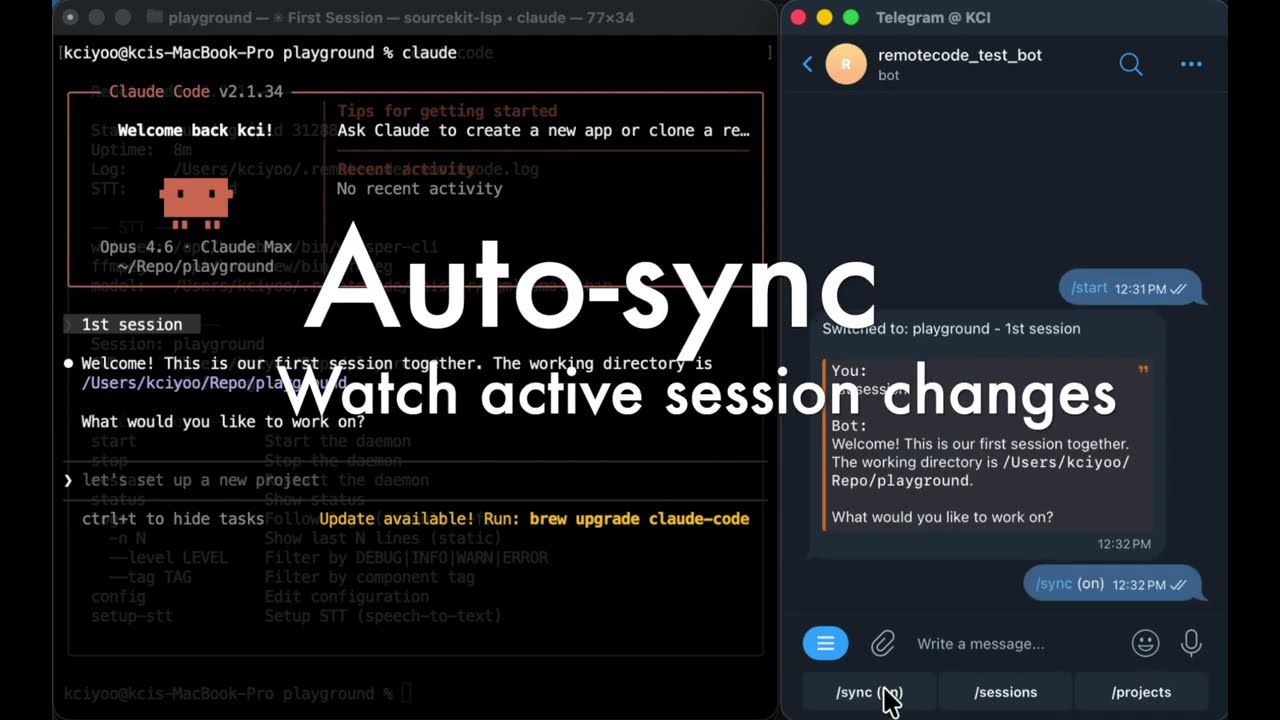
- ** 자동 동기화 ** – Active Session 파일 보기 및 실시간 새로운 메시지 전달
- ** 배경 데몬 ** – 로그 회전으로 분리된 프로세스로 실행
- **사용자 액세스 제어 ** – Telegram 사용자 ID 또는 사용자 이름에 의한 액세스 제한
- 스마트 권한 – 호스트 클로드 코드
settings.json권한 규칙을 자동으로 따르십시오. 도구가 승인되면 Telegram의 동일한 허용 / Deny 버튼을 얻게됩니다. - - per-tool "error for session"으로 두 번 동일한 일을 탭하지 않아도됩니다
이 페이지는 AI로 자동 번역되었습니다. 기술적인 세부 사항은 원문을 확인하세요.
README
원문 README의 일부입니다. 원문 보기.
RemoteCode
Control Claude Code remotely through Telegram. Built specifically for Claude Code.
Handy to set up, powerful to use, and secure with no open ports. Inherits your Claude Code permission policies as-is, and gives you full control over every project and session on your host – all from Telegram.
You (Anywhere) RemoteCode (Host) Claude Code (Host)
Features
- Text chat – Send any message, get Claude Code responses with Markdown formatting
- Image analysis – Send photos or image documents, optionally with a caption prompt
- Voice messages – Transcribed locally via whisper-cli (offline, free), then sent to Claude Code
- Session management – Multiple sessions, switch between them, browse by project
- Auto-sync – Watch active session files and forward new messages in real-time
- Background daemon – Runs as a detached process with log rotation
- User access control – Restrict access by Telegram user ID or username
- Smart permissions – Follows your host Claude Code
settings.jsonpermission rules automatically. When a tool needs approval, you get the same Allow / Deny buttons on Telegram – with per-tool “allow for session” so you don’t have to tap the same thing twice - Session takeover – Kicked off a task in the terminal and stepped away? If Claude is stuck waiting for permission or asking a question, open Telegram and pick up right where it stopped. You’ll see exactly what it needs, tap to respond, and Claude keeps going
- Cross-session scanner – Running multiple sessions? RemoteCode watches all of them in the background. If any session is waiting for your input, you get a notification – even if it’s not the one you’re currently looking at
Demo
Platform Support
| Platform | Status | Notes |
|---|---|---|
| macOS | Supported | Homebrew for STT dependencies |
| Linux | Supported | STT currently not supported |
| Windows | Not tested |
Quick Start
Prerequisites
- macOS or Linux
- Node.js >= 18
- Claude Code CLI installed and authenticated (
claudecommand available) - Telegram Bot Token – create a bot via @BotFather on Telegram (send
/newbot, follow the prompts, copy the token). See Telegram’s official guide for details
Install
npm install -g @kcisoul/remotecode
Or from source:
git clone https://github.com/kcisoul/remotecode.git
cd remotecode
npm install && npm run build
npm link
First Run
remotecode
The interactive setup wizard will prompt for:
- TELEGRAM_BOT_TOKEN – validated against Telegram API
추천 도구
다른 키워드를 입력하거나 필터를 제거해 보세요.
설치
npx skillfish add kcisoul/remotecode