
usefulsoftwareco/executor
Developer tools이 페이지는 AI로 자동 번역되었습니다. 기술적인 세부 사항은 원문을 확인하세요. 원문 보기
AI 에이전트를 위한 누락된 통합 계층입니다. 안전한 환경에서 어떤 OpenAPI/MCP/GraphQL/커스텀 js 함수든 호출하게 하세요.
개요
Executor는 AI 에이전트를 위한 오픈 소스 통합 계층입니다. 모든 통합(MCP 서버, OpenAPI 사양, GraphQL API)을 인증과 도구별 정책으로 한 번만 설정한 후, MCP 호환 에이전트의 해당 카탈로그를 사용하세요. https://github.com/user-attachments/assets/11225f83-e848-42ba-99b2-a993bcc88dad 사용하는 모든 에이전트(Claude Code, Cursor, ChatGPT 등)는 모든 통합 데이터를 각각 따로 복사해야 합니다: 같은 API 키를 세 군데에 붙여넣고, 같은 MCP 서버를 다시 연결하며, 각 도구가 무엇을 할 수 있는지에 대한 공유된 아이디어가 없습니다. Executor는 그 중간 계층입니다. 도구를 한 번 추가하고, 자격 증명을 한 번 부여하며, 정책을 한 번 설정하면 모든 에이전트가 MCP를 통해 공유합니다. 통합, 인증, 정책이 한 곳에 모여 있고, 각 클라이언트에 분산되어 있지 않습니다. - MCP 서버, OpenAPI, GraphQL, Google Discovery에 대한 1자 지원 JSON 스키마로 설명할 수 있다면 통합이 될 수 있습니다. 플러그인 시스템은 모든 소스 유형에 열려 있습니다.
개요(AI 번역)
어떤 에이전트든 모든 것에 연결하세요.
Executor는 AI 에이전트를 위한 오픈 소스 통합 계층입니다. 모든 것을 구성 인증과 함께 한 번(MCP 서버, OpenAPI 사양, GraphQL API) 그리고 도구별 정책으로 설정한 후, MCP 호환 에이전트의 해당 카탈로그를 사용할 수 있습니다.
웹사이트 · 문서 · 디스코드
왜 집행자인가
사용하는 모든 에이전트(Claude Code, 커서, ChatGPT 등)는 각자의 에이전트가 필요합니다 모든 통합 복사본: 같은 API 키를 세 군데에 붙여넣은 것, 똑같아 MCP 서버가 다시 유선으로 연결되었고, 각 도구가 무엇을 할 수 있는지에 대한 공유된 아이디어가 없습니다.
Executor는 그 중간 단계입니다. 도구를 한 번 추가하고, 한 번 자격 증명을 부여하세요, 정책을 한 번 설정하면 모든 에이전트가 MCP를 통해 공유합니다. 여러분의 통합, 인증과 정책이 각각 흩어져 있지 않고 한 곳에 모여 있습니다 의뢰인.
- 모든 통합. MCP 서버, OpenAPI, GraphQL 및 구글 디스커버리. JSON 스키마로 설명할 수 있다면, 통합. 플러그인 시스템은 모든 통합 유형에 열려 있습니다.
- 하나의 카탈로그, 모든 에이전트. MCP 호환 모든 것은 동일 네트워크에 연결됩니다 도구 세트.
- 정책에 의해 관리됨. 각 도구는 허용되며, 승인 후 게이트가 되어 있거나
이 페이지는 AI로 자동 번역되었습니다. 기술적인 세부 사항은 원문을 확인하세요.
README
원문 README의 일부입니다. 원문 보기.
Executor
Connect any agent to everything.
Executor is an open-source integration layer for AI agents. Configure every integration once (MCP servers, OpenAPI specs, GraphQL APIs) with authentication and per-tool policies, then use that one catalog from any MCP-compatible agent.
Website · Documentation · Discord
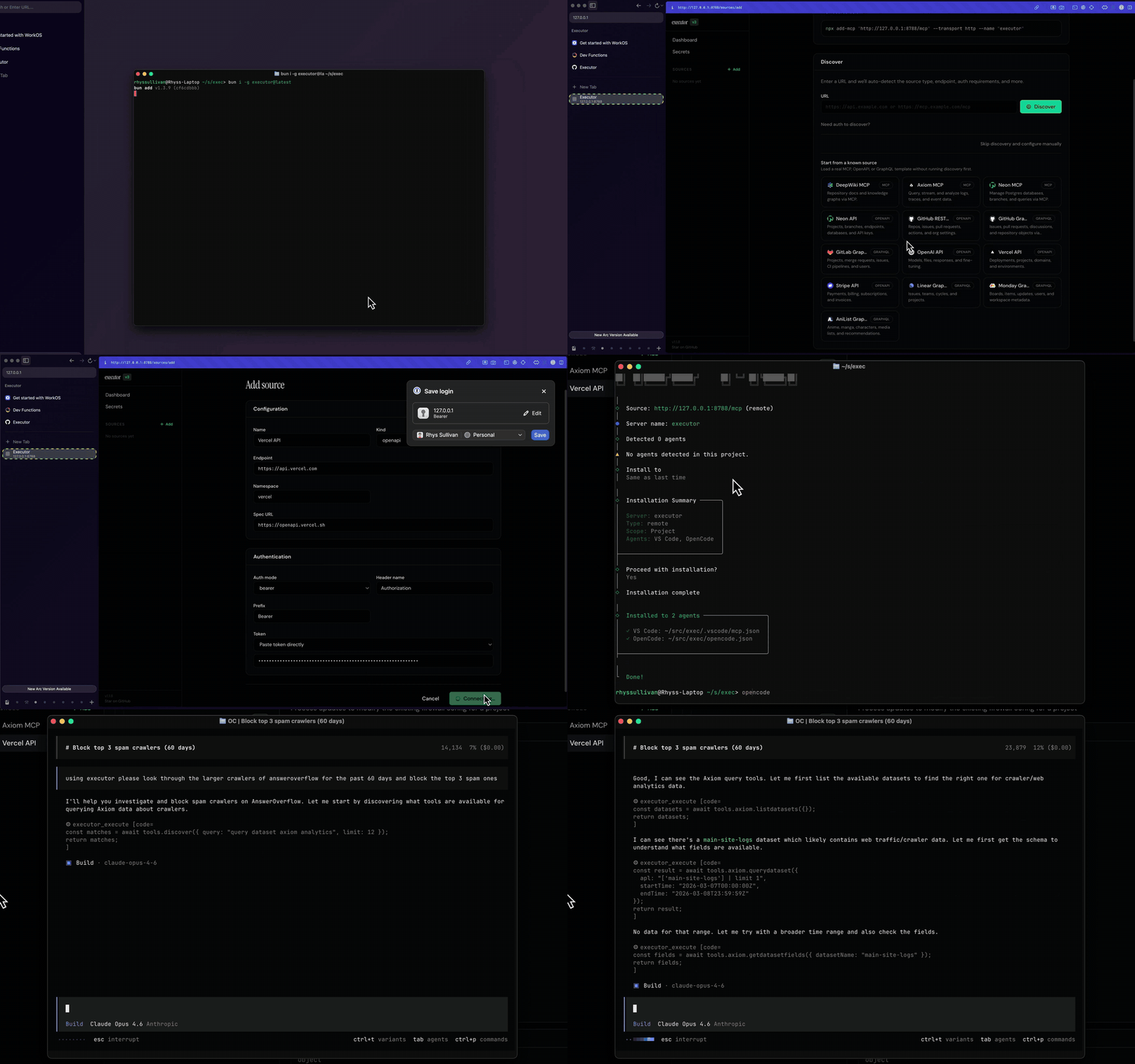
Why Executor
Every agent you use (Claude Code, Cursor, ChatGPT, and the rest) needs its own copy of every integration: the same API keys pasted in three places, the same MCP servers wired up again, no shared idea of what each tool is allowed to do.
Executor is the layer in between. Add a tool once, give it credentials once, set its policy once, and every agent shares it over MCP. Your integrations, auth, and policies live in one place instead of being scattered across each client.
- Any integration. First-party support for MCP servers, OpenAPI, GraphQL, and Google Discovery. If you can describe it with a JSON schema, it can be an integration. The plugin system is open to any integration type.
- One catalog, every agent. Anything MCP-compatible connects to the same set of tools.
- Governed by policy. Each tool is allowed, gated behind approval, or blocked, with sensible defaults derived from the spec.
- Run it your way. Local CLI, a desktop app, hosted Executor Cloud, or self-hosted on Docker or Cloudflare. Same functionality, different packaging.
How it works
- Add an integration: an MCP server, an OpenAPI spec, or a GraphQL API.
- Create a connection: one configured (optionally authenticated) instance of that integration. An integration can have many connections.
- Set policies: decide whether each tool is always allowed, needs approval, or is blocked.
- Point your agents at Executor over MCP. They all share the same catalog.
See Concepts for the full model.
Quick start
The fastest path is Executor Cloud: sign in, add an integration, and point your agents at the hosted MCP endpoint. Nothing to install.
To run it locally instead (Node.js 20+):
npm install -g executor   # or: pnpm add -g / bun add -g / yarn global add
executor install          # install the durable background service
executor web              # open the web UI in your browser
executor install keeps the service running across restarts. For a throwaway
foreground runtime, use executor web --foreground. From the web UI, add your
first integration and connect an agent.
Set up with your agent
Prefer to let your coding agent do the setup? Copy the setup prompt from the docs and paste it into Claude, Cursor, or any MCP-capable agent. It will help you pick how to run Executor,
설치
npx add-mcp http://127.0.0.1:4788/mcp --transport http --name executor