
upnorthmedia/screenshotmcp
Developer tools이 페이지는 AI로 자동 번역되었습니다. 기술적인 세부 사항은 원문을 확인하세요. 원문 보기
전체 페이지, 요소 및 장치 크기 기능이있는 웹 사이트 스크린 샷 캡처을위한 모델 Context Protocol MCP 서버.
개요
전체 페이지, 요소 및 장치 크기 기능이있는 웹 사이트 스크린 샷 캡처을위한 모델 Context Protocol MCP 서버. - 자동 스크롤 - CSS 선택기를 사용하여 - (모바일, 태블릿, 데스크탑) - (CSS 선택기, 네트워크 아이들, 사용자 정의 지연) - 안전한 작동을 위해 - 자원 배출을 방지하기 위해 1. Clone 또는 이 프로젝트를 다운로드 2. 디렉토리로 이동: cd /path/to/ScreenshotMCP 3. .env.example를 .env로 변경하십시오. 2. 의존성 설치 : npm 설치 4. 서버 시작: npm 시작 Claude Code CLI 또는 Claude Desktop 내에서 스크린 샷을 개발 작업 흐름의 일부로 캡처 할 수 있습니다. ~/.config/claude/mcp servers.json에 추가하십시오: claude mcp 스크린 샷 전체 페이지 mcp 노드 추가 ./index.js 개발 작업 흐름의 일부로 스크린 샷을 캡처 할 수있는 Cursor IDE 내에서 스크린 샷 MCP를 직접 사용할 수 있습니다. 1. 오픈 커서. 2. 이동 > . 3. 스크린 샷 MCP에 대한 새로운 MCP 서버 항목 추가 :
개요(AI 번역)
전체 페이지, 요소 및 장치 크기 기능이있는 웹 사이트 스크린 샷 캡처을위한 모델 Context Protocol MCP 서버.
특징
-Full-page 스크린샷 캡처 자동 스크롤
- **Element-specific screenshots ** CSS selectors 사용
- **Multiple 장치 미리 설치 ** (모바일, 태블릿, 데스크탑)
- 맞춤형 뷰포트 구성
- Advanced 대기 조건 (CSS selectors, 네트워크 요일, 사용자 정의 지연)
- ** 보안 작동에 대한 수수료 및 유효성**
- **Rate limiting ** 자원 배출 방지
설치
- Clone 또는 이 프로젝트를 다운로드
- 디렉토리로 이동:
cd /path/to/ScreenshotMCP - 이름
.env.example에.env - 의존성 설치:
npm install - 서버 시작:
npm start
Claude 코드 사용
Claude Code CLI 또는 Claude Desktop 내에서 스크린 샷을 개발 작업 흐름의 일부로 캡처 할 수 있습니다.
클래드 코드 CLI:
~/.config/claude/mcp_servers.json에 추가:
또는
claude mcp add screenshot-full-page-mcp node ./index.js claude mcp add screenshot-full-page-mcp node ./index.js] [T6]] [T6]] [T6]] [T6]] [T6]] [T6]] [T6]] [T6] [T6] [T6]] [T6]] [T6]] [T6] [T6]] [T6] [T6]] [T6]] [T6] [T6]] [T6] [T6] [T6]] [T6]] [T6]] [T6] [T6]] [T6]] [T6] [T6] [T6] [T6] claude mcp add screenshot-full-page-mcp node ./index.js]]] [T6]]] claude mcp add screenshot-full-page-mcp node ./index.js claude mcp add screenshot-full-page-mcp node ./index.js] claude mcp add screenshot-full-page-mcp node ./index.js]]] claude mcp add screenshot-full-page-mcp node ./index.js] claude mcp add screenshot-full-page-mcp node ./index.js]]] claude mcp add screenshot-full-page-mcp node ./index.js [[claude mcp add screenshot-full-page-mcp node ./index.js]]]]]]]]] claude mcp add screenshot-full-page-mcp node ./index.js]]]]]]]]]]]]]]]]]]
** Claude 데스크톱:**
claude_desktop_config.json에 추가:
Cursor 사용
이 페이지는 AI로 자동 번역되었습니다. 기술적인 세부 사항은 원문을 확인하세요.
README
원문 README의 일부입니다. 원문 보기.
Screenshot MCP
A Model Context Protocol MCP server for capturing website screenshots with full page, element, and device size features.
Features
- Full-page screenshot capture with automatic scrolling
- Element-specific screenshots using CSS selectors
- Multiple device presets (mobile, tablet, desktop)
- Custom viewport configurations
- Advanced wait conditions (CSS selectors, network idle, custom delays)
- Error handling and validation for secure operation
- Rate limiting to prevent resource exhaustion
Installation
- Clone or download this project
- Move to the directory:
cd /path/to/ScreenshotMCP - rename
.env.exampleto.env - Install dependencies:
npm install - Start Server:
npm start
Using with Claude Code
You can use Screenshot MCP directly within the Claude Code CLI or Claude Desktop to capture screenshots as part of your development workflow.
For Claude Code CLI:
Add to your ~/.config/claude/mcp_servers.json:
{
  "screenshot-full-page-mcp": {
    "command": "node",
    "args": ["/path/to/screenshot-full-page-mcp/index.js"]
  }
}
or
claude mcp add screenshot-full-page-mcp node ./index.js
For Claude Desktop:
Add to your claude_desktop_config.json:
{
  "mcpServers": {
    "screenshot-full-page-mcp": {
      "command": "node",
      "args": ["/path/to/screenshot-full-page-mcp/index.js"]
    }
  }
}
Using with Cursor
You can use Screenshot MCP directly within the Cursor IDE to capture screenshots as part of your development workflow.
-
Open Cursor.
-
Go to Settings > MCP Servers.
-
Add a new MCP server entry for Screenshot MCP:
{ "mcpServers": { "screenshot-full-page-mcp": { "command": "node", "args": ["/path/to/screenshot-full-page-mcp/index.js"] } } } -
Save your settings.
Usage
Once configured, you can use natural language commands with Claude Code:
Basic Screenshot
"Take a screenshot of https://example.com"
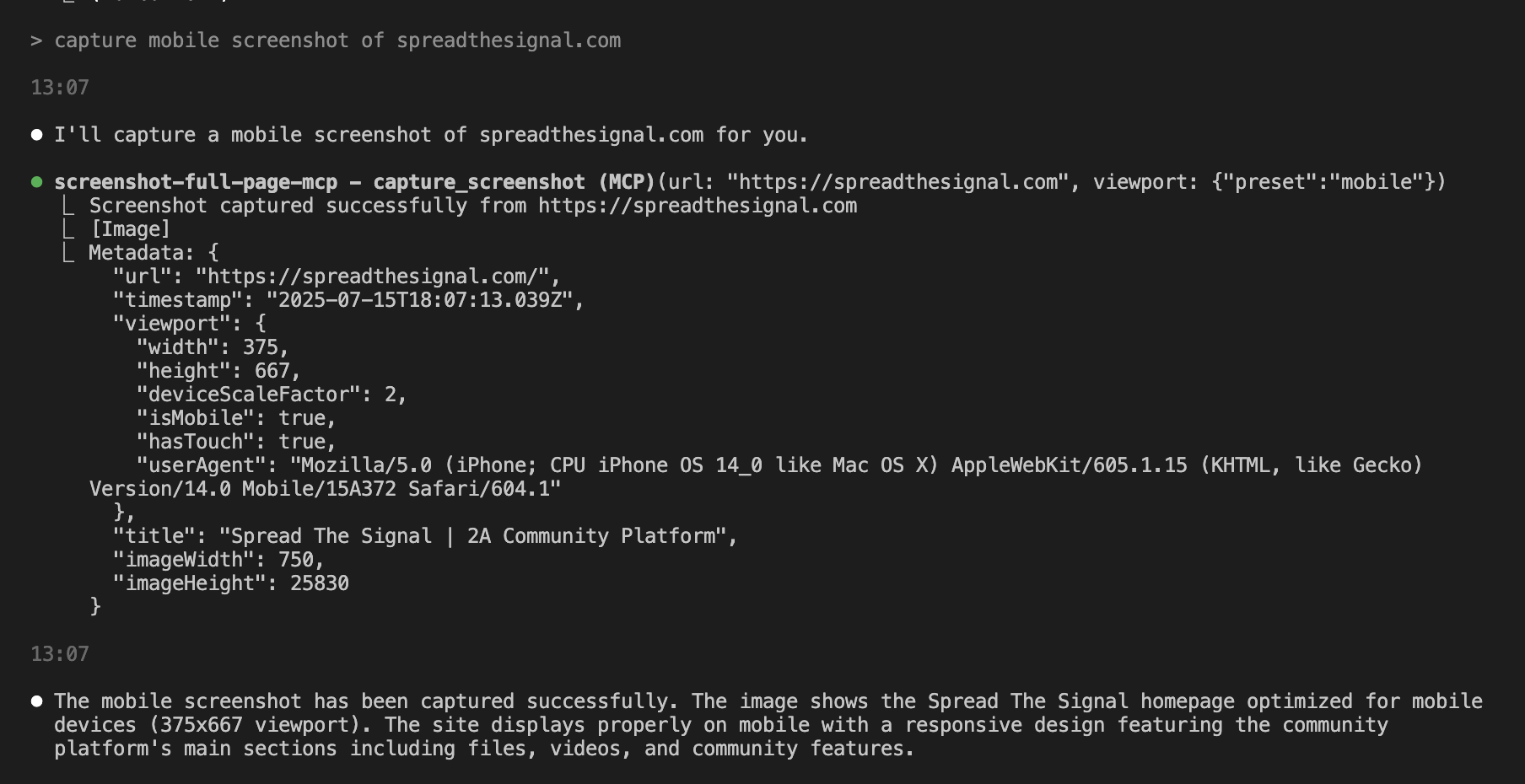
Mobile Screenshot
"Capture a mobile screenshot of https://myapp.com"
Custom Viewport
"Screenshot https://myapp.com at 1024x768 resolution"
Wait for Element
"Take a screenshot of https://example.com after the loading spinner disappears"
Element Screenshot
"Capture just the navigation bar from https://example.com"
Available Tools
capture_screenshot
Captures a full-page screenshot with advanced configuration options.
Parameters:
url(required): The webpage URL to screenshotviewport: Viewport configurationpreset: Device preset (mobile,tablet,desktop)width: Custom width in pixels (100-5000)height: Custom height in pixels (100-5000)
설치
This server does not publish a one-line install command.
Open the repository installation guide MCP 초보자라면? mcpskill.org 가이드부터 시작하세요 →설정
{
     "mcpServers": {
       "screenshot-full-page-mcp": {
         "command": "node",
         "args": ["/path/to/screenshot-full-page-mcp/index.js"]
       }
     }
   }