
samuelgursky/davinci-resolve-mcp
Developer tools이 페이지는 AI로 자동 번역되었습니다. 기술적인 세부 사항은 원문을 확인하세요. 원문 보기
DaVinci Resolve Studio용 MCP 서버 통합
개요
AI 어시스턴트가 공식 스크립팅 API를 통해 다빈치 리졸브 스튜디오를 제어할 수 있게 하는 모델 컨텍스트 프로토콜(MCP) 서버입니다. 전체 API 커버리지와 함께 편집, 미디어 풀 정리, 렌더 설정, 리뷰 마커, 그레이딩, Fusion, Fairlight, 프로젝트 라이프사이클 작업, 확장 저작, 소스 안전 미디어 분석을 위한 보호된 워크플로우 헬퍼를 제공합니다. 서버에는 로컬 브라우저 제어판이 제공되어 Resolve 상태 검사, 소스 안전 분석, 분석된 클립과 샷 탐색, 분석 결과물을 인라인으로 편집할 수 있습니다. 전체 투어는 제어판 가이드를 참조하세요. 연결 전에 DaVinci Resolve Studio를 열고 로 설정하세요. npm 런처는 사용자 애플리케이션-데이터 디렉터리 아래에 관리되는 복사본을 설치한 후 범용 Python 설치 프로그램을 실행합니다. 설치 프로그램은 가상 환경을 생성하고 Resolve 경로를 감지하며, Claude Desktop, Claude Code, Cursor, VS Code, Windsurf, Zed, Continue, Cline, Roo Code, OpenCode, JetBrains IDE를 구성할 수 있습니다.
개요(AI 번역)
영어 | 简体中文
-blue.svg) -18%20tools-blueviolet.svg)
AI 어시스턴트가 공식 스크립팅 API를 통해 다빈치 리졸브 스튜디오를 제어할 수 있게 하는 모델 컨텍스트 프로토콜(MCP) 서버입니다. 전체 API 커버리지와 함께 편집, 미디어 풀 정리, 렌더 설정, 리뷰 마커, 그레이딩, Fusion, Fairlight, 프로젝트 라이프사이클 작업, 확장 저작, 소스 안전 미디어 분석을 위한 보호된 워크플로우 헬퍼를 제공합니다.
서버에는 로컬 브라우저 제어판이 제공되어 Resolve 상태 검사, 소스 안전 분석, 분석된 클립과 샷 탐색, 분석 결과물을 인라인으로 편집할 수 있습니다. 전체 투어는 제어판 가이드를 참조하세요.
퀵 스타트
연결 전에 DaVinci Resolve Studio를 열고 Preferences > General > 외부 스크립트를 사용 Local**으로 설정하세요. (무료 버전에서는 이 설정이 도움이 되지 않습니다 — 아래 무료 버전 참조.) npm 런처는 사용자 application-data 디렉터리 아래에 관리된 복사본을 설치한 후 범용 Python 설치 프로그램을 실행합니다.
이 페이지는 AI로 자동 번역되었습니다. 기술적인 세부 사항은 원문을 확인하세요.
README
원문 README의 일부입니다. 원문 보기.
DaVinci Resolve MCP Server
English | 简体中文



-blue.svg)
-18%20tools-blueviolet.svg)




A Model Context Protocol (MCP) server that lets AI assistants control DaVinci Resolve Studio through the official Scripting API. It provides full API coverage plus guarded workflow helpers for editing, media pool organization, render setup, review markers, grading, Fusion, Fairlight, project lifecycle tasks, extension authoring, and source-safe media analysis.
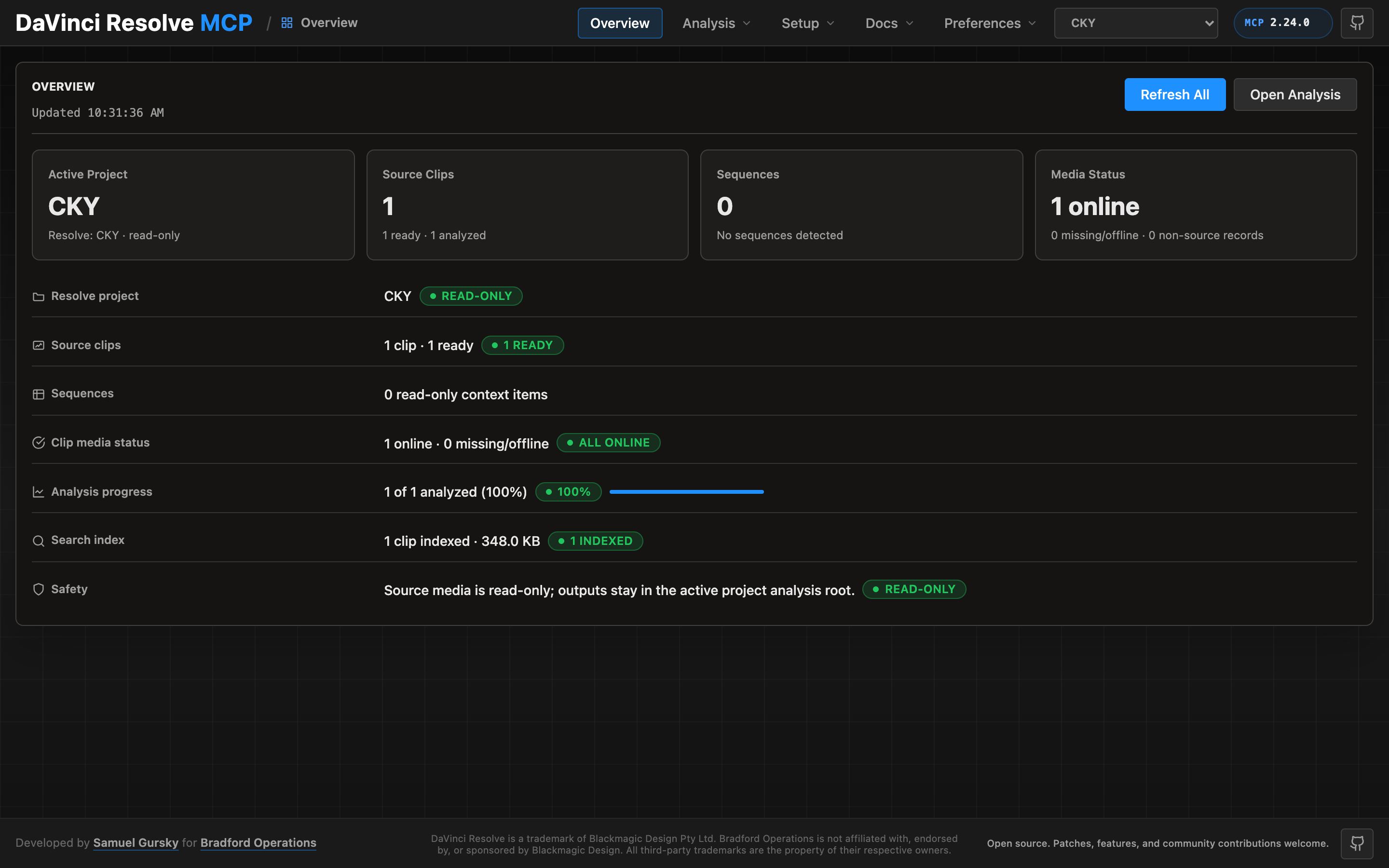
A local browser control panel ships with the server for inspecting Resolve state, running source-safe analysis, drilling into analyzed clips and shots, and editing analysis output inline. See the Control Panel Guide for the full tour.
Quick Start
npx davinci-resolve-mcp setup
Before connecting, open DaVinci Resolve Studio and set Preferences > General > External scripting using to Local. (On the free edition that preference does not help — see Free edition below.) The npm launcher installs a managed copy under your user application-data directory, then runs the universal Python installer. The installer creates a virtual environment, detects Resolve paths, and can configure Claude Desktop, Claude Code, Cursor, VS Code, Windsurf, Zed, Continue, Cline, Roo Code, OpenCode, Codex CLI, and JetBrains IDEs.
For source installs:
git clone https://github.com/samuelgursky/davinci-resolve-mcp.git
cd davinci-resolve-mcp
python install.py
For platform paths, client-specific config, and manual setup, see Installation and Configuration.
설치
npx davinci-resolve-mcp setup설정
{
  "mcpServers": {
    "davinci-resolve": { "command": "<python>", "args": ["<path>/src/server.py"] },
    "davinci-resolve-advanced": { "command": "node", "args": ["<path>/bin/davinci-resolve-advanced-mcp.mjs"] }
  }
}