
primeta-ai/mcp-namecheap-registrar
Developer tools이 페이지는 AI로 자동 번역되었습니다. 기술적인 세부 사항은 원문을 확인하세요. 원문 보기
A Cursor MCP (Model Context Protocol)는 Namecheap Domains API에 통합되어 도메인 가용성을 확인하고 가격 정보를 확인하고 Cursor AI를 통해 도메인을 등록하십시오.
개요
Namecheap Domains API에 대한 Cursor MCP (모델 Context Protocol) 통합을 통해 도메인 가용성을 확인하고 가격 정보를 확인하고 Cursor AI 인터페이스를 통해 도메인을 직접 등록하십시오. 구입을 확인하기 전에 항상 double-check 도메인 등록 명령. - ✅ : 도메인 이름이 유효하다면 신속하게 확인 - ✅ : 도메인 등록, 갱신 및 전송에 대한 자세한 가격을 얻으십시오 - ✅ : 귀하의 Namecheap 계정으로 도메인 등록 - ✅ : Enable/disable WhoisGuard 개인 정보 보호 - ✅ : 등록시 사용자 이름 서버 지정 - 노드.
개요(AI 번역)
Namecheap Domains API에 대한 Cursor MCP (모델 Context Protocol) 통합을 통해 도메인 가용성을 확인하고 가격 정보를 확인하고 Cursor AI 인터페이스를 통해 도메인을 직접 등록하십시오.
YouTube 연습 :
⚠️ 중요 보안 경고 ⚠️
**이 도구는 Namecheap 라이브 API를 기본적으로 사용하고 Namecheap 계정을 충전 할 REAL 구매를 만들 수 있습니다. ** 구입을 확인하기 전에 항상 double-check 도메인 등록 명령.
특징
- ✅ Domain Availability Checking: 도메인 이름을 사용할 수 있는 경우 신속하게 확인
- ✅ **TLD 가격 정보 **: 도메인 등록, 갱신 및 전송에 대한 자세한 가격을 얻으십시오
- ✅ Domain 등록: Namecheap 계정으로 도메인 등록
- ✅ **WhoisGuard 지원 **: Enable/disable WhoisGuard 개인 정보 보호 보호
- ✅ ** 사용자 정의 Nameservers**: 등록시 사용자 이름서버 지정
필수품
- Node.js v16 이상
- 커서 AI IDE
- API 액세스 활성화를 가진 Namecheap 계정
- Namecheap API Key (당신의 Namecheap 계정에서 얻을 수 있습니다)
Namecheap API 계정 요구 사항
Namecheap API를 사용하려면 다음 요구 사항을 충족해야합니다
이 페이지는 AI로 자동 번역되었습니다. 기술적인 세부 사항은 원문을 확인하세요.
README
원문 README의 일부입니다. 원문 보기.
Namecheap Domains MCP for Cursor
A Cursor MCP (Model Context Protocol) integration for Namecheap Domains API that allows you to check domain availability, get pricing information, and register domains directly through the Cursor AI interface.

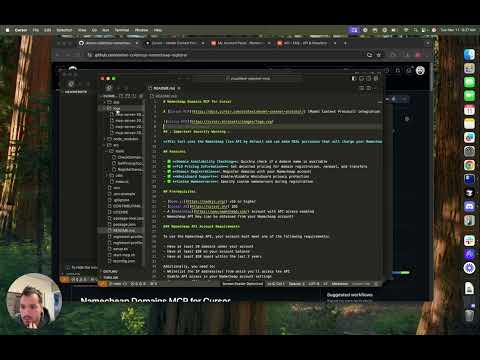
YouTube Walkthrough:
⚠️ Important Security Warning ⚠️
This tool uses the Namecheap live API by default and can make REAL purchases that will charge your Namecheap account. Always double-check domain registration commands before confirming purchases.
Features
- ✅ Domain Availability Checking: Quickly check if a domain name is available
- ✅ TLD Pricing Information: Get detailed pricing for domain registration, renewal, and transfers
- ✅ Domain Registration: Register domains with your Namecheap account
- ✅ WhoisGuard Support: Enable/disable WhoisGuard privacy protection
- ✅ Custom Nameservers: Specify custom nameservers during registration
Prerequisites
- Node.js v16 or higher
- Cursor AI IDE
- A Namecheap account with API access enabled
- Namecheap API Key (can be obtained from your Namecheap account)
Namecheap API Account Requirements
To use the Namecheap API, your account must meet one of the following requirements:
- Have at least 20 domains under your account
- Have at least $50 on your account balance
- Have at least $50 spent within the last 2 years
Additionally, you need to:
- Whitelist the IP address(es) from which you’ll access the API
- Enable API access in your Namecheap account settings
- Generate an API key from your Namecheap dashboard
For more details, see the Namecheap API FAQ.
Setup Instructions
- Clone the repository
git clone https://github.com/yourusername/namecheap-domains-mcp.git
cd namecheap-domains-mcp
- Install dependencies
npm install
- Create environment configuration
Copy the example environment file and edit it with your Namecheap API credentials:
cp .env.example .env
Edit the .env file and add your Namecheap credentials:
NAMECHEAP_USERNAME=your_username
NAMECHEAP_API_KEY=your_api_key
NODE_ENV=production  # Use 'sandbox' for testing without real purchases
- Create a registrant profile
Copy the example registrant profile and customize it with your information:
cp registrant-profile.example.json registrant-profile.json
Edit registrant-profile.json with your contact details that will be used for domain registrations.
- Build the project
npm run build
설치
This server does not publish a one-line install command.
Open the repository installation guide MCP 초보자라면? mcpskill.org 가이드부터 시작하세요 →