
kiliczsh/mcp-mongo-server
Productivity workflow이 페이지는 AI로 자동 번역되었습니다. 기술적인 세부 사항은 원문을 확인하세요. 원문 보기
kiliczsh/mcp-mongo-server는 [[T0]에서 가져온 MCP 서버 후보입니다.
개요
kiliczsh/mcp-mongo-server는 [[T0]에서 가져온 MCP 서버 후보입니다.
개요(AI 번역)
AI 어시스턴트가 MongoDB 데이터베이스를 다룰 수 있게 해주는 모델 컨텍스트 프로토콜(MCP) 서버입니다. 컬렉션을 노출하고, 스키마를 추론하며, 쿼리, 집계, 쓰기를 표준 인터페이스를 통해 수행합니다 — 그래서 Claude Desktop과 Cursor 같은 도구가 데이터를 읽고 추론할 수 있습니다.
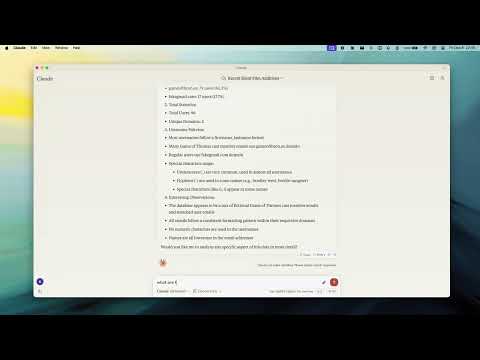
데모
왜 그걸 써야 하니까
- 데이터베이스와 평이한 언어로 대화하세요 — 어시스턴트가 자동으로 컬렉션과 그 형태를 발견합니다.
- 기본적으로 안전 — 읽기 전용 모드를 켜어 어시스턴트가 데이터 변경 위험 없이 탐색할 수 있게 합니다.
- 어디서나 작동 — 일반 또는 TLS 연결을 통해 독립 실행형, 복제 세트, 샤디드, Atlas 배포에 연결됩니다.
주요 특징
- 읽기 전용 모드 — 모든 쓰기 경로(
$out/[$merge와 같이 데이터를 수정할 수 있는 집계 단계)를 차단합니다. - 스마트 ObjectId 처리 — 24자 육진수 문자열을 ObjectId로 변환하는 설정 가능한
auto/none/force - 스키마 추론 — 문서 샘플에서 자동으로 수집 스키마를 감지합니다.
- 쿼리 및 집계 — 완전한 쿼리 및 집계 파이프라인 지원, 선택적
explain계획 포함.
이 페이지는 AI로 자동 번역되었습니다. 기술적인 세부 사항은 원문을 확인하세요.
README
원문 README의 일부입니다. 원문 보기.
MCP MongoDB Server



A Model Context Protocol (MCP) server that lets AI assistants work with your MongoDB databases. It exposes your collections, infers their schemas, and runs queries, aggregations, and writes through a standard interface — so tools like Claude Desktop and Cursor can read and reason about your data.
Demo
Why use it
- Talk to your database in plain language — the assistant discovers your collections and their shape automatically.
- Safe by default — turn on read-only mode to let an assistant explore without any risk of changing data.
- Works everywhere — connects to standalone, replica set, sharded, and Atlas deployments, over plain or TLS connections.
Key Features
- Read-Only Mode — blocks every write path (insert, update, index creation, and aggregation stages like
$out/$mergethat could modify data). - Smart ObjectId Handling — configurable
auto/none/forceconversion of 24-character hex strings to ObjectIds. - Schema Inference — automatic collection schema detection from document samples.
- Query & Aggregation — full query and aggregation pipeline support, with optional
explainplans. - Write Operations — insert, update, and index creation (when read-only mode is off).
- Time Conversion — a
convertTimehelper turns Unix timestamps and date strings into UTC/GMT/ISO, so date queries stay unambiguous across timezones. - Progress & Cancellation — long operations report progress and can be cancelled mid-flight.
- Two Transports — run locally over stdio, or expose an HTTP endpoint for remote access.
Requirements
- Node.js 20 or newer
Quick Start
Point the server at your database — no install step needed:
npx -y mcp-mongo-server mongodb://localhost:27017/mydatabase
Explore safely, without any chance of changing data:
npx -y mcp-mongo-server mongodb://localhost:27017/mydatabase --read-only
Usage
Local (stdio)
This is the default, used by Claude Desktop, Cursor, and other local clients:
npx -y mcp-mongo-server "mongodb://user:pass@localhost:27017/mydatabase"
Remote (HTTP)
Expose an HTTP endpoint at /mcp for remote or multi-client access:
npx -y mcp-mongo-server "mongodb://user:pass@localhost:27017/mydatabase" --transport http --port 3001
By default, only requests without a browser Origin (CLIs, IDEs) and requests
from localhost are accepted; everything else is rejected with 403 to guard
against DNS-rebinding attacks. Allow specific browser origins with
--allowed-origins:
설치
npx -y mcp-mongo-server mongodb://localhost:27017/mydatabase