
edwinbernadus/nocodb-mcp-server
Developer tools이 페이지는 AI로 자동 번역되었습니다. 기술적인 세부 사항은 원문을 확인하세요. 원문 보기
edwinbernadus/nocodb-mcp 서버는 https://github.com/edwinbernadus/nocodb-mcp-server.]에서 수입된 MCP 서버 후보입니다
개요
edwinbernadus/nocodb-mcp 서버는 https://github.com/edwinbernadus/nocodb-mcp-server.]에서 수입된 MCP 서버 후보입니다
개요(AI 번역)
소개
NocoDB MCP Server는 Model Context Protocol (MCP)을 사용하여 NocoDB 데이터베이스와 원활한 상호 작용을 가능하게 합니다. 이 서버는 CRUD (Create, Read, Update, Delete) 작업을 자연어 명령을 통해 NocoDB 테이블에 쉽게 수행 할 수 있습니다.
예 Prompt
예 Prompt - 파일 업로드
JSON 위치 파일: example upload.json
예 Prompt - 대량 생성 기록 및 대량 삭제 기록
이 포크에 관하여
이 저장소는 NocoDB-MCP-Server의 TypeScript 기반 포크입니다. 그것은 현대 TypeScript 개발 관행과의 유지성과 호환성을 개선하면서 핵심 기능을 유지합니다.
Hosted 배포
호스팅 배포는 Fronteir AI에서 사용할 수 있습니다.
설치
Node.js 및 TypeScript가 설치되었는지 확인하십시오.
구성
.env] 파일에 필요한 환경 변수 정의:
팁: env.example에서 템플릿을 복사하고 값을 채울 수 있습니다.
NOCODB BASE ID를 얻는 방법
NOCODB_BASE_ID를 찾으려면 Nocodb 인스턴스의 URL을 확인하십시오.
예를 들면:
https://app.nocodb.com/#/wi6evls6/pqmob3ammcknma5/maty9c5xkmf4012 https://app.nocodb.com/#/wi6evls6/pqmob3ammcknma5/maty9c5xkmf4012]] [T2]] [T2]] [T2]] [T2]] [T2]] [T2]] [T2] [T2]] [T2] [T2]] [T2]] [T2]] [T2] [T2]] [T2]] [T2] [T2]] [T2]] [T2] [T2]] [T2]] [T2]] [T2] [T2]] [T2] https://app.nocodb.com/#/wi6evls6/pqmob3ammcknma5/maty9c5xkmf4012]] https://app.nocodb.com/#/wi6evls6/pqmob3ammcknma5/maty9c5xkmf4012]]] [[https://app.nocodb.com/#/wi6evls6/pqmob3ammcknma5/maty9c5xkmf4012]]]]]]]]]]]] [[[[[[[[[https://app.nocodb.com/#/wi6evls6/pqmob3ammcknma5/maty9c5xkmf4012]]]]]]]]]]]]]]]] [[[[[[[[[[[[[https://app.nocodb.com/#/wi6evls6/pqmob3ammcknma5/maty9c5xkmf4012]]]]]]]]]]]]]]]]]]]]]]]]]]]]]]]]]]]]]
이 URL 형식에서:
Claude Desktop과 통합
이 페이지는 AI로 자동 번역되었습니다. 기술적인 세부 사항은 원문을 확인하세요.
README
원문 README의 일부입니다. 원문 보기.
Nocodb MCP Server
Introduction
The NocoDB MCP Server enables seamless interaction with your NocoDB database using the Model Context Protocol (MCP). This server makes it easy to perform CRUD (Create, Read, Update, Delete) operations on NocoDB tables through natural language commands.
Example Prompt
[Get Records]
get data from nocodb, table: Shinobi

[Create Record]
add new row, with name: sasuke-2
add other row, with name: naruto-2

[Update Record]
update all rows, remove suffix -

[Delete Record]
delete all rows with name naruto

[Add Column]
add column with name: Age

update all rows, set Age to 18

[Delete Column]
delete column with name: Age
Example Prompt - Upload File
[Create table]
from the json files
put on nocodb database
table name is TableShinobi
JSON location file in: example_upload.json
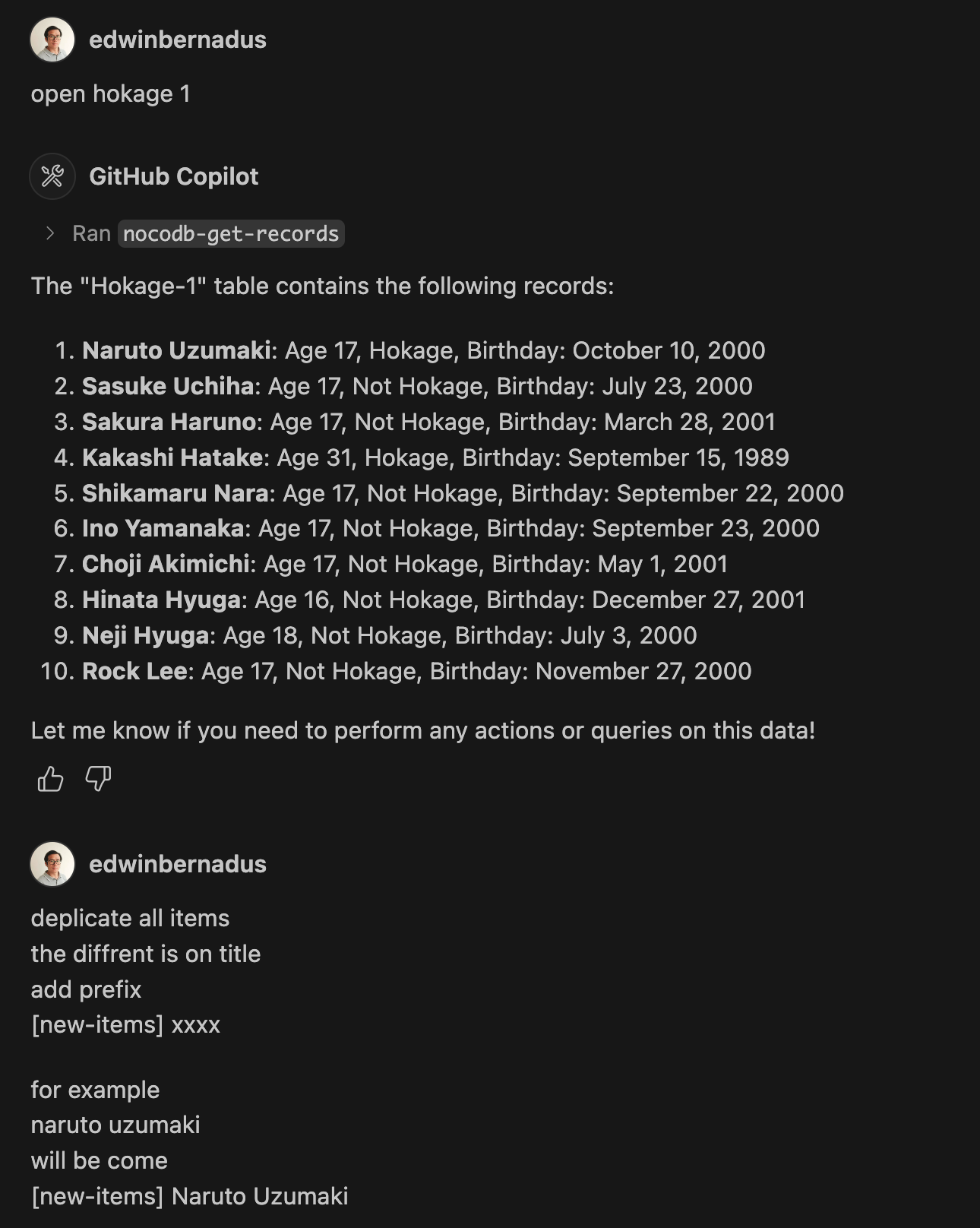
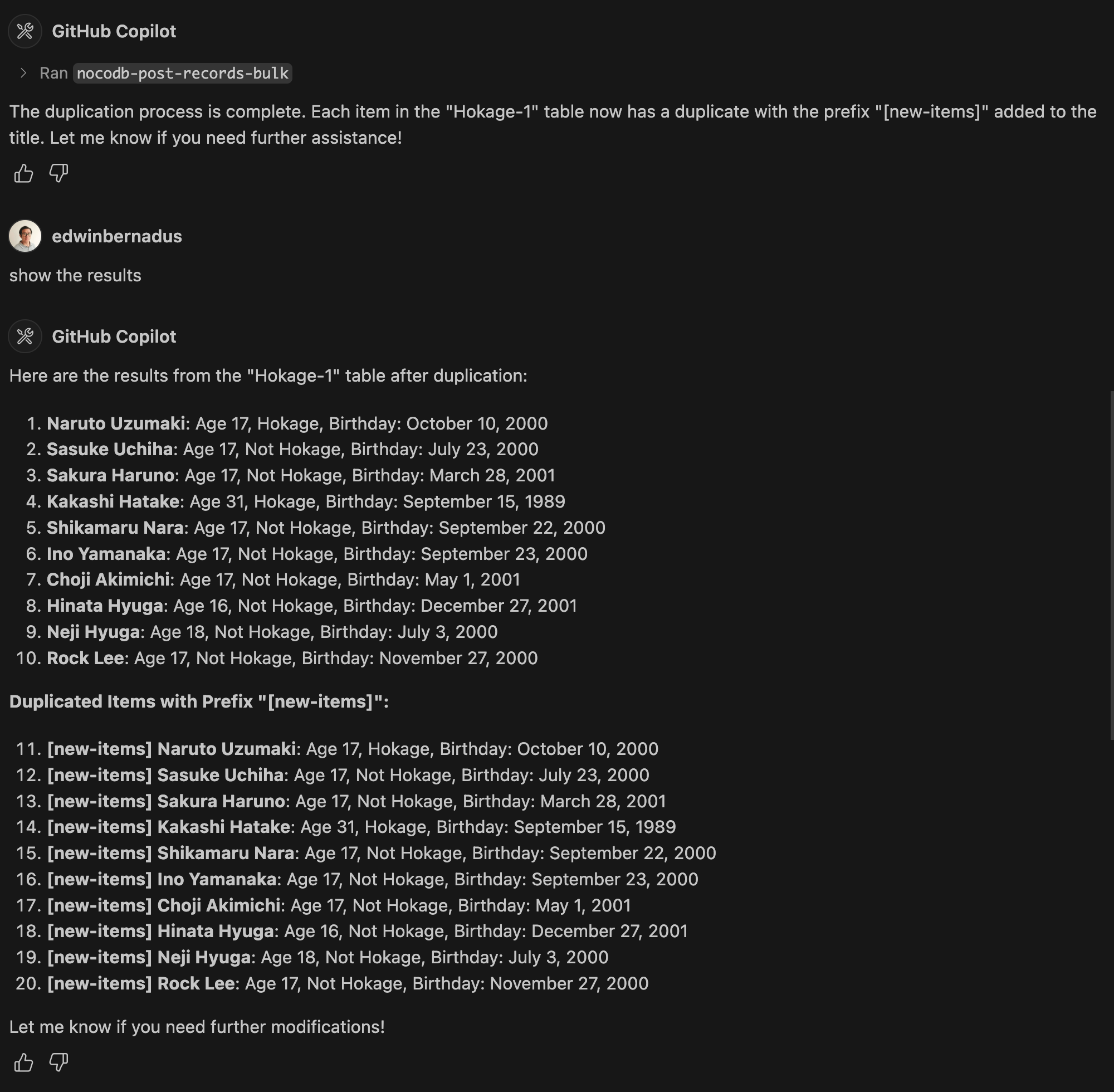
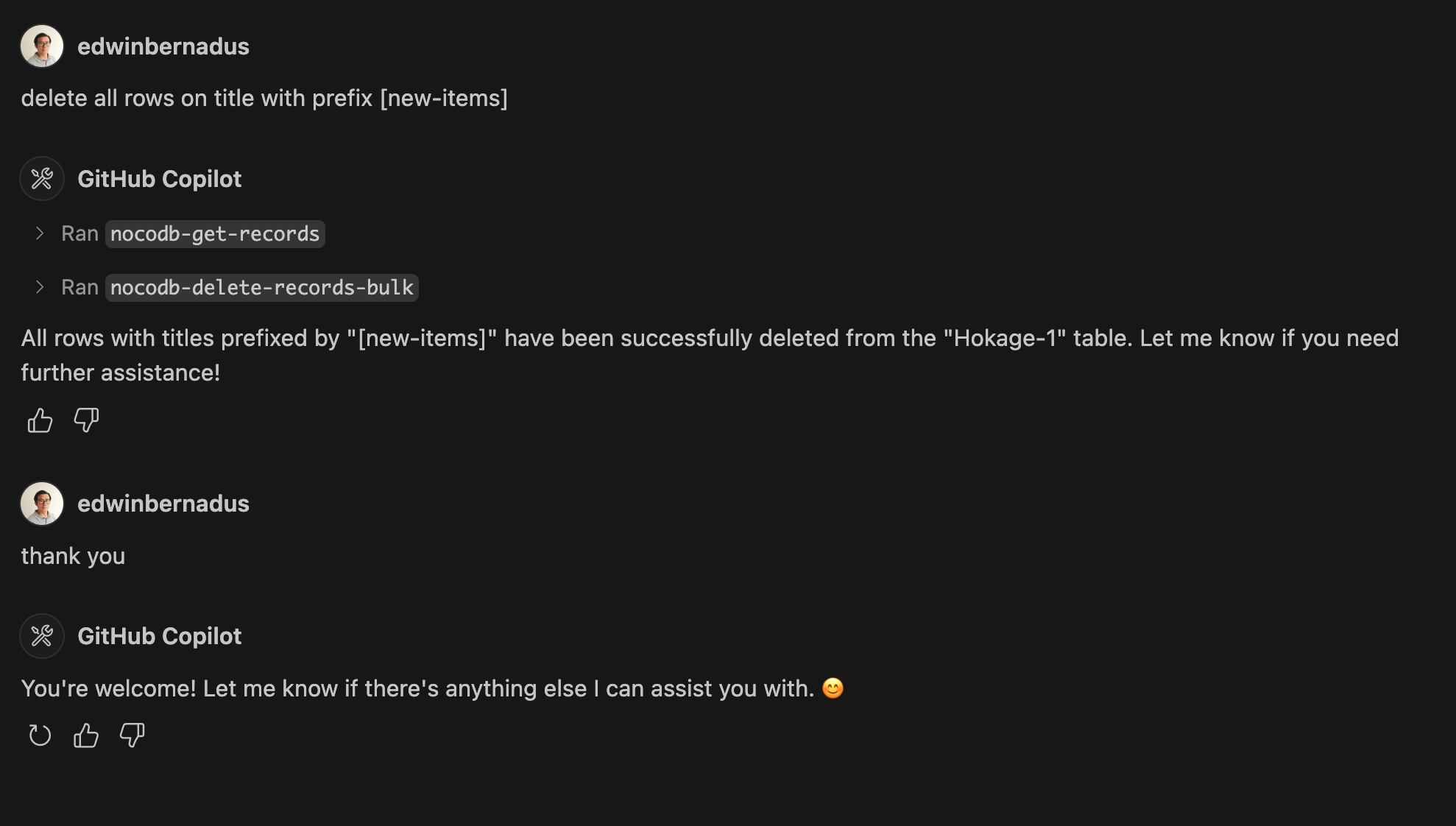
Example Prompt - Bulk Create Records and Bulk Delete Records
About This Fork
This repository is a TypeScript-based fork of NocoDB-MCP-Server. It retains the core functionality while improving maintainability and compatibility with modern TypeScript development practices.
Hosted deployment
A hosted deployment is available on Fronteir AI.
Setup
Ensure that Node.js and TypeScript are installed, then execute:
npm install
npm run build
Configuration
Define the required environment variables in a .env file:
NOCODB_URL=https://your-nocodb-instance.com
NOCODB_API_TOKEN=your_api_token_here
NOCODB_BASE_ID=your_base_id_here
Tip: You can copy the template from env.example and fill in your values.
How to Obtain NOCODB_BASE_ID
To find your NOCODB_BASE_ID, check the URL of your Nocodb instance.
For example:
https://app.nocodb.com/#/wi6evls6/pqmob3ammcknma5/maty9c5xkmf4012
In this URL format:
https://app.nocodb.com/#/{USERNAME}/{NOCODB_BASE_ID}/{TABLE_ID}
Integration with Claude Desktop
Modify claude_desktop_config.json to include:
{설치
npx -y nocodb-mcp-server {NOCODB_URL} {NOCODB_BASE_ID} {NOCODB_API_TOKEN}설정
{
  "mcpServers": {
    "nocodb": {
      "command": "node",
      "args": ["{working_folder}/dist/start.js"],
      "env": {
        "NOCODB_URL": "https://your-nocodb-instance.com",
        "NOCODB_BASE_ID": "your_base_id_here",
        "NOCODB_API_TOKEN": "your_api_token_here"
      }
    }
  }
}