AV 
acomagu/vscode-as-mcp-server
Developer tools이 페이지는 AI로 자동 번역되었습니다. 기술적인 세부 사항은 원문을 확인하세요. 원문 보기
124 stars 28 forks 품질 50 트렌드 16
acomagu/VScode-as-MCP-server는 [[T0]에서 가져온 MCP 서버 후보입니다.
개요
acomagu/VScode-as-MCP-server는 [[T0]에서 가져온 MCP 서버 후보입니다.
개요(AI 번역)
마켓플레이스
VSCode 확장 프로그램으로, VSCode를 MCP 서버로 변환하여 Claude Desktop 같은 MCP 클라이언트의 고급 코딩 지원을 가능하게 합니다.
주요 특징
코드 편집 지원
- LLM에서 제안된 코드 변경을 diffs를 통해 검토하여 수락, 거부 또는 피드백을 제공할 수 있습니다.
- 즉시 LLM에 전송되는 실시간 진단 메시지(예: 타입 오류)를 즉시 정정할 수 있습니다.
터미널 운영
- VSCode 통합 터미널 내에서 명령어 실행 (백그라운드/전경 실행 및 타임아웃 설정 지원).
미리보기 도구
- VSCode 내장 브라우저 내에서 직접 URL을 미리 볼 수 있습니다(예: Vite 서버를 시작하면 자동으로 브라우저 미리보기를 엽니다).
다중 인스턴스 스위칭
- MCP 서버를 여러 개의 열린 VSCode 창 간에 쉽게 전환할 수 있습니다. (상태 표시줄 항목을 클릭하기만 하면 됩니다)
릴레이 기능 (실험 중)
- VSCode 1.99에 도입된 내장 MCP 서버를 외부에 릴레이 및 노출.
- GitHub Copilot과 같은 다른 MCP 확장 프로그램에서 제공하는 도구에 외부 접근을 허용합니다.
내장 도구 사용 가능
- execute_command: VSCode 통합 터미널에서 명령어 실행
이 페이지는 AI로 자동 번역되었습니다. 기술적인 세부 사항은 원문을 확인하세요.
README
원문 README의 일부입니다. 원문 보기.
VSCode as MCP Server
A VSCode extension that turns your VSCode into an MCP server, enabling advanced coding assistance from MCP clients like Claude Desktop.
Key Features
Code Editing Support
- Review proposed code changes from an LLM through diffs, allowing you to accept, reject, or provide feedback.
- Real-time diagnostic messages (e.g., type errors) sent instantly to the LLM for immediate corrections.
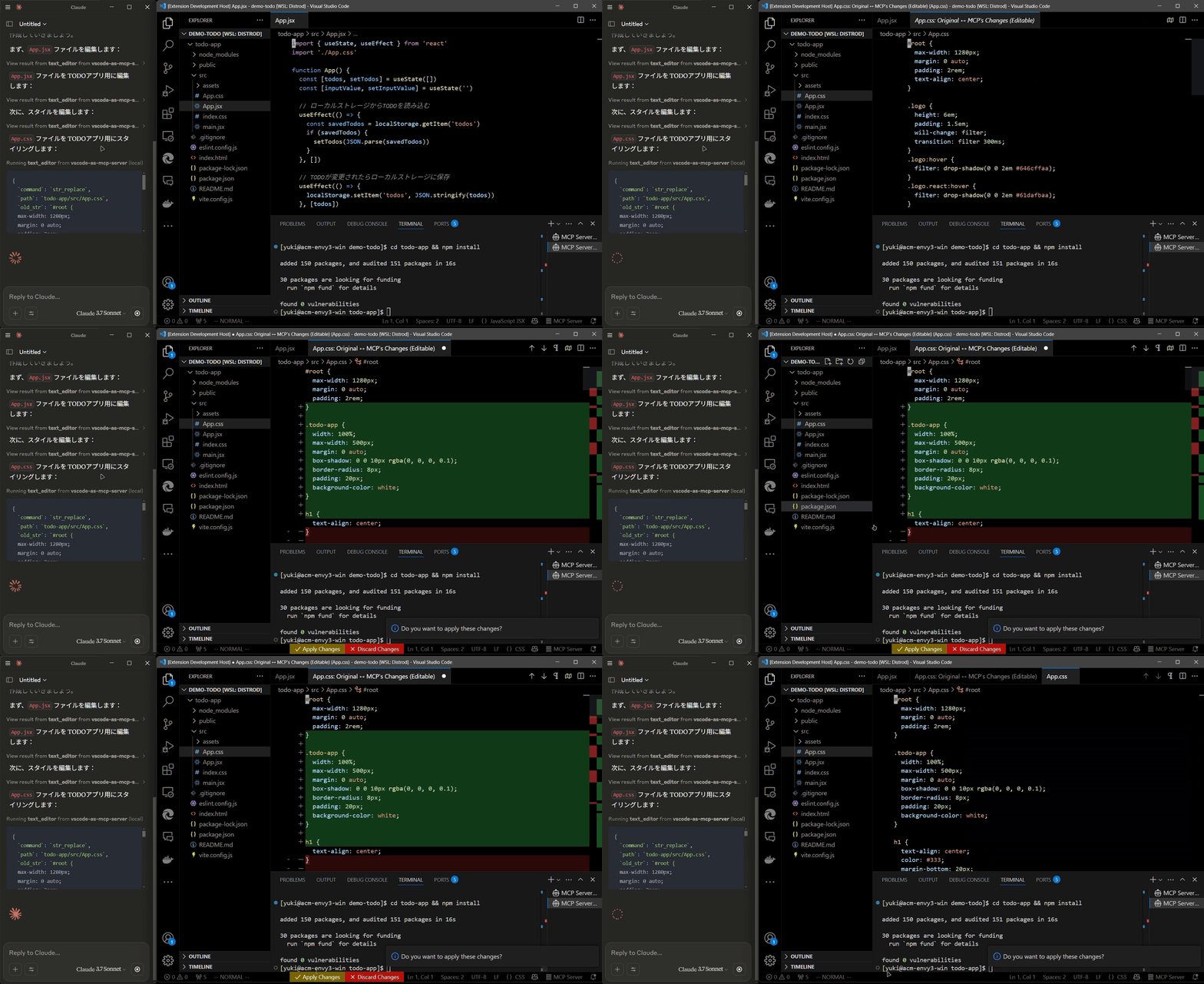
Terminal Operations
- Execute commands within VSCode’s integrated terminal (supports background/foreground execution, and timeout settings).
Preview Tools
- Preview URLs directly within VSCode’s built-in browser (e.g., automatically opens browser preview after starting a Vite server).
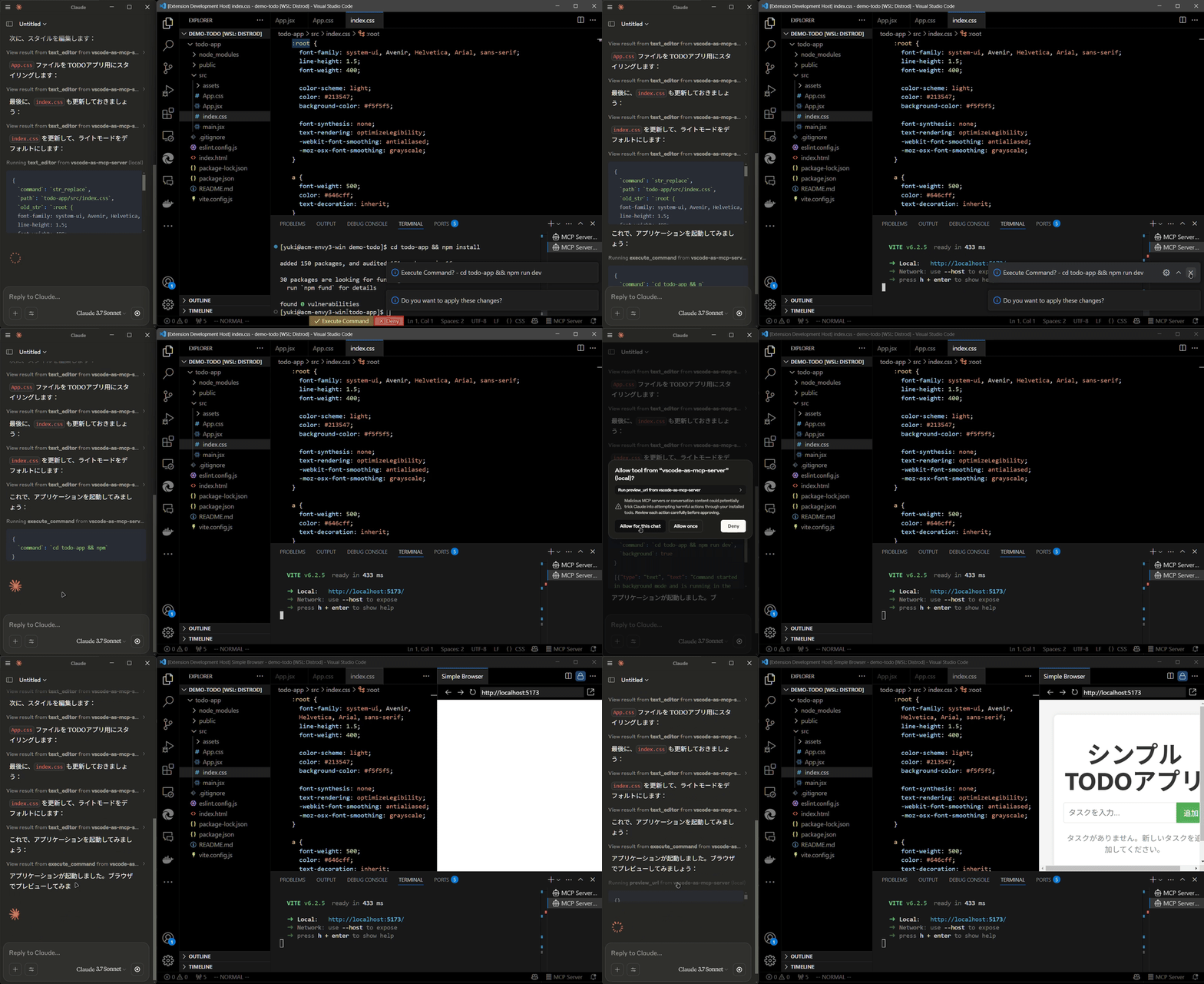
Multi-instance Switching
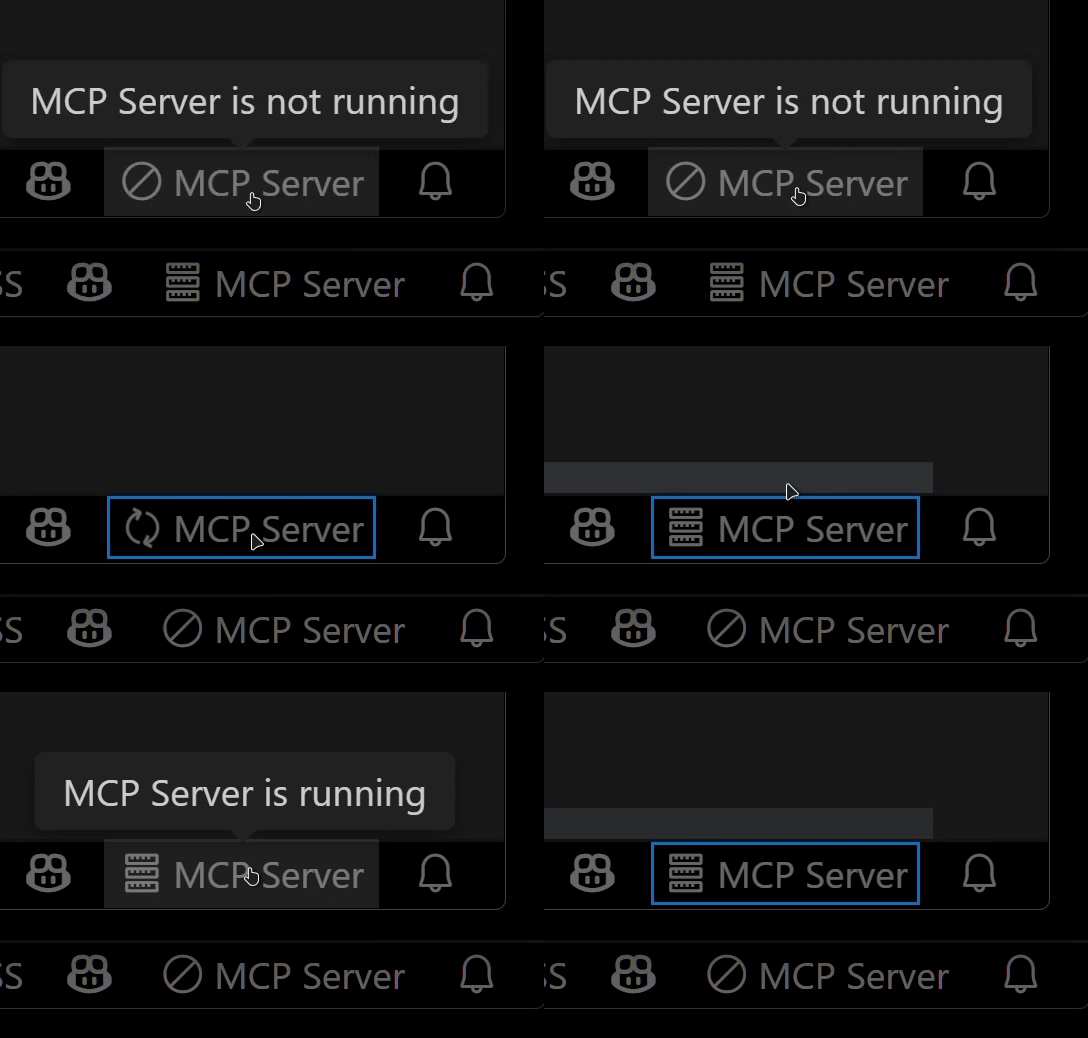
- Easily switch the MCP server between multiple open VSCode windows.(Just by clicking the status bar item)
Relay Functionality (Experimental)
- Relay and expose built-in MCP servers introduced in VSCode 1.99 externally.
- Allows external access to tools provided by other MCP extensions, such as GitHub Copilot.
Available Built-in Tools
- execute_command: Execute commands in VSCode’s integrated terminal
- code_checker: Retrieve current diagnostics for your code
- focus_editor: Focus specific locations within files
- list_debug_sessions / start_debug_session / restart_debug_session / stop_debug_session: Manage debug sessions
- text_editor: File operations (view, replace, create, insert, undo)
- list_directory: List directory contents in a tree format
- get_terminal_output: Fetch output from a specified terminal
- list_vscode_commands / execute_vscode_command: List and execute arbitrary VSCode commands
- preview_url: Open URLs within VSCode’s integrated browser
Installation & Setup
-
Install the extension from the VSCode Marketplace.
-
Configure your MCP client:
- Using mcp-installer: You can simply instruct it to “install the vscode-as-mcp-server MCP server”.
- Other clients like Claude Desktop: Add the following to your configuration file (
claude_desktop_config.json):
{ "mcpServers": { "vscode": { "command": "npx", "args": ["vscode-as-mcp-server"] } } } -
Check the MCP server status in the bottom-right VSCode status bar:
- (Server icon): Server is running
- ∅: Click to start the server
설치
npx vscode-as-mcp-server설정
{
      "mcpServers": {
        "vscode": {
          "command": "npx",
          "args": ["vscode-as-mcp-server"]
        }
      }
    }