
abrinsmead/mindpilot-mcp
Developer tools이 페이지는 AI로 자동 번역되었습니다. 기술적인 세부 사항은 원문을 확인하세요. 원문 보기
abrinsmead/mindpilot-mcp는 MCP 서버 후보가 https://github.com/abrinsmead/mindpilot-mcp.에서 수입되었습니다
개요
abrinsmead/mindpilot-mcp는 MCP 서버 후보가 https://github.com/abrinsmead/mindpilot-mcp.에서 수입되었습니다
개요(AI 번역)
당신의 대리인의 눈을 통해서 보십시오. 레거시 코드를 시각화, 복잡한 흐름을 검사, 모든 것을 이해.
[!팁] Mindpilot은 가벼운 대리인 기술로 지금 유효하 국부적으로 MCP 서버 필요. 뭔가를 다이어그램에 에이전트를 요청하고 자체 유지, 대화 형 인 Mermaid 뷰어 당신은 브라우저에서 열 수 있습니다 또는 Claude artifact로 게시. · 설치:
npx skills add abrinsmead/skills/mermaid-viewer
왜 Mindpilot?
- Visualize nothing: 주문형 아키텍처, 코드 및 프로세스 다이어그램을 생성하기 위해 코딩 에이전트를 사용하여 다른 관점에서 코드를 볼 수 있습니다. -Vibe Checks: AI-generated 코드는 사용되지 않고 중복 생성을 축적할 수 있습니다. 클린업을 필요로 하는 점 영역에 시각화를 사용합니다.
- Local Processing: 다이어그램은 클라우드로 전송되지 않습니다. 모든것이 당신, 당신의 대리인 및 당신의 대리인 LLM 공급자 (s) 사이에서 체재합니다. -Export & Share: 벡터 이미지로 어떤 다이어그램을 내보내세요.
필수품
Node.js v20.0.0 이상.
퀵스타트
Claude 코드
claude mcp add mindpilot -- npx @mindpilot/mcp@latest
# # # 커서
이 페이지는 AI로 자동 번역되었습니다. 기술적인 세부 사항은 원문을 확인하세요.
README
원문 README의 일부입니다. 원문 보기.
Mindpilot MCP


See through your agent’s eyes. Visualize legacy code, inspect complex flows, understand everything.
[!TIP] Mindpilot is now available as a lightweight agent skill—no local MCP server needed. Ask your agent to diagram something and it builds a self-contained, interactive Mermaid viewer you can open in your browser or publish as a Claude artifact.
Install with:
npx skills add abrinsmead/skills/mermaid-viewer
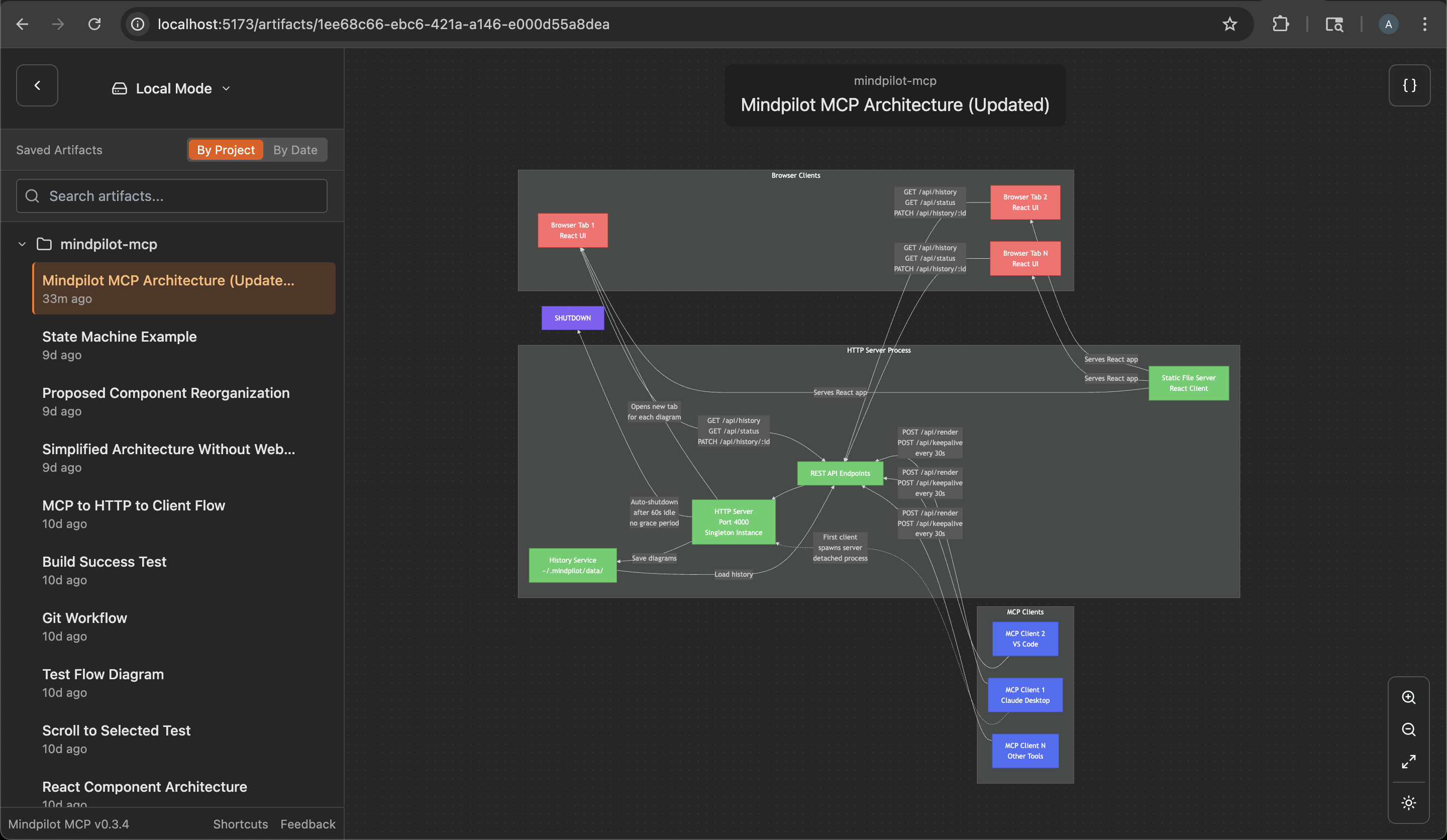
Why Mindpilot?
- Visualize Anything: Use your coding agent to generate on-demand architecture, code, and process diagrams to view your code from different perspectives.
- Vibe Checks: AI-generated code can accumulate unused and redundant constructs. Use visualizations to spot areas that need cleanup.
- Local Processing: Diagrams are never sent to the cloud. Everything stays between you, your agent, and your agent’s LLM provider(s).
- Export & Share: Export any diagram as a vector image.
Prerequisites
Node.js v20.0.0 or higher.
Quickstart
Claude Code
claude mcp add mindpilot -- npx @mindpilot/mcp@latest
Cursor
Under Settings > Cursor Settings > MCP > Click Add new global MCP server and configure mindpilot in the mcpServers object.
{
  "mcpServers": {
    "mindpilot": {
      "command": "npx",
      "args": ["@mindpilot/mcp@latest"]
    }
  }
}
VS Code
Follow the instructions here for enabling MCPs in VS Code: https://code.visualstudio.com/docs/copilot/chat/mcp-servers
Go to Settings > Features > MCP, then click Edit in settings json
Then add mindpilot to your MCP configuration:
{
  "mcp": {
    "servers": {
      "mindpilot": {
        "type": "stdio",
        "command": "npx",
        "args": ["@mindpilot/mcp@latest"]
      }
    }
  }
}
Windsurf
Under Settings > Windsurf Settings > Manage Plugins, click view raw config and configure mindpilot in the mcpServers object:
{
  "mcpServers": {
    "mindpilot": {
      "command": "npx",
      "args": ["@mindpilot/mcp@latest"]
    }
  }
}
Zed
In the AI Thread panel click on the three dots ..., then click Add Custom Server...
In the Command to run MCPserver field enter npx @mindpilot/mcp@latest and click Add Server.
Configuration Options
- Port: The server defaults to port 4000 but can be configured using the
--portcommand line switch.
설치
npx @mindpilot/mcp@latest