
aarora79/aws-cost-explorer-mcp-server
Developer tools이 페이지는 AI로 자동 번역되었습니다. 기술적인 세부 사항은 원문을 확인하세요. 원문 보기
aarora79/aws-cost-explorer-mcp-server는 https://github.com/aarora79/aws-cost-explorer-mcp-server.에서 가져온 MCP 서버 후보입니다.
개요
aarora79/aws-cost-explorer-mcp-server는 https://github.com/aarora79/aws-cost-explorer-mcp-server.에서 가져온 MCP 서버 후보입니다.
개요(AI 번역)
AWS 지출 데이터를 Cost Explorer를 통해 얻고, Amazon Bedrock 사용량 데이터를 Amazon Cloud Watch 내 Model invocation logs를 통해 Anthropic의 MCP(모델 제어 프로토콜)를 통해 데이터를 받을 수 있는 MCP 서버입니다. “안전한” 원격 MCP 서버 섹션을 참고하여 HTTPS로 MCP 서버를 운영하는 방법을 확인하세요.
MCP 서버를 로컬에서 실행하고 Claude 데스크톱을 통해 접근할 수도 있고, Amazon EC2에서 원격 MCP 서버를 실행해 LangGraph 에이전트에 내장된 MCP 클라이언트를 통해 접근할 수도 있습니다.
🚨이 MCP 서버를 사용해 다른 계정의 AWS 지출 정보를 얻을 수도 있는데, 단, MCP 서버가 사용하는 IAM 역할이 그 계정🚨들에서 역할을 수행할 수 있다면 말이죠
데모 비디오
개요
이 도구는 Anthropic의 Claude 모델을 인터랙티브 인터페이스로 사용하여 AWS 클라우드 지출 데이터를 편리하게 분석하고 시각화할 수 있는 방법을 제공합니다. MCP 서버 역할을 하여 AWS Cost Explorer API 기능을 Claude Desktop에 노출시켜 자연어로 AWS 지출에 관한 질문을 할 수 있게 합니다.
특징
- Amazon EC2 지출 분석: 지난 하루 EC2 지출 상세 내역을 보기
이 페이지는 AI로 자동 번역되었습니다. 기술적인 세부 사항은 원문을 확인하세요.
README
원문 README의 일부입니다. 원문 보기.
AWS Cost Explorer and Amazon Bedrock Model Invocation Logs MCP Server & Client
An MCP server for getting AWS spend data via Cost Explorer and Amazon Bedrock usage data via Model invocation logs in Amazon Cloud Watch through Anthropic’s MCP (Model Control Protocol). See section on “secure” remote MCP server to see how you can run your MCP server over HTTPS.
flowchart LR
    User([User]) --> UserApp[User Application]
    UserApp --> |Queries| Host[Host]

    subgraph "Claude Desktop"
        Host --> MCPClient[MCP Client]
    end

    MCPClient --> |MCP Protocol over HTTPS| MCPServer[AWS Cost Explorer MCP Server]

    subgraph "AWS Services"
        MCPServer --> |API Calls| CostExplorer[(AWS Cost Explorer)]
        MCPServer --> |API Calls| CloudWatchLogs[(AWS CloudWatch Logs)]
    end
You can run the MCP server locally and access it via the Claude Desktop or you could also run a Remote MCP server on Amazon EC2 and access it via a MCP client built into a LangGraph Agent.
🚨You can also use this MCP server to get AWS spend information from other accounts as long as the IAM role used by the MCP server can assume roles in those other accounts🚨
Demo video
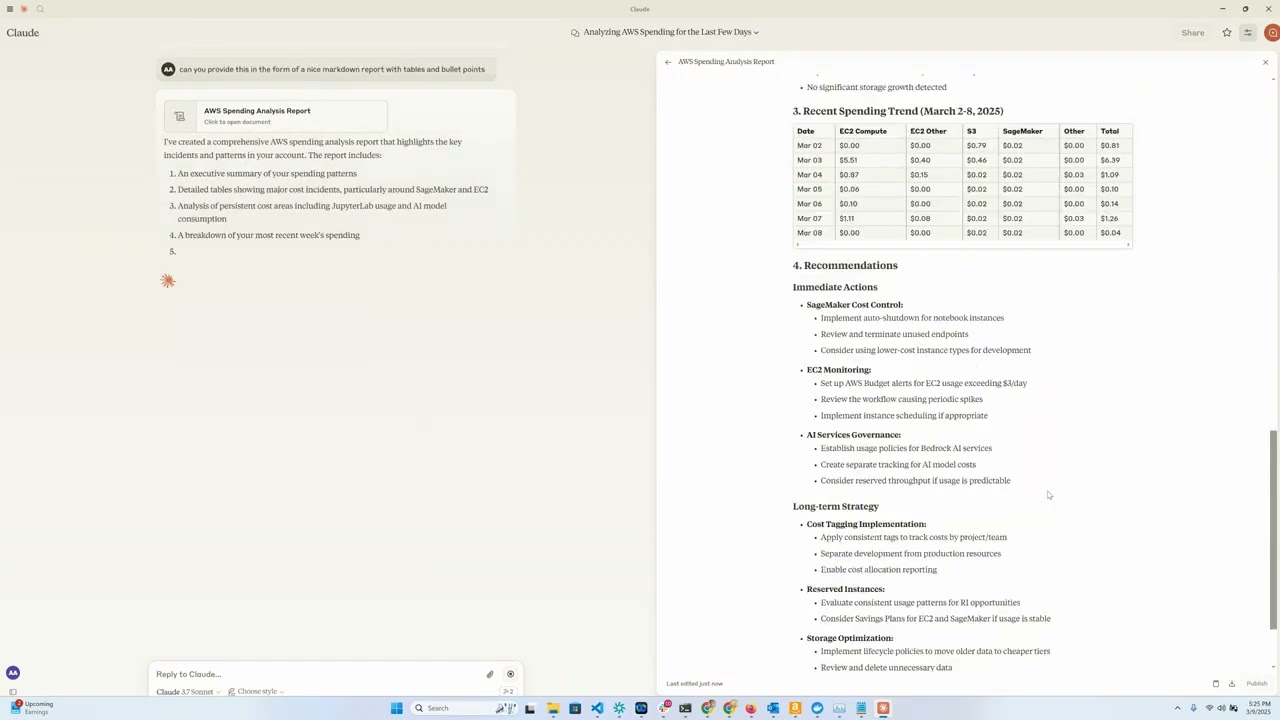
Overview
This tool provides a convenient way to analyze and visualize AWS cloud spending data using Anthropic’s Claude model as an interactive interface. It functions as an MCP server that exposes AWS Cost Explorer API functionality to Claude Desktop, allowing you to ask questions about your AWS spend in natural language.
Features
- Amazon EC2 Spend Analysis: View detailed breakdowns of EC2 spending for the last day
- Amazon Bedrock Spend Analysis: View breakdown by region, users and models over the last 30 days
- Service Spend Reports: Analyze spending across all AWS services for the last 30 days
- Detailed Cost Breakdown: Get granular cost data by day, region, service, and instance type
- Interactive Interface: Use Claude to query your cost data through natural language
Requirements
- Python 3.12
- AWS credentials with Cost Explorer access
- Anthropic API access (for Claude integration)
- [Optional] Amazon Bedrock access (for LangGraph Agent)
- [Optional] Amazon EC2 for running a remote MCP server
Installation
-
Install
uv:# On macOS and Linux curl -LsSf https://astral.sh/uv/install.sh | sh# On Windows powershell -ExecutionPolicy ByPass -c "irm https://astral.sh/uv/install.ps1 | iex"Additional installation options are documented here
설치
docker run -i --rm -e AWS_ACCESS_KEY_ID -e AWS_SECRET_ACCESS_KEY -e AWS_REGION -e BEDROCK_LOG_GROUP_NAME -e MCP_TRANSPORT -e CROSS_ACCOUNT_ROLE_NAME aws-cost-explorer-mcp:latest설정
{
  "mcpServers": {
    "aws-cost-explorer": {
      "command": "docker",
      "args": [ "run", "-i", "--rm", "-e", "AWS_ACCESS_KEY_ID", "-e", "AWS_SECRET_ACCESS_KEY", "-e", "AWS_REGION", "-e", "BEDROCK_LOG_GROUP_NAME", "-e", "MCP_TRANSPORT", "-e", "CROSS_ACCOUNT_ROLE_NAME", "aws-cost-explorer-mcp:latest" ],
      "env": {
        "AWS_ACCESS_KEY_ID": "YOUR_ACCESS_KEY_ID",
        "AWS_SECRET_ACCESS_KEY": "YOUR_SECRET_ACCESS_KEY",
        "AWS_REGION": "us-east-1",
        "BEDROCK_LOG_GROUP_NAME": "YOUR_CLOUDWATCH_BEDROCK_MODEL_INVOCATION_LOG_GROUP_NAME",
        "CROSS_ACCOUNT_ROLE_NAME": "ROLE_NAME_FOR_THE_ROLE_TO_ASSUME_IN_OTHER_ACCOUNTS",
        "MCP_TRANSPORT": "stdio"
      }
    }
  }
}